Firstly you generate API key
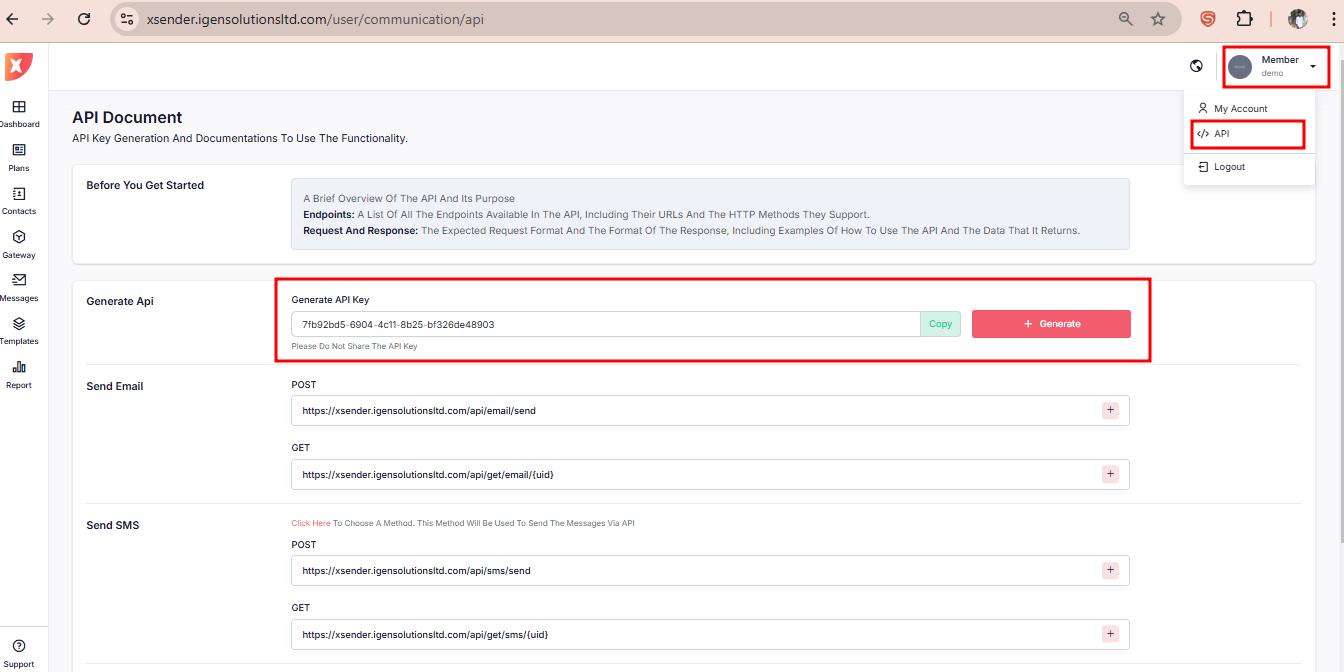
To interact with the API, ensure that you include the API key in the request headers. Use the following guidelines:
Header Requirement:
Key:
Api-keyValue: Your unique API key (provided upon registration).
Xsender API is a robust and versatile communication platform designed to streamline message dispatching across multiple channels, including Email, SMS, and WhatsApp. This API empowers developers and businesses to seamlessly integrate messaging capabilities into their applications and systems with high reliability and efficiency.
Note: The WhatsApp API currently supports sending messages only via a connected node device. However, we plan to integrate the WhatsApp Cloud API in a future update to enhance functionality and scalability
Firstly you generate API key
To interact with the API, ensure that you include the API key in the request headers. Use the following guidelines:
Header Requirement:
Key: Api-key
Value: Your unique API key (provided upon registration).
To send email use the url :
https://xsender.igensolutionsltd.com/api/email/send
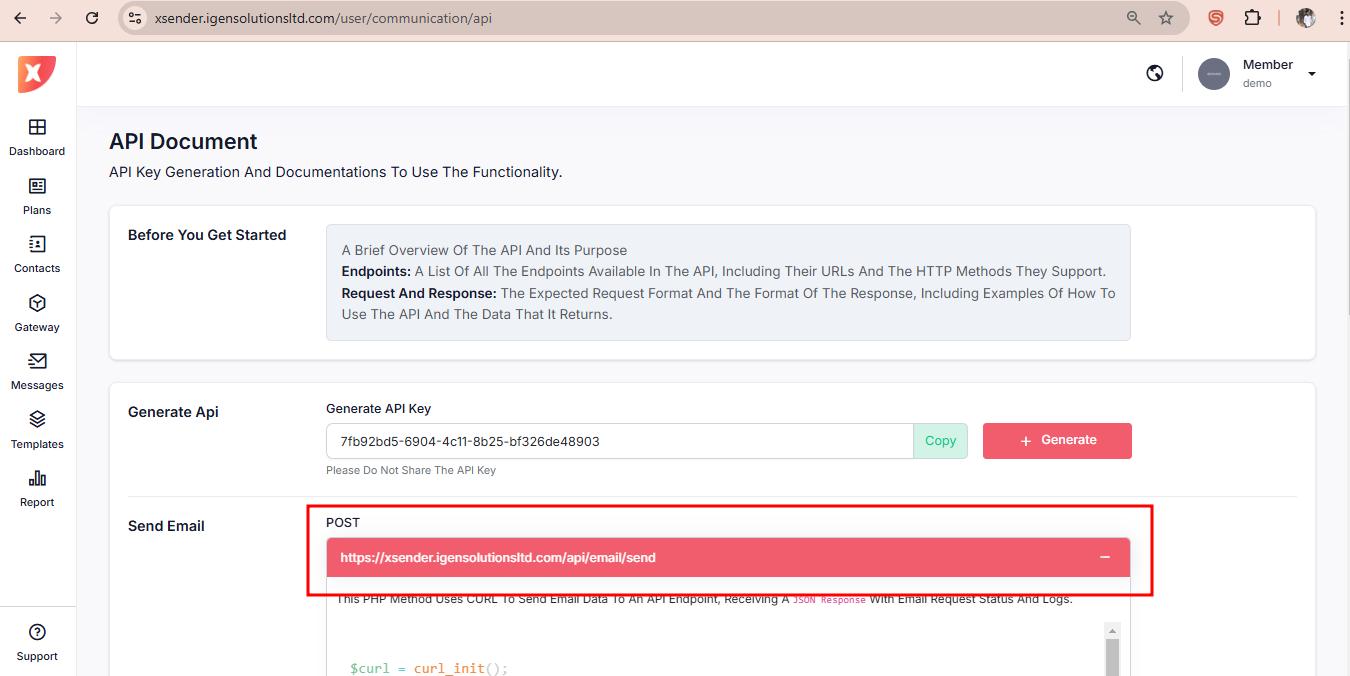
Format the Post data like below :
$postdata = array(
    "contact" => array(
        array(
            "email" => "[email protected]",
            "subject" => "Scheduled Email",
            "message" => "This is a scheduled email.\nPlease review the details.",
            "schedule_at" => "2024-07-10 15:30:00",
            "session_name" => "**********"
        ),
        array(
            "email" => "[email protected]",
            "subject" => "Email with Image Attachment",
            "message" => "Please find the attached image.",
            "attachments" => array(
                "type" => "image",
                "url" => "https://some-site-example.jpg"
            )
        ),
        array(
            "email" => "[email protected]",
            "subject" => "Email with Audio Attachment",
            "message" => "Please listen to the attached audio.",
            "attachments" => array(
                "type" => "audio",
                "url" => "https://some-site-example.mp3"
            )
        )
    )
);
Check the dropdown description for complete code sample
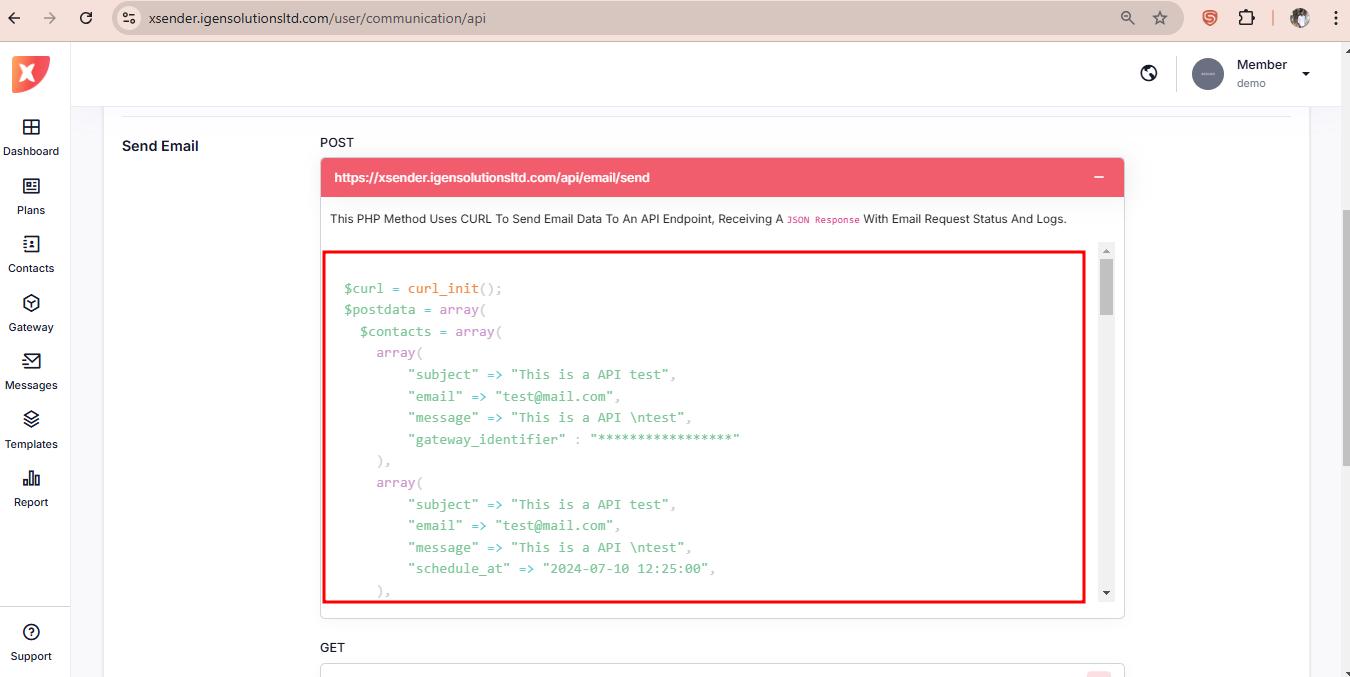
To send single message use single array
$postdata = array(
    "email" => "[email protected]",
    "subject" => "Email Subject",
    "message" => "This is the body of the email.\nYou can include *formatted text*.",
    "schedule_at" => "2024-07-10 15:30:00",
    "attachment_type" => "image",
    "attachment_url" => "https://some-site-example.jpg"
);
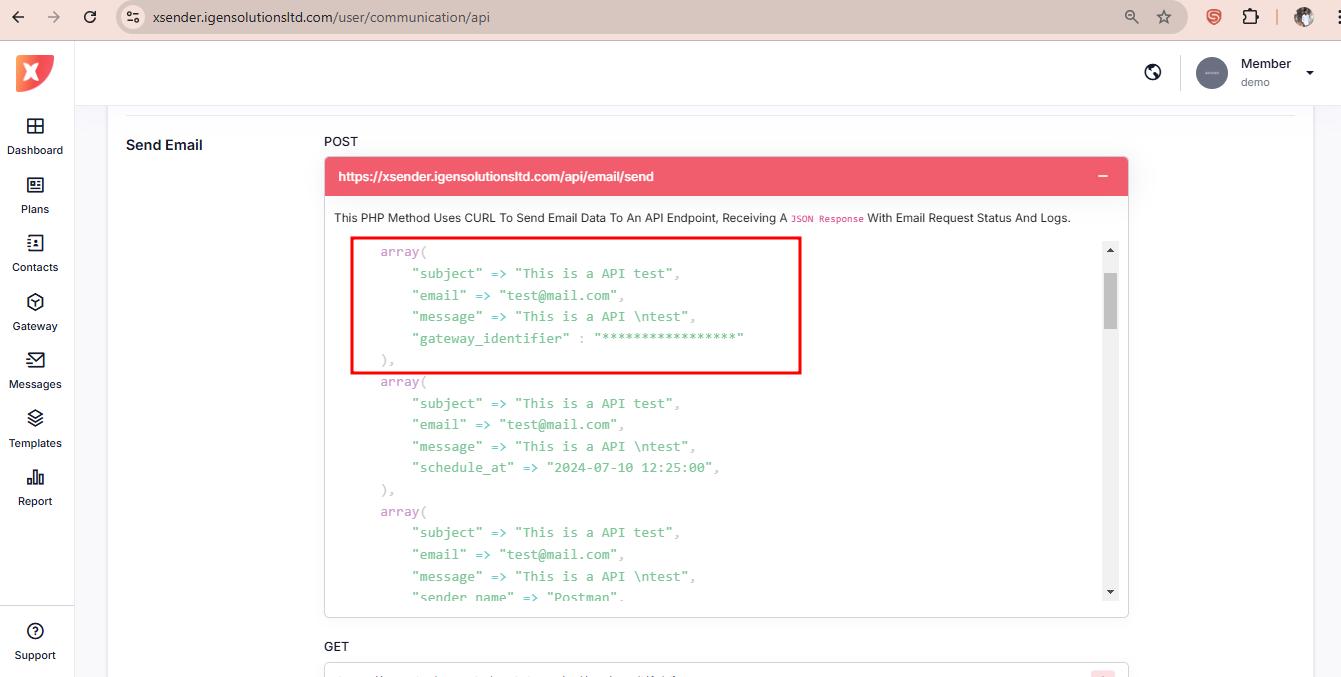
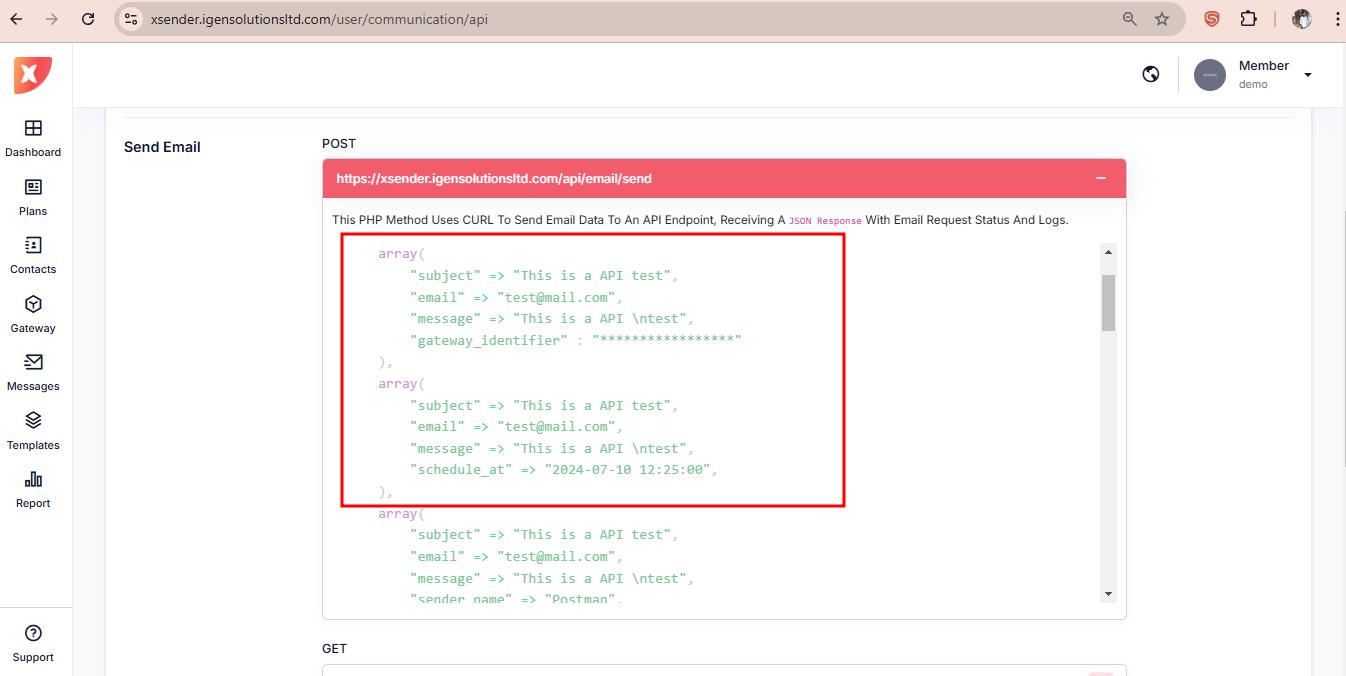
To send bulk messages format the data in multiple array as show in the image
$postdata = array(
    "contact" => array(
        array(
            "email" => "[email protected]",
            "subject" => "First Email Subject",
            "message" => "This is the first email body.\nYou can include *formatted text*.",
            "schedule_at" => "2024-07-10 15:30:00",
            "attachment_type" => "image",
            "attachment_url" => "https://some-site-example1.jpg"
        ),
        array(
            "email" => "[email protected]",
            "subject" => "Second Email Subject",
            "message" => "This is the second email body.\nYou can include more *formatted text*.",
            "schedule_at" => "2024-07-11 10:00:00",
            "attachment_type" => "audio",
            "attachment_url" => "https://some-site-example2.mp3"
        ),
        array(
            "email" => "[email protected]",
            "subject" => "Third Email Subject",
            "message" => "This is the third email body.\nNo attachments for this one.",
            "schedule_at" => "2024-07-12 14:00:00"
        )
    )
);
To send sms use the url
https://xsender.igensolutionsltd.com/api/sms/send
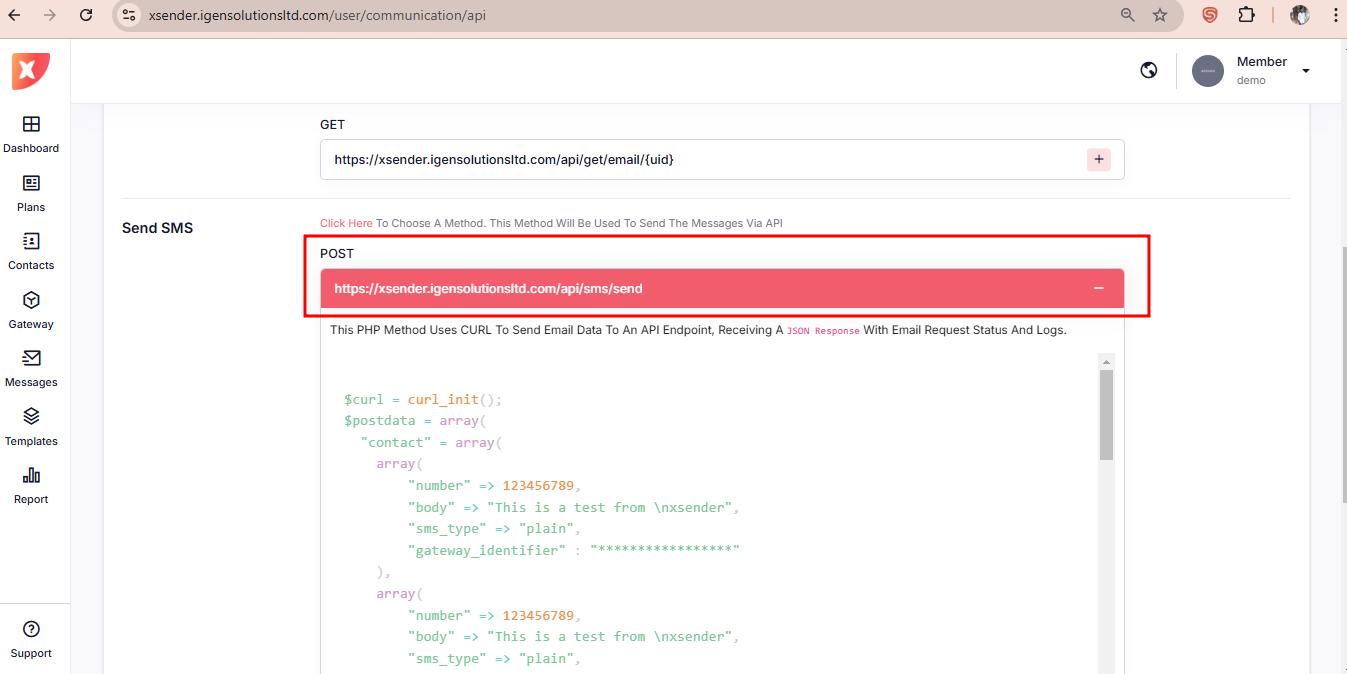
Format the Post data like below :
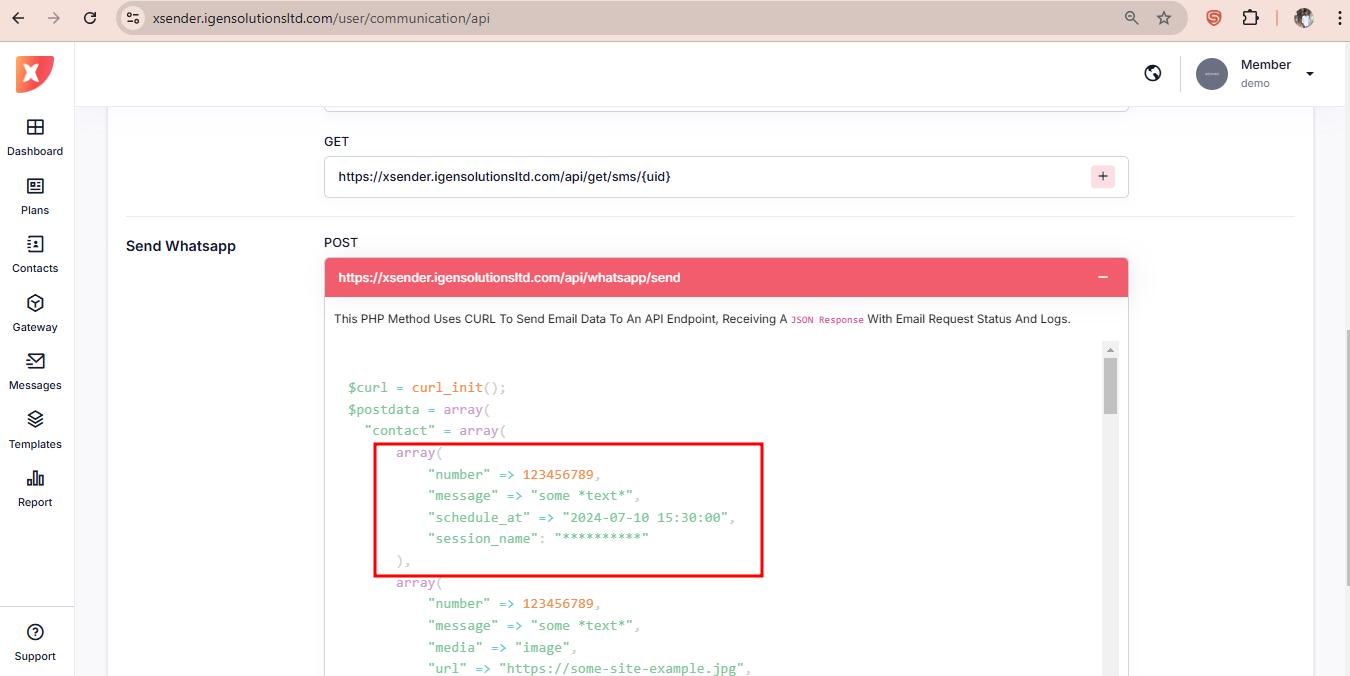
$postdata = array(
    "contact" => array(
        array(
            "number" => 123456789,
            "message" => "some *text*",
            "schedule_at" => "2024-07-10 15:30:00",
            "session_name" => "**********"
        ),
        array(
            "number" => 123456789,
            "message" => "some *text*",
            "schedule_at" => null,
            "session_name" => null
        )
    )
);
Check the dropdown description for complete code sample
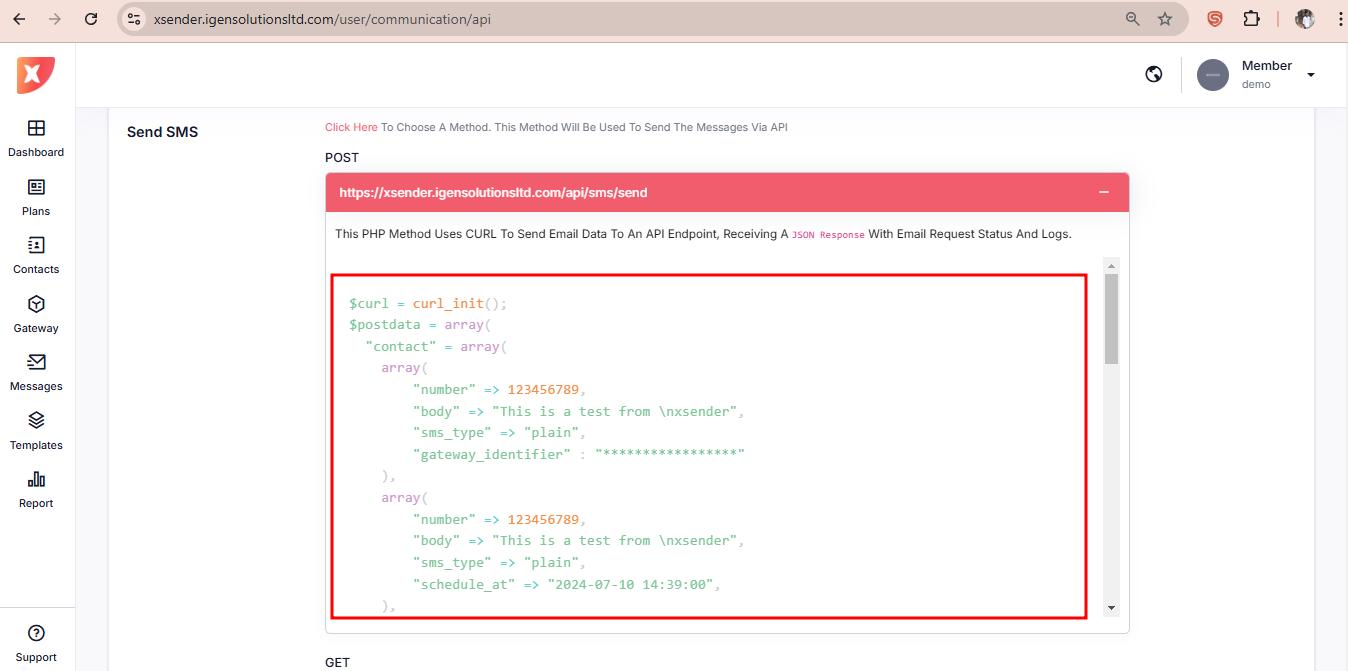
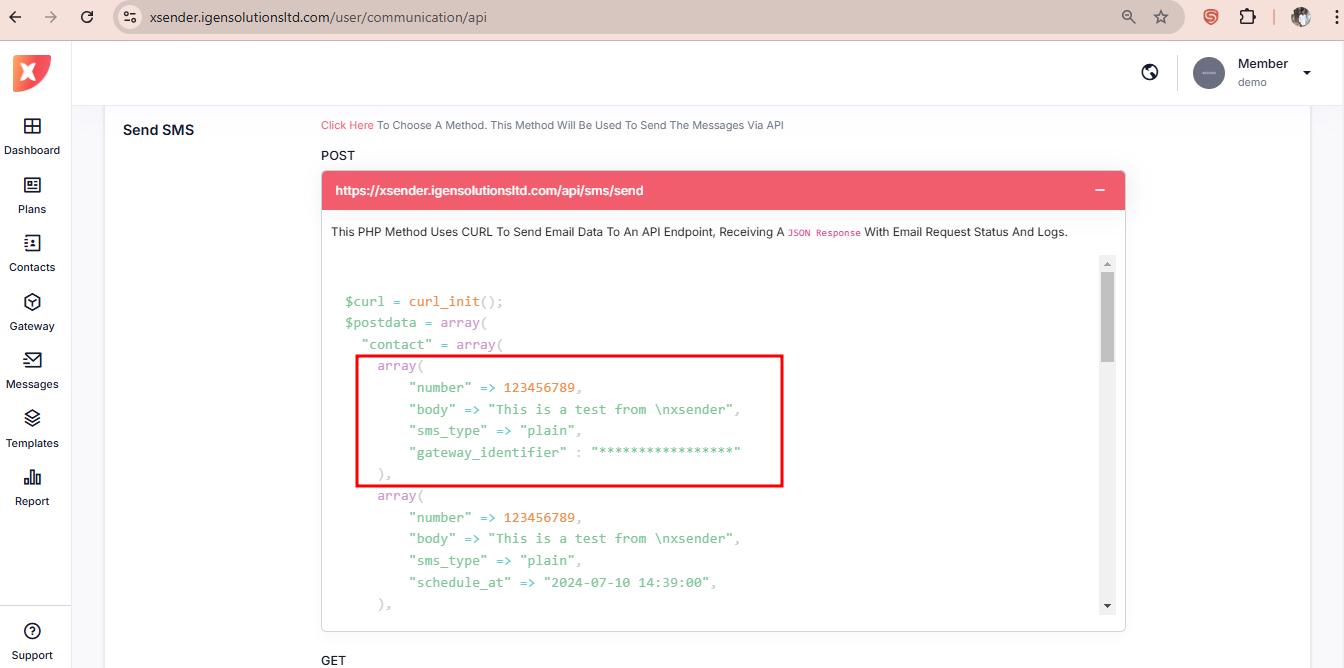
To send single message use single array
$postdata = array(
    "number" => 123456789,
    "message" => "some *text*",
    "schedule_at" => "2024-07-10 15:30:00",
    "session_name" => "**********"
);
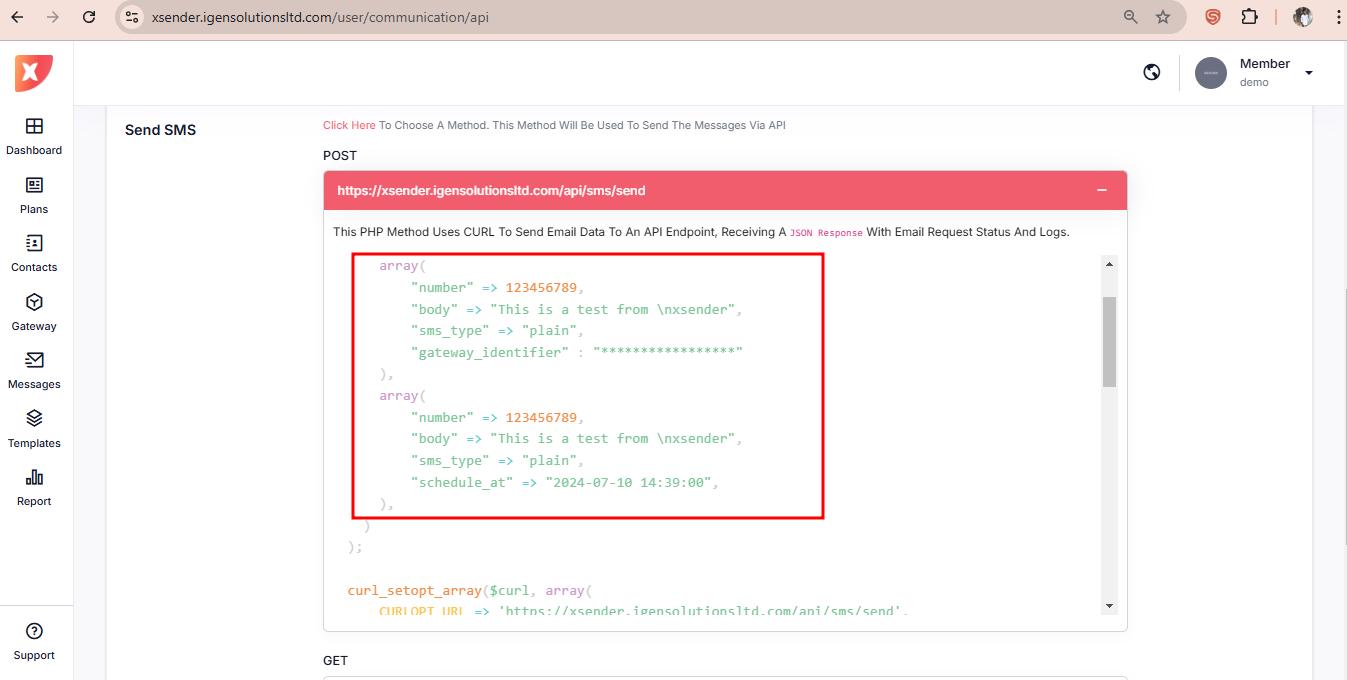
To send bulk messages format the data in multiple array as show in the image
$postdata = array(
    array(
        "number" => 123456789,
        "message" => "some *text*",
        "schedule_at" => "2024-07-10 15:30:00",
        "session_name" => "**********"
    ),
    array(
        "number" => 123456789,
        "message" => "some *text*",
        "schedule_at" => null,
        "session_name" => null
    ),
    array(
        "number" => 123456789,
        "message" => "some *text*",
        "schedule_at" => null,
        "session_name" => null
    ),
    array(
        "number" => 123456789,
        "message" => "some *text*",
        "schedule_at" => null,
        "session_name" => null
    )
);
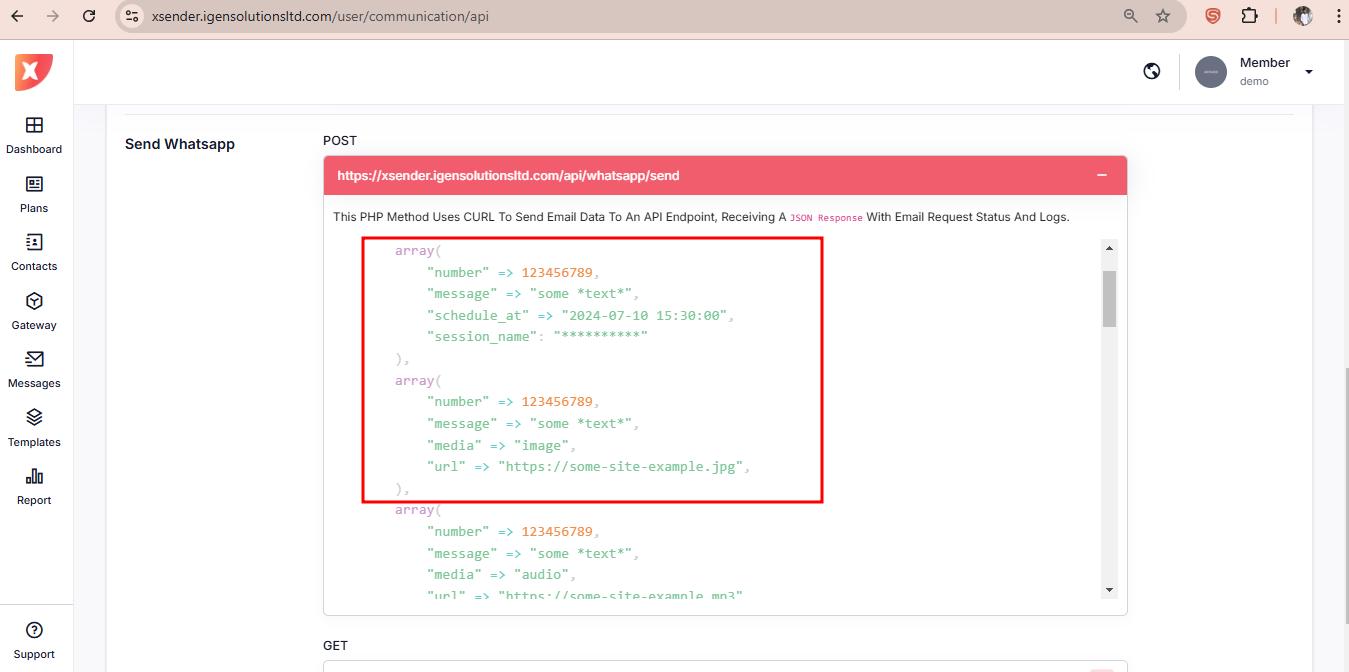
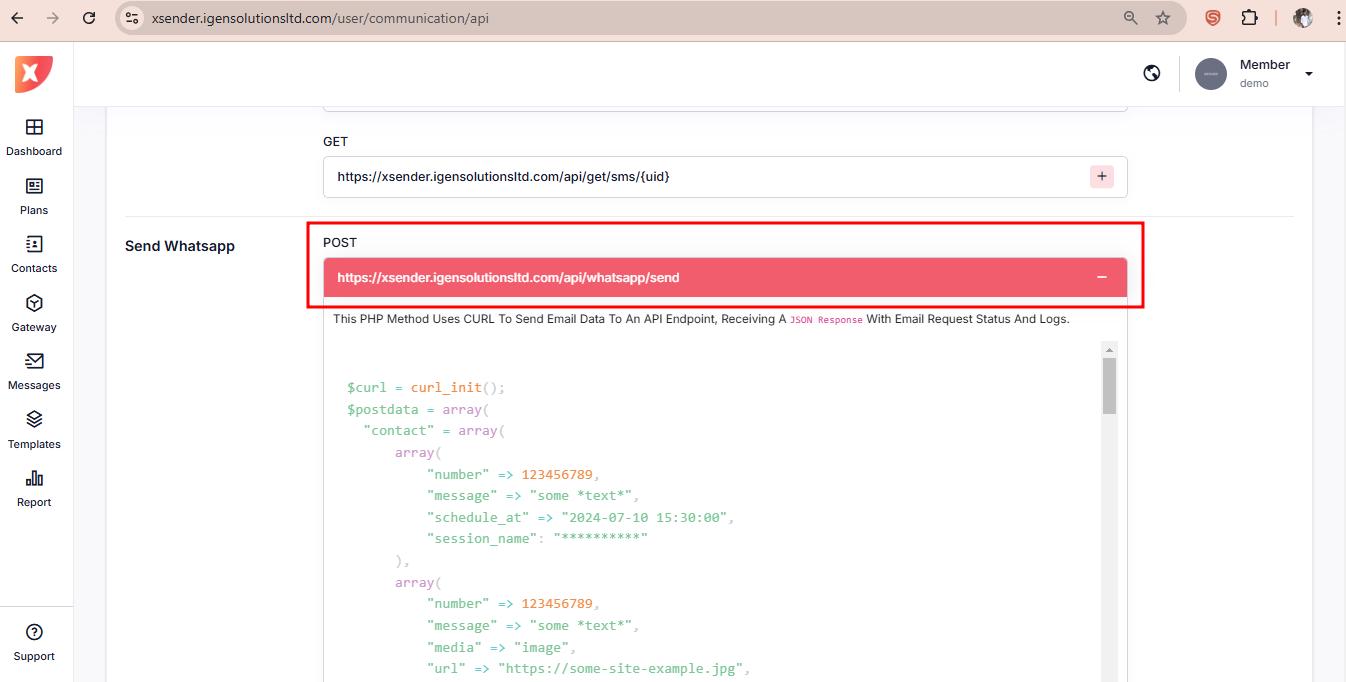
To send WhatsApp Message use the url
https://xsender.igensolutionsltd.com/api/whatsapp/send
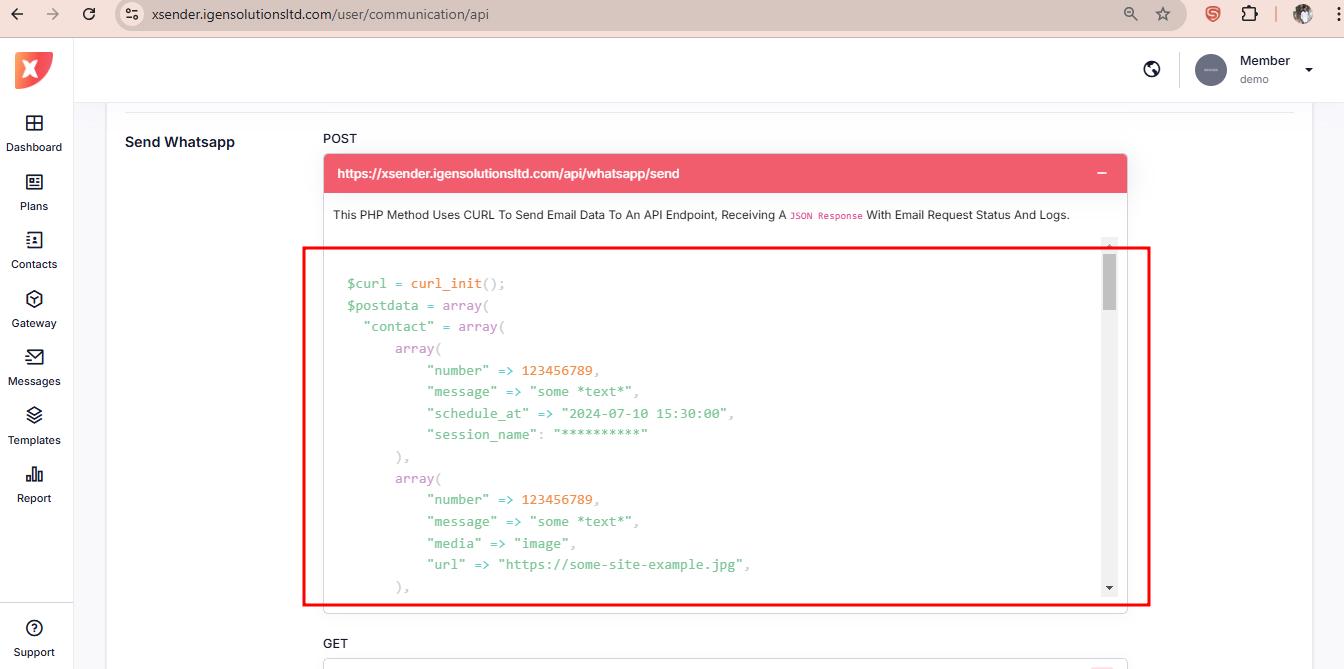
Format the Post data like below :
$postdata = array(
    array(
        "to" => "123456789",
        "type" => "text",
        "text" => array(
            "body" => "some *text*"
        ),
        "schedule_at" => "2024-07-10 15:30:00",
        "session_name" => "**********"
    ),
    array(
        "to" => "123456789",
        "type" => "text",
        "text" => array(
            "body" => "some *text*"
        ),
        "schedule_at" => null,
        "session_name" => null
    ),
    array(
        "to" => "123456789",
        "type" => "text",
        "text" => array(
            "body" => "some *text*"
        ),
        "schedule_at" => null,
        "session_name" => null
    ),
    array(
        "to" => "123456789",
        "type" => "text",
        "text" => array(
            "body" => "some *text*"
        ),
        "schedule_at" => null,
        "session_name" => null
    )
);
To send single message use single array
$postdata = array(
    "to" => "123456789",
    "type" => "text",
    "text" => array(
        "body" => "some *text*"
    ),
    "schedule_at" => "2024-07-10 15:30:00",
    "session_name" => "**********"
);
To send bulk messages format the data in multiple array as show in the image
$postdata = array(
    array(
        "to" => "123456789",
        "type" => "text",
        "text" => array(
            "body" => "some *text*"
        ),
        "schedule_at" => "2024-07-10 15:30:00",
        "session_name" => "**********"
    ),
    array(
        "to" => "123456789",
        "type" => "text",
        "text" => array(
            "body" => "some *text*"
        ),
        "schedule_at" => null,
        "session_name" => null
    ),
    array(
        "to" => "123456789",
        "type" => "image",
        "image" => array(
            "url" => "https://some-site-example.jpg"
        ),
        "schedule_at" => null,
        "session_name" => null
    ),
    array(
        "to" => "123456789",
        "type" => "audio",
        "audio" => array(
            "url" => "https://some-site-example.mp3"
        ),
        "schedule_at" => null,
        "session_name" => null
    )
);