At Xsender, we offer seamless messaging through multiple gateways. You can send messages via WhatsApp, SMS, and email. Let's demonstrate each method here.
Important: Before you proceed you must set up the cron jobs properly. See our documentation on How to set up Gateway
Important: Before you proceed you must set up your Gateways. See our documentation on How to set up Gateway
Note: We also recommend you create a Contact Group. See our documentation on How to create a Contact Group
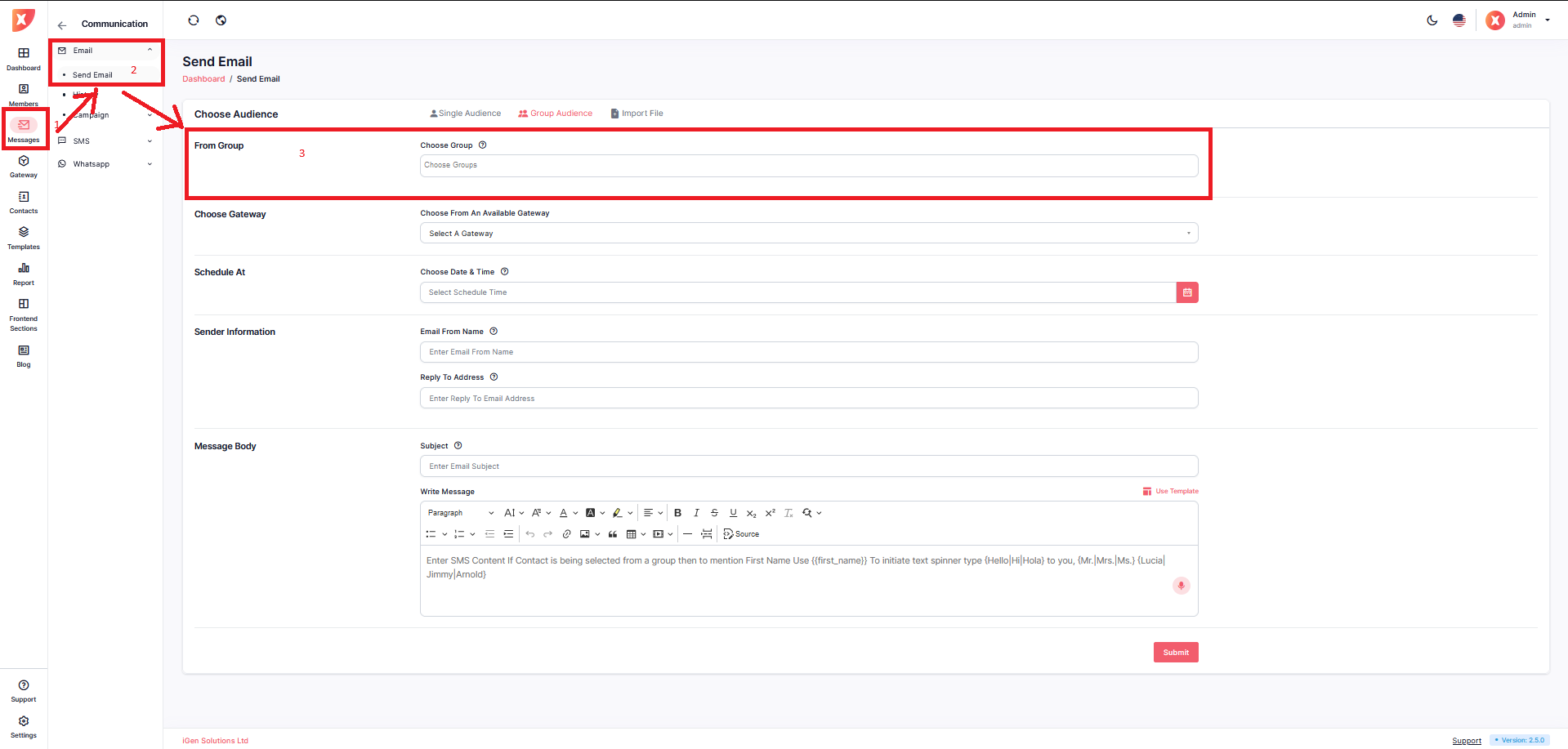
Navigate to Messages > Email > Send Email
For single audience, Select the Single Audience tab
Fill out the recipient's mail address
Select Email Gateway
Fill out other necessary information
Submit
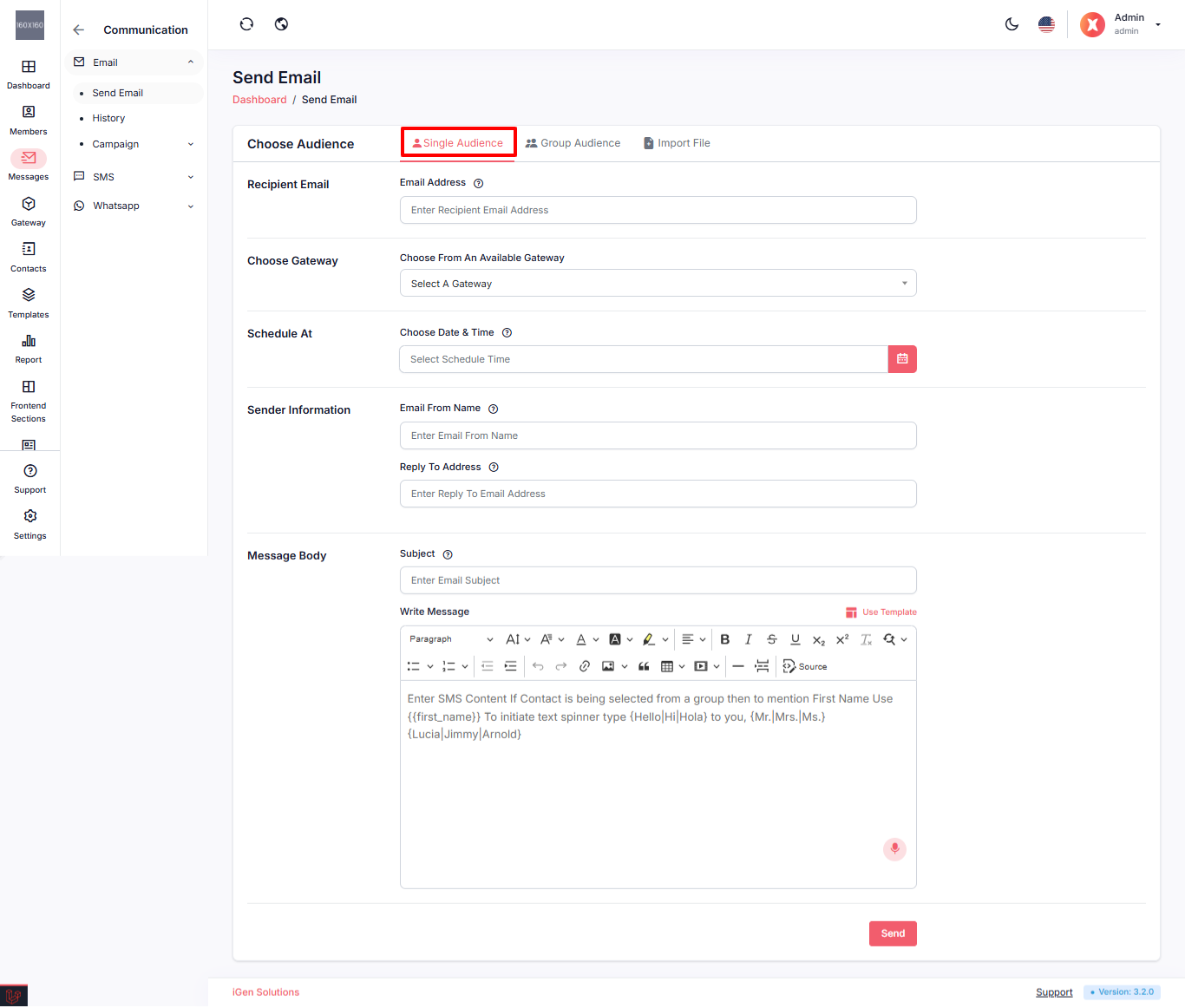
Once you submit it, the email dispatch will be handled by the cron jobs.
For multiple audiences, Select the Group Audience tab
Select the Group
Submit
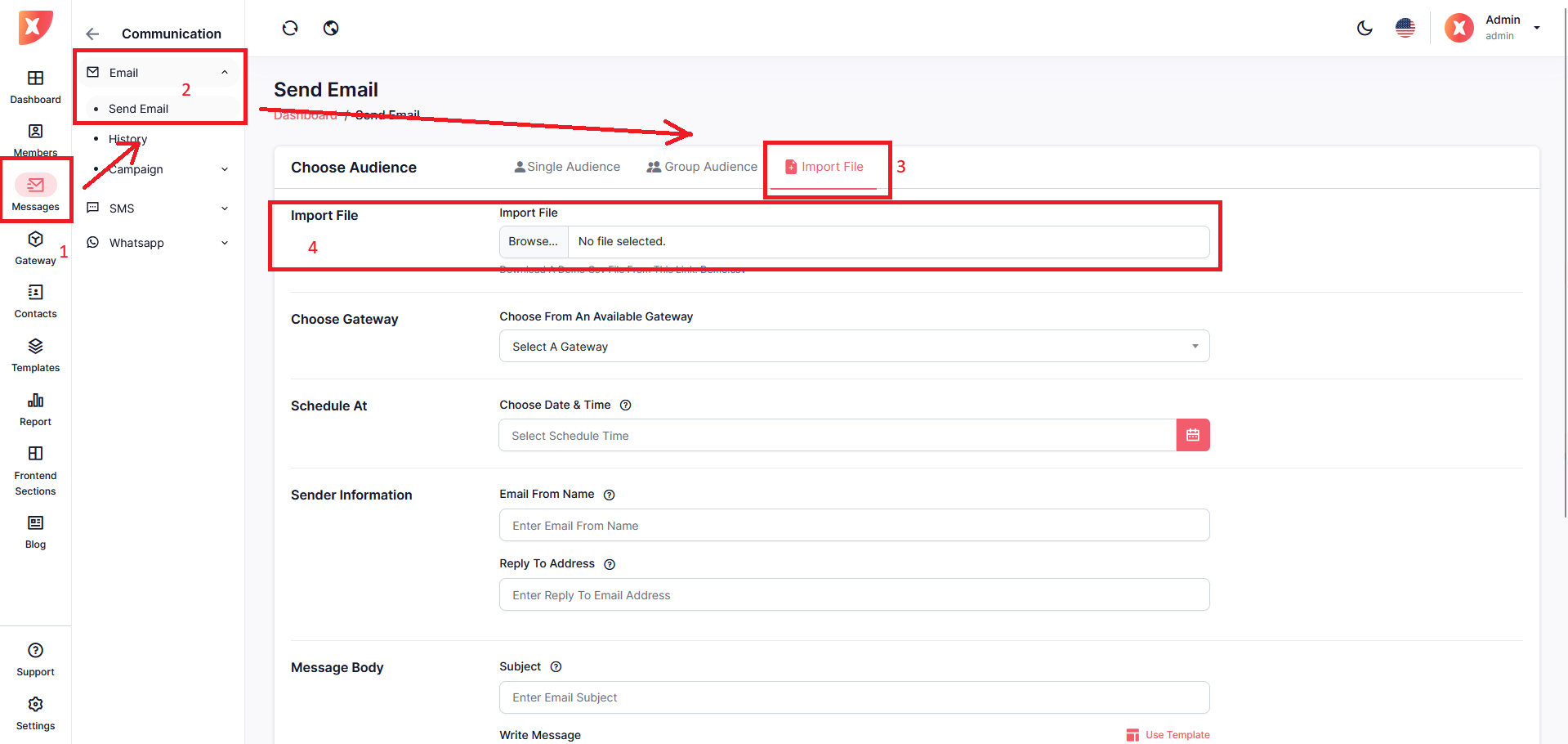
You can also send emails to multiple audiences by importing CSV files. To do that click on the Import File tab
Under the tab, import your CSV file. The CSV file must maintain the demo.csv structure which you can download.
Fill out the necessary information
Submit
First, navigate to the Messages > SMS > Send SMS to access the SMS-sending process.
For single audience select the Single Audience tab
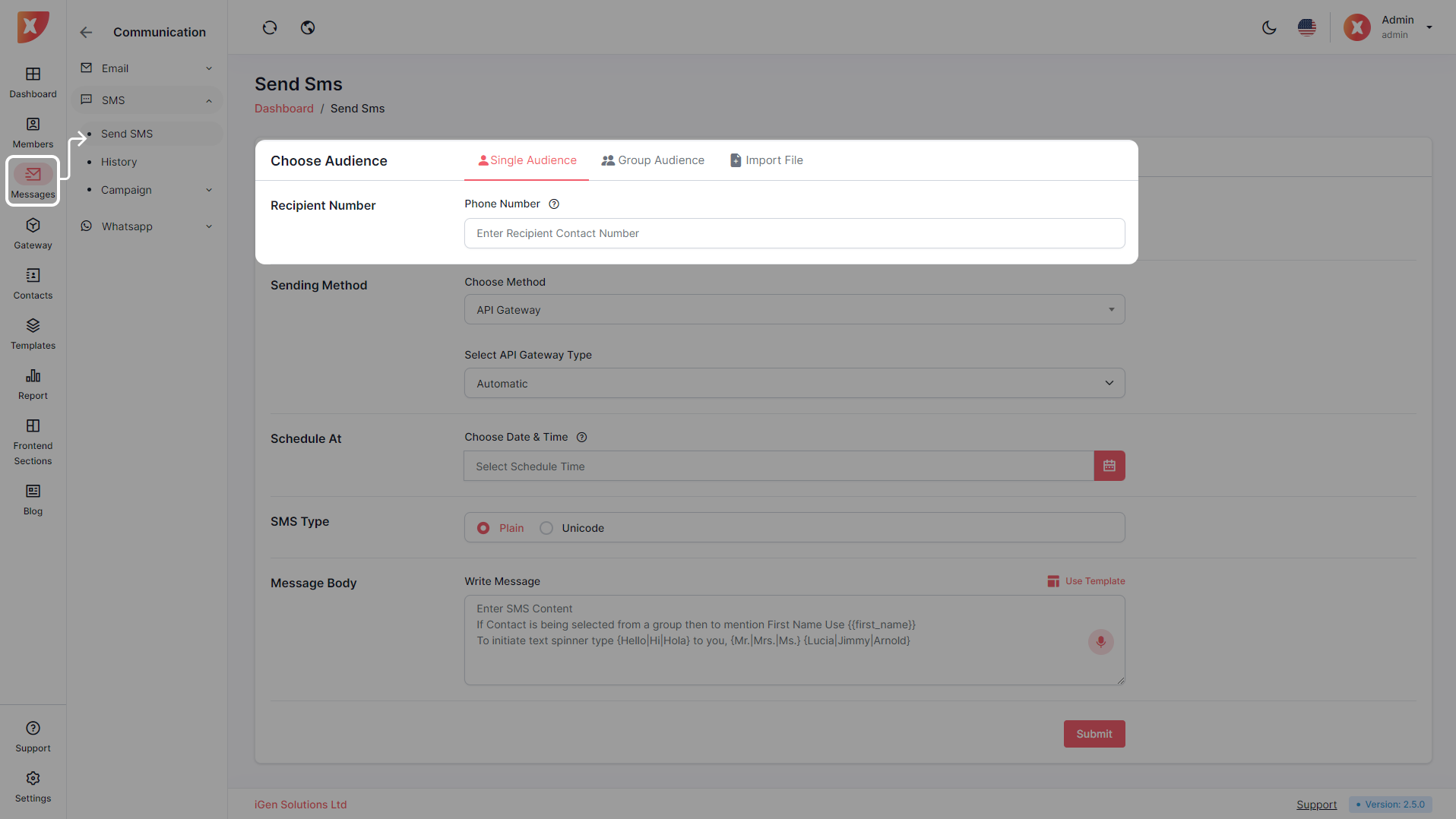
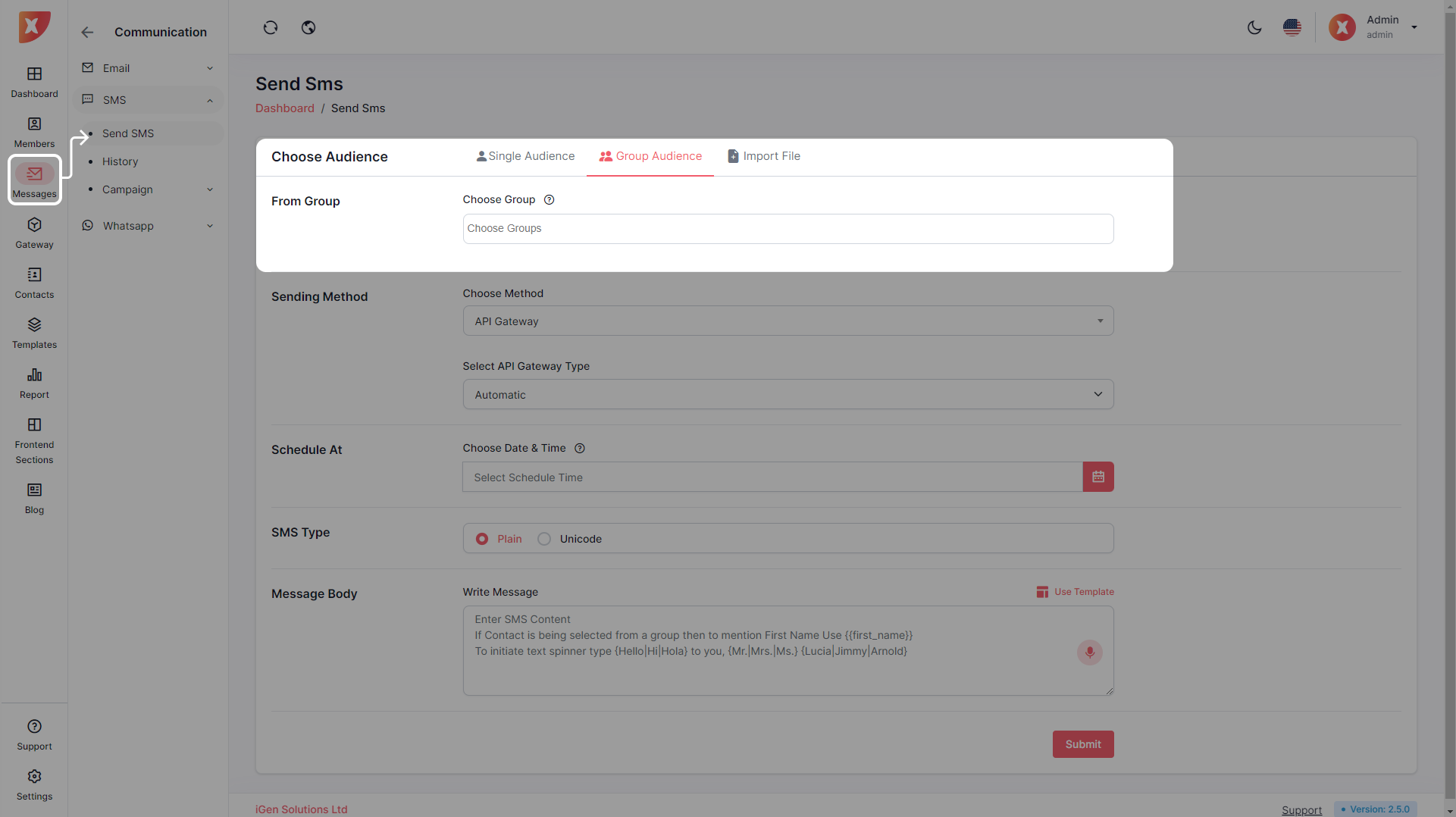
For group audience select the Group Audience tab
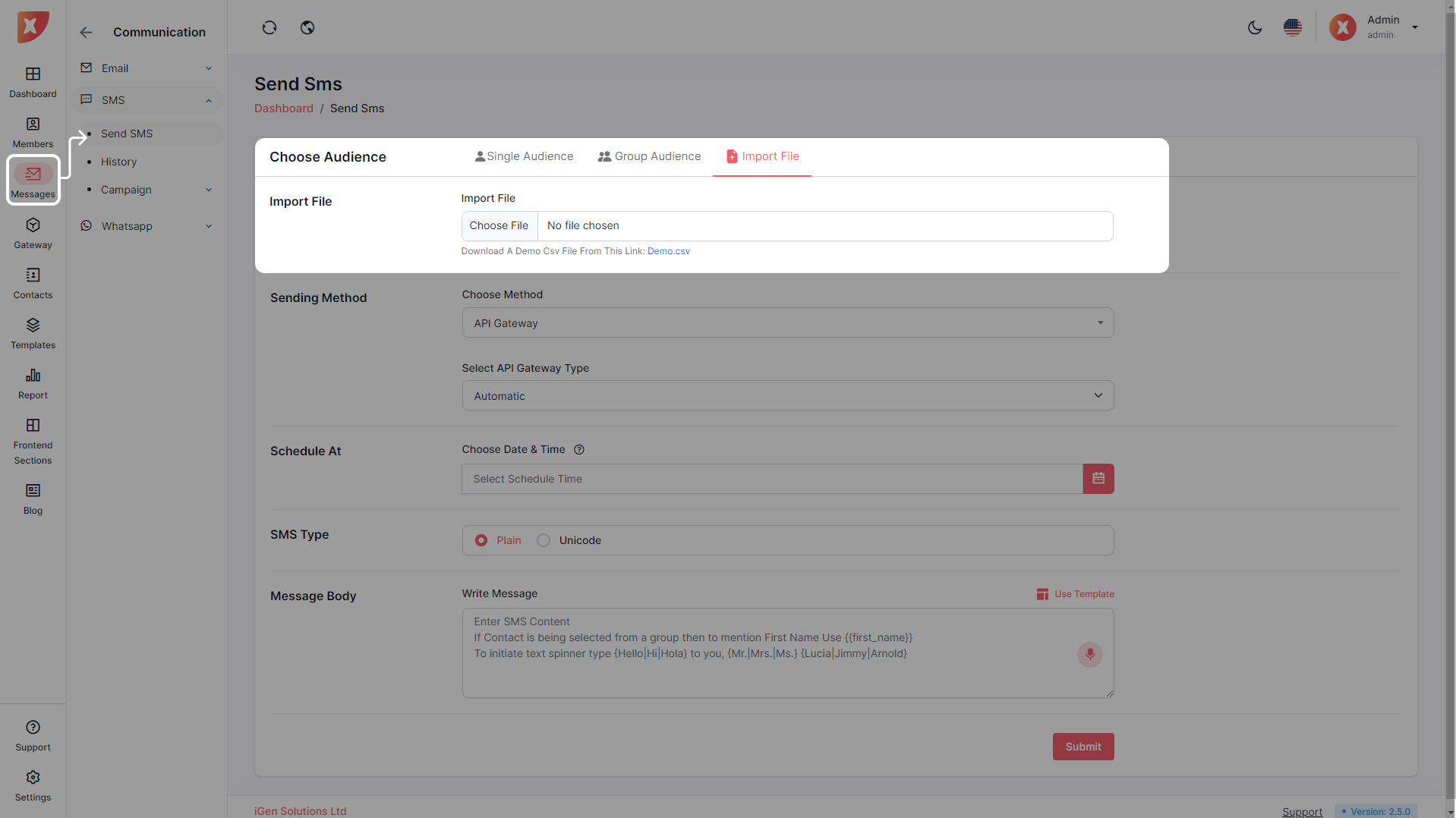
If you want to send SMS to the contacts you have in a specific CSV file format which our application supports click on the import files tab
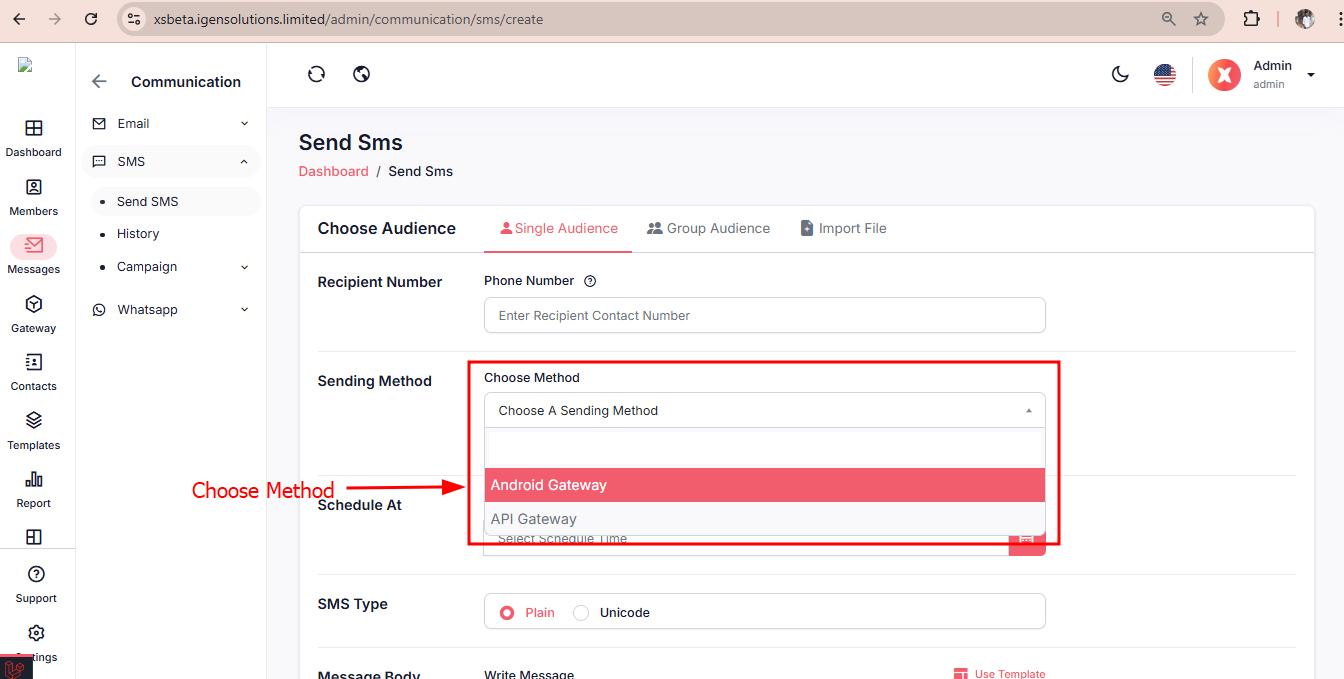
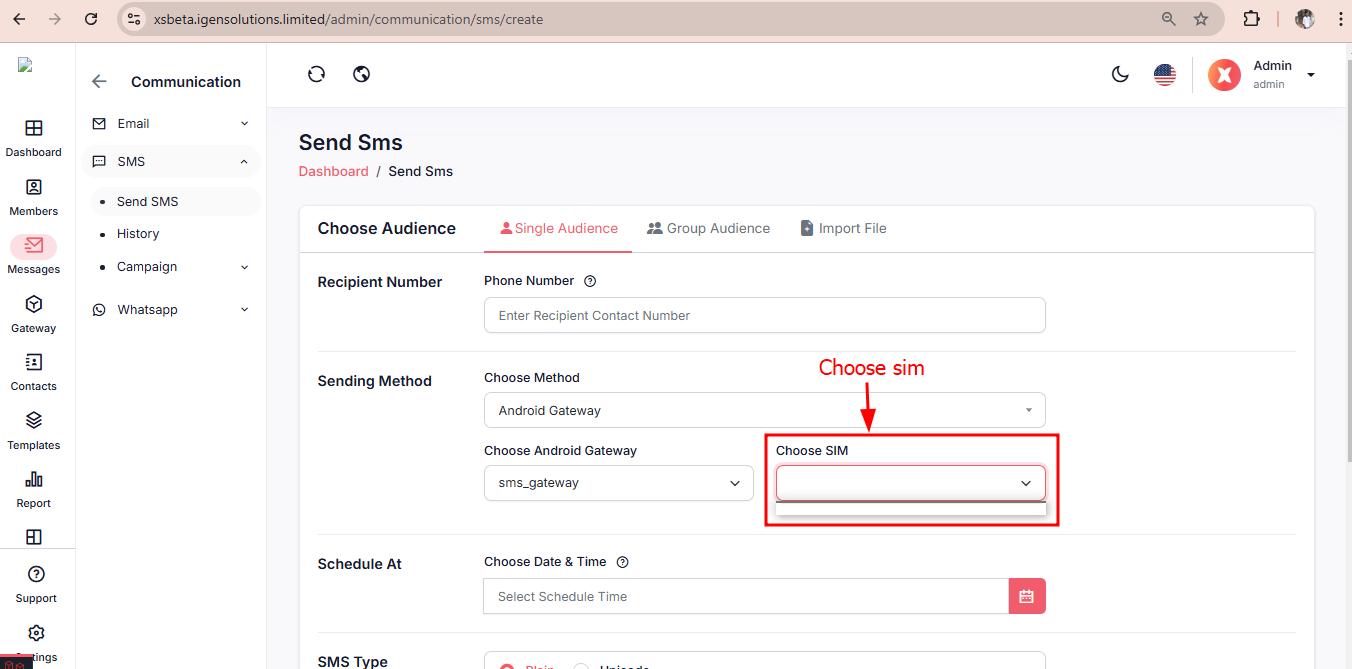
Now after your recipients are ready you can proceed to choose a method and its gateways. For SMS you can either select Android Method or API Gateways. After choosing a method you can either select the automatic option which will randomly assign a sim if the method is Android and select the default SMS Gateway if the method is API gateways. Or you can select a specific sim or a gateway to send your messages. Then you can proceed to the next input field.
Provide a scheduled date if you want to send the SMS at a specific time.
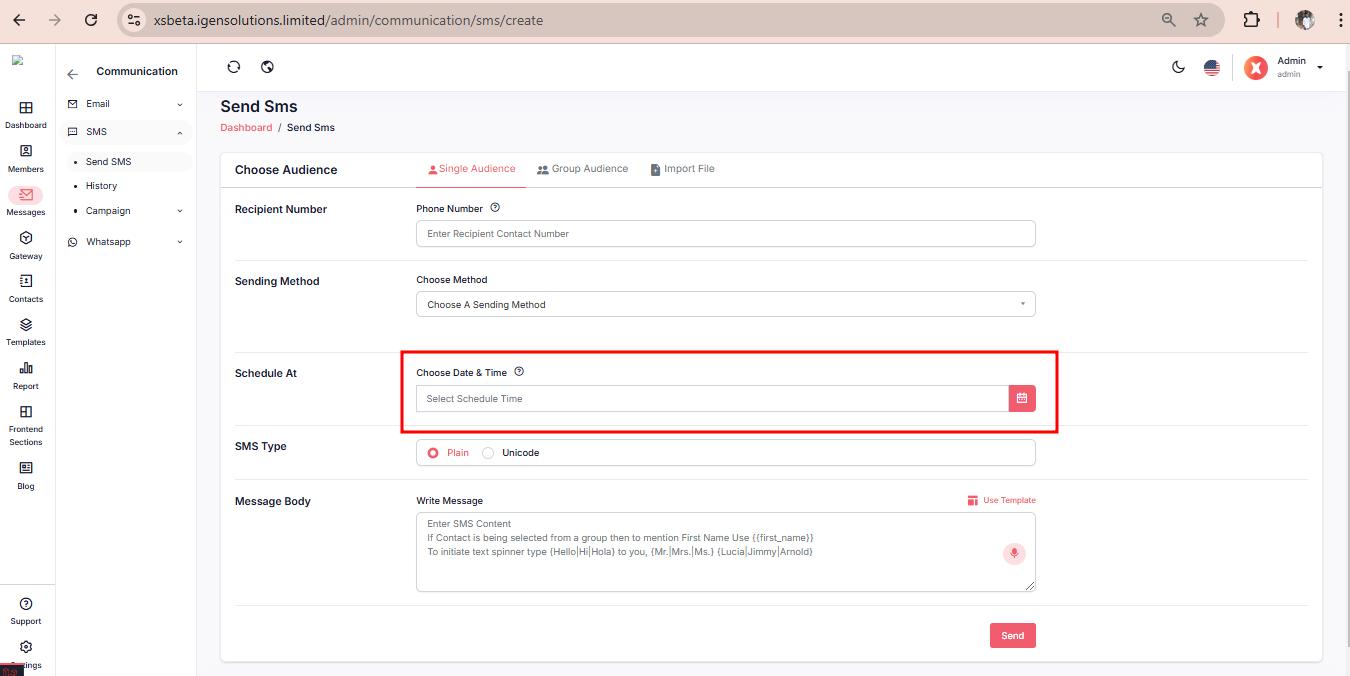
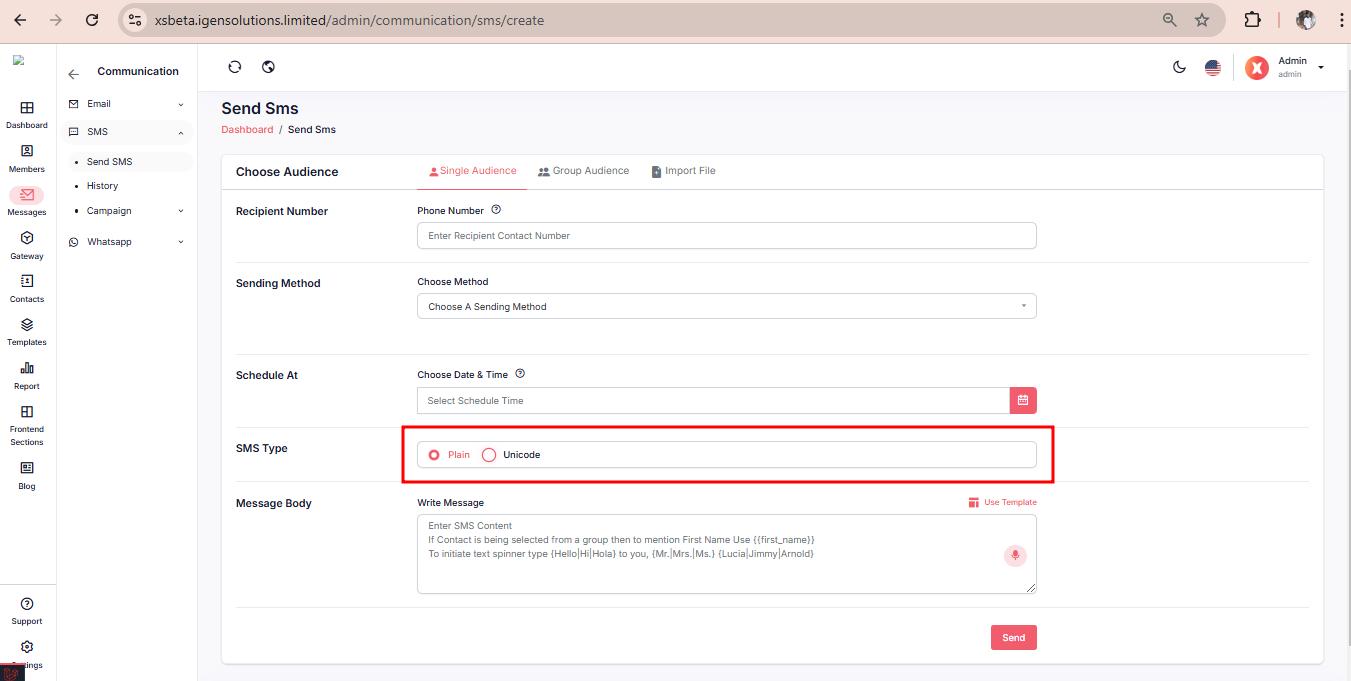
Select a type for your SMS
Proceed to add the contents in the message body. It will be displayed to your recipients.
Now you can submit the form
First, navigate to the Messages > Whatsapp > Send Whatsapp to access the SMS-sending process.
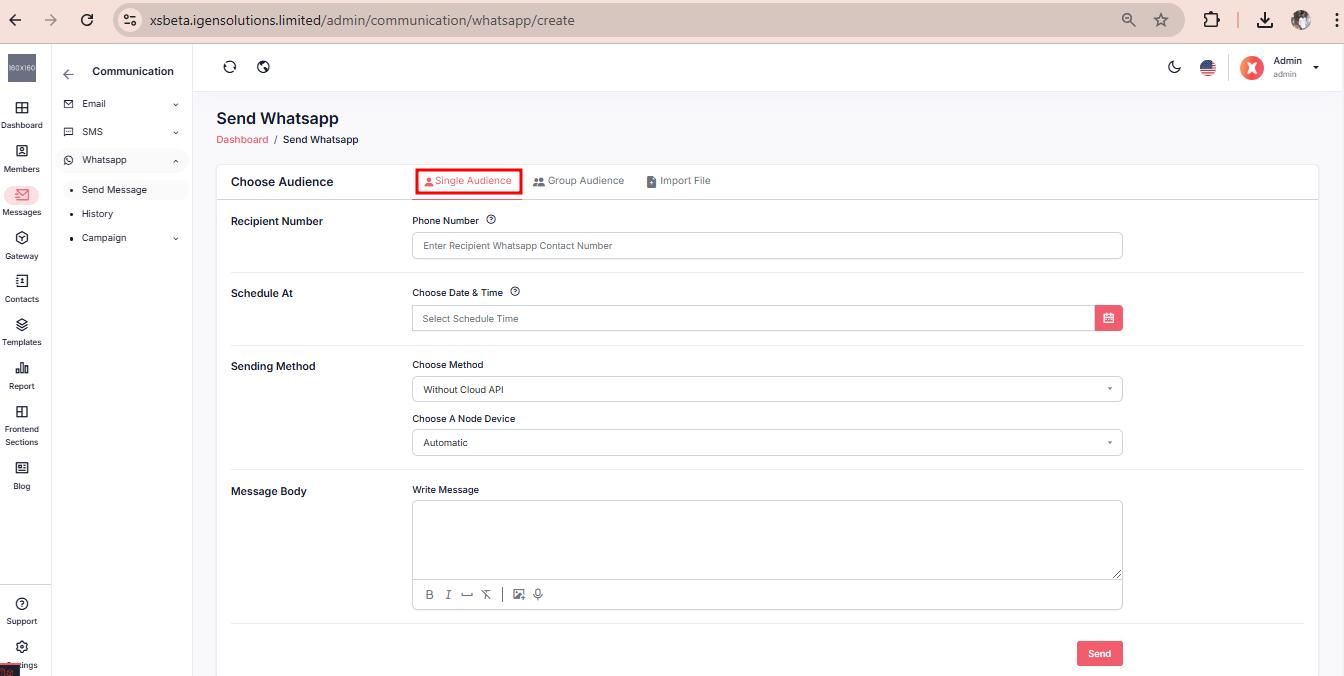
For single audience select the Single Audience tab
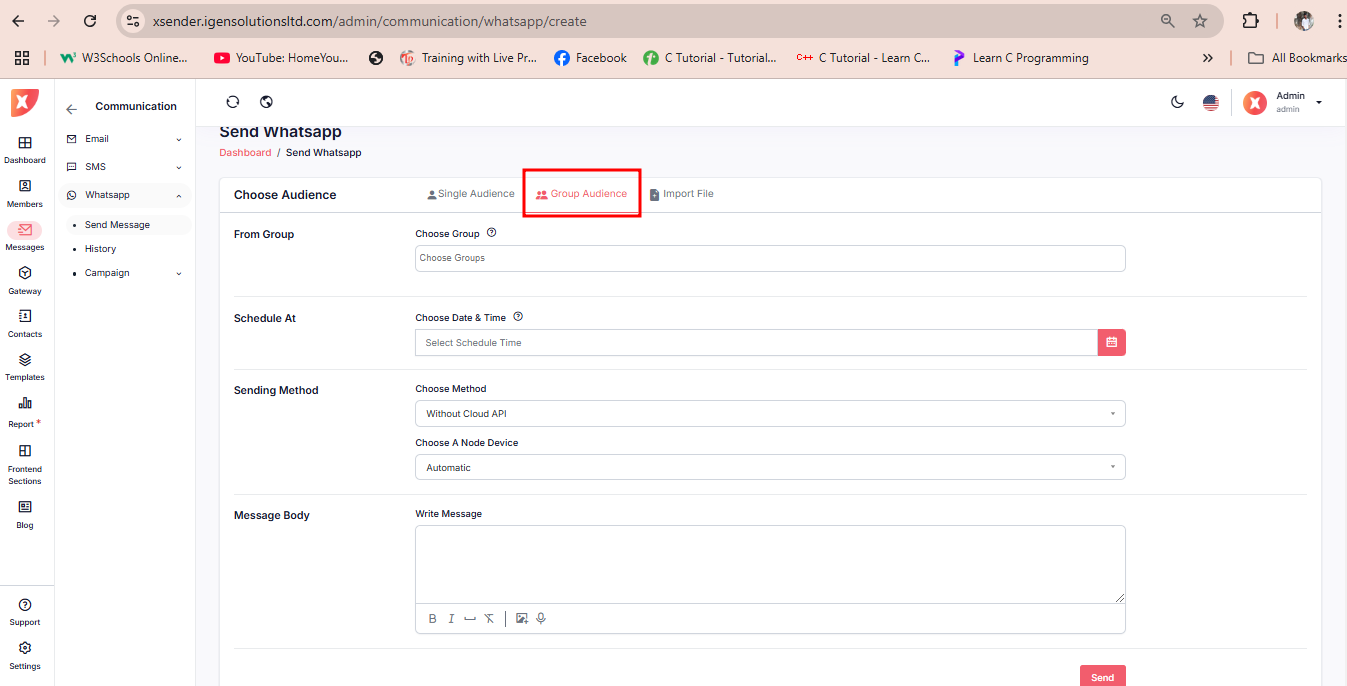
For multiple audiences, Select the Group Audience tab
Select the import files tab
Under the tab, import your CSV file. The CSV file must maintain the demo.csv structure which you can download.
Fill out the necessary information
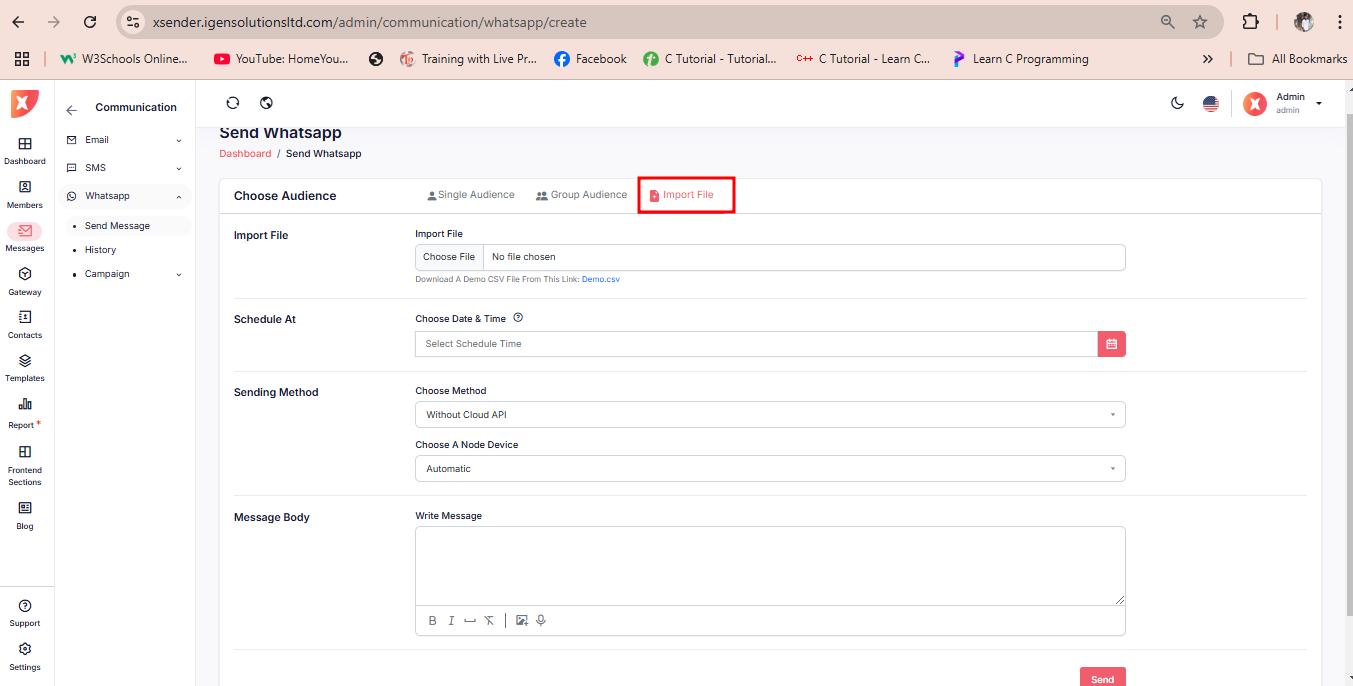
Now after your recipients are ready you can proceed to choose a method.
Xsender offer two method for sending WhatsApp message :
1. WhatsApp Cloud API
2. Without Cloud API (Node device)
Select Without Cloud API(Node device) method then you select a node device or randomly selected.
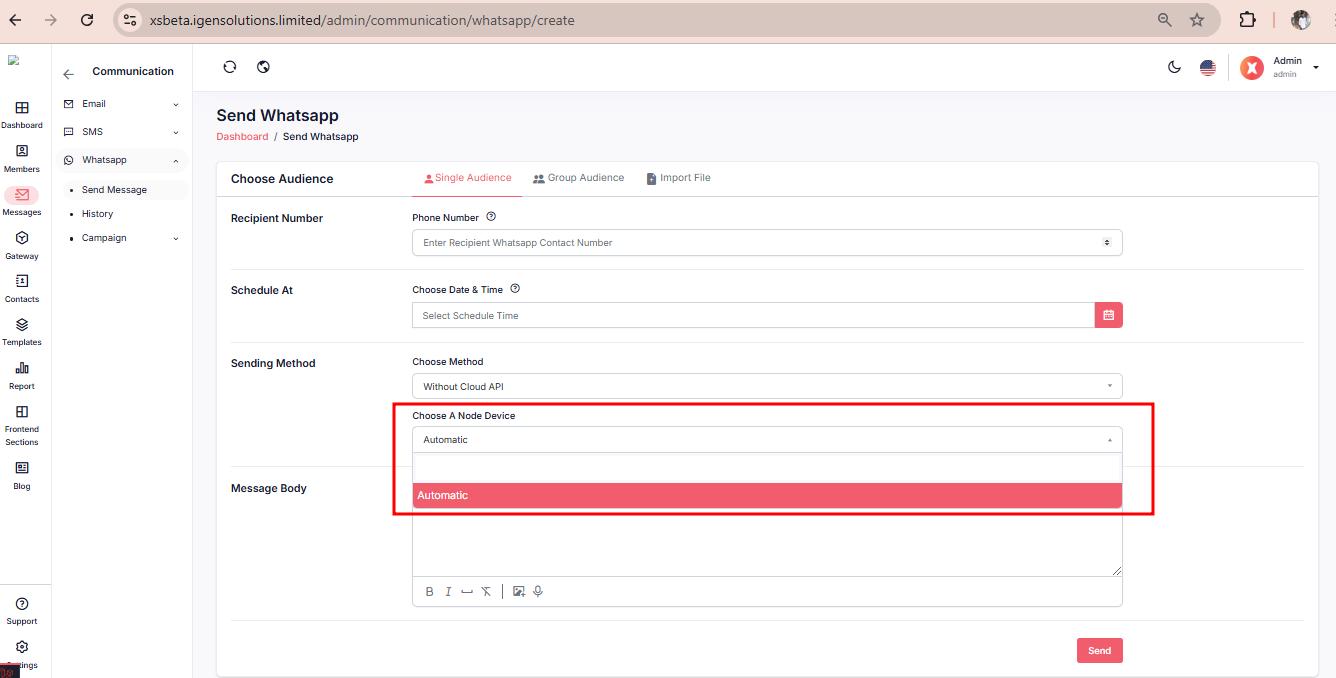
Proceed to add the contents in the message body. It will be displayed to your recipients.
Submit
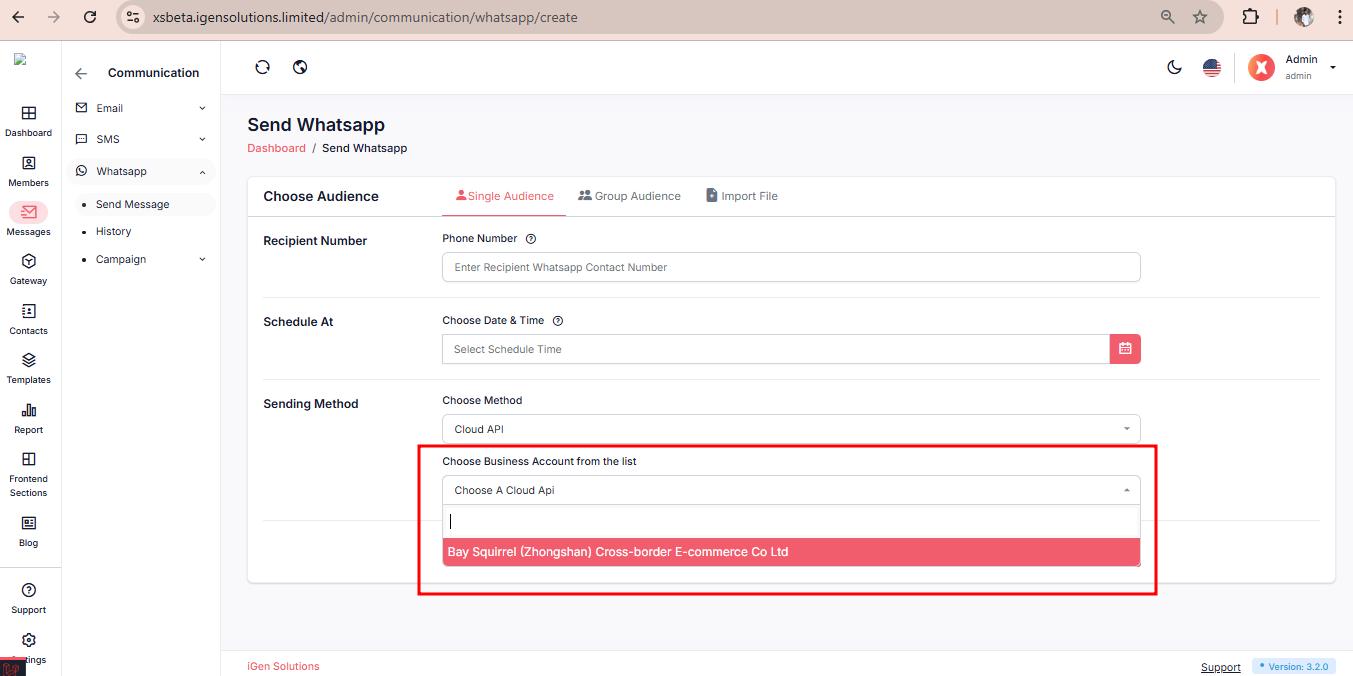
Select Cloud API method then select Choose Business Account from the list.
Then you select WhatsApp Template.
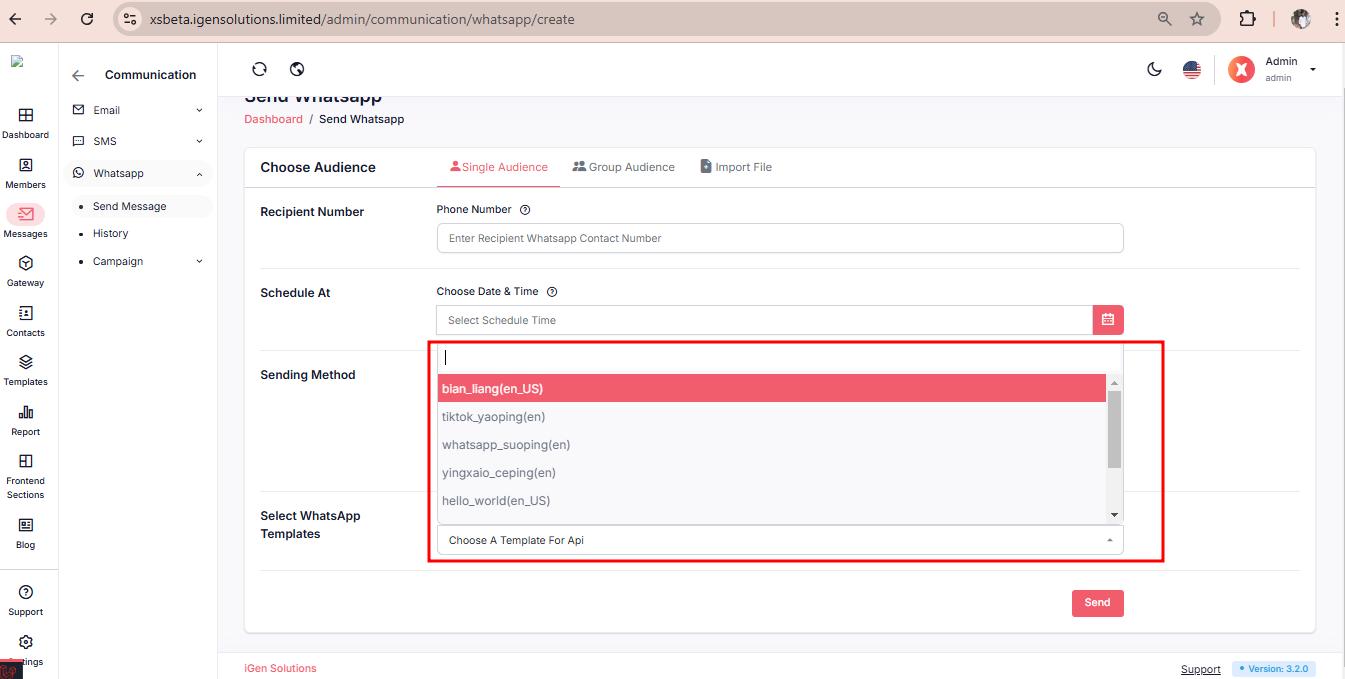
Fill out all the necessary information as per template requirement
Submit
Running a campaign can be streamlined using tools like XSender, which offer several benefits:
User-Friendly Interface: XSender provides an intuitive interface. Making it easy to design and manage campaigns without extensive technical knowledge.
Automation: Automate your Email, SMS, and WhatsApp campaigns, saving time and ensuring timely delivery to your audience.
Targeted Outreach: Segment your audience and tailor your messages for better engagement and conversion rates.
With XSender, you can run campaigns using email, SMS, and WhatsApp. Here’s how each method can be utilized:
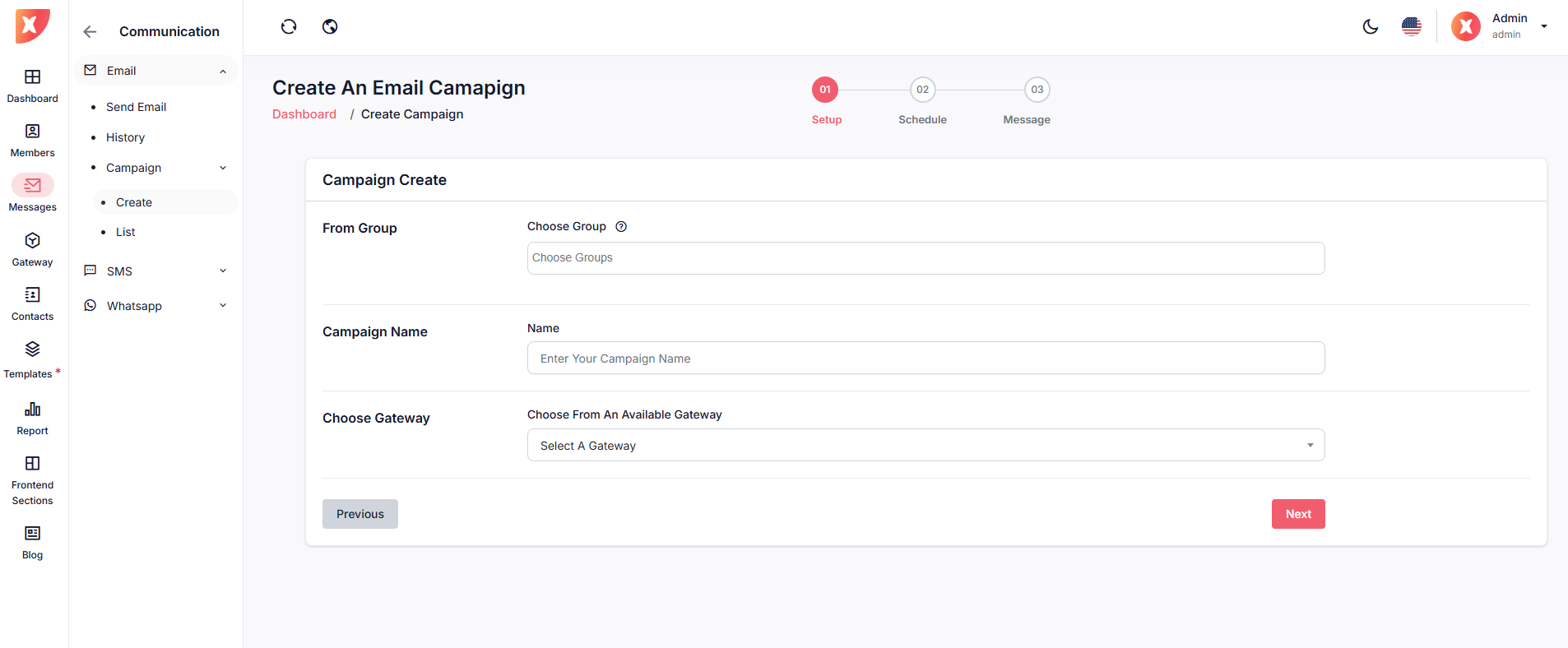
Navigate to Messages > Email > Campaign
Select Create to create a campaign
Select Contact Group
You can Add logic based on the contact attribute if you don't want to leave it untoggled
Set Company name
Select your preferred gateway
Click Next
Set a time to schedule your campaign
If you wish to automate this campaign every day, week, or month you can set that too in repetition
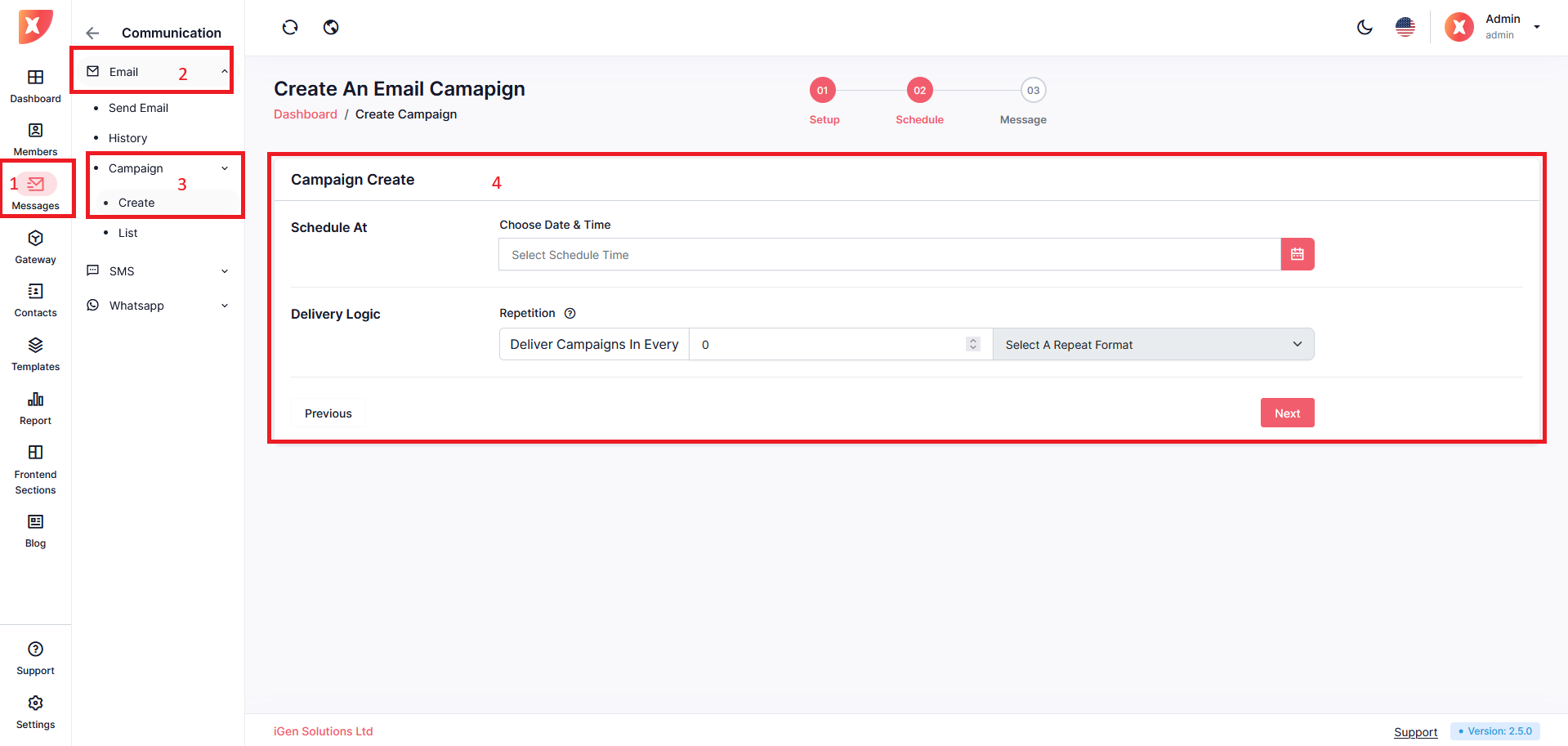
Click Next
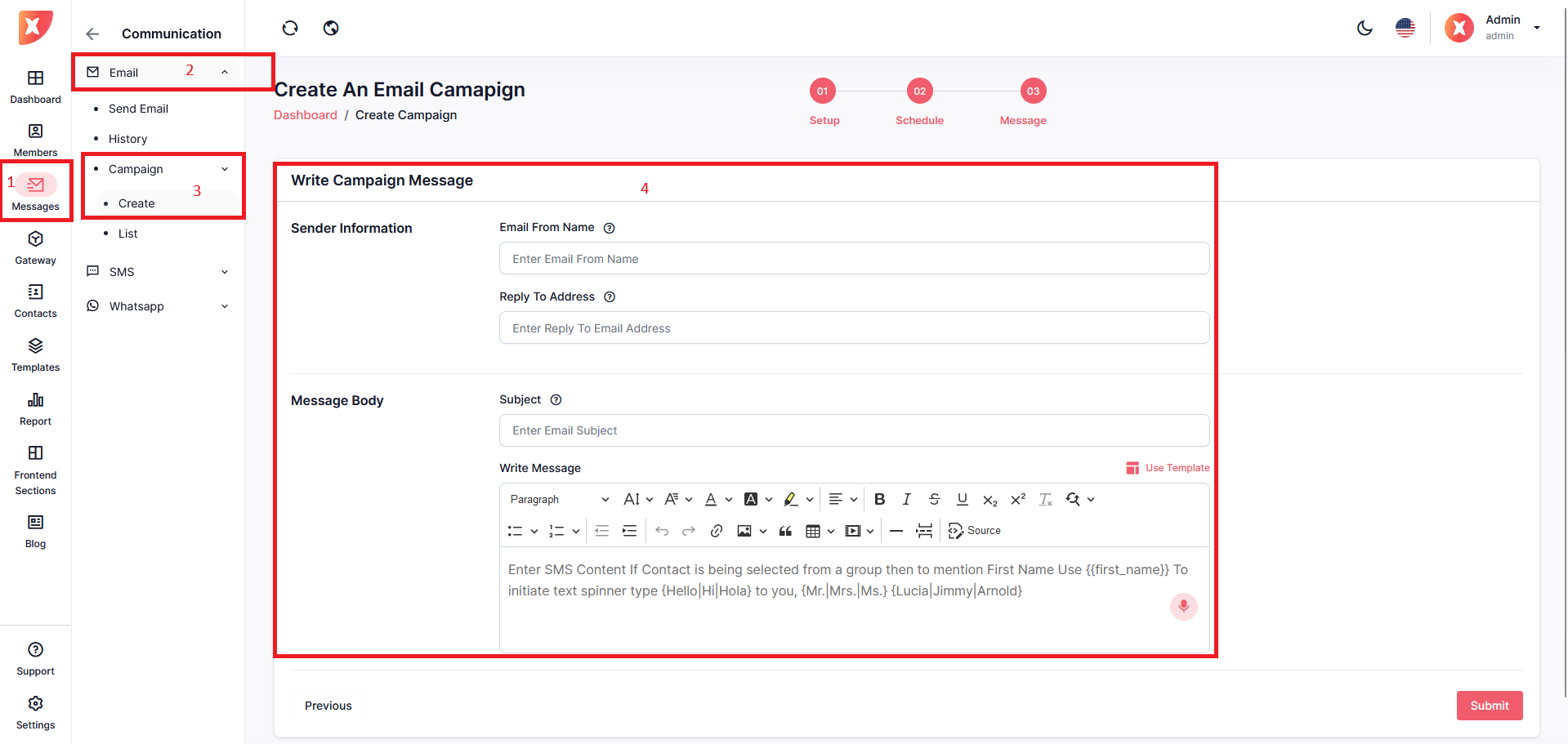
Here you will have to fill out any other necessary information
Write your campaign message
Submit
Same as SMS & WhatsApp.