Plan Purchase
Overview
After creating an account, users may receive a bonus plan if the admin has enabled onboarding bonuses. If not, or once the bonus expires, users must purchase a plan. This plan grants access to sending SMS, emails, and WhatsApp messages, along with scheduling and using multiple gateways. Users can manage campaigns, monitor credit usage, and access all features through a user-friendly dashboard that includes account management, usage statistics, and detailed logs.
Plan Purchase
From the user panel, navigate to the plans section, where a user can find all the available plans the Admin has made available for the user.
Purchasing a plan using an Automatic Gateway
For demonstrations, we will be selecting the Premium plan. To purchase the plan user will have to do the following:
Click on Purchase Now
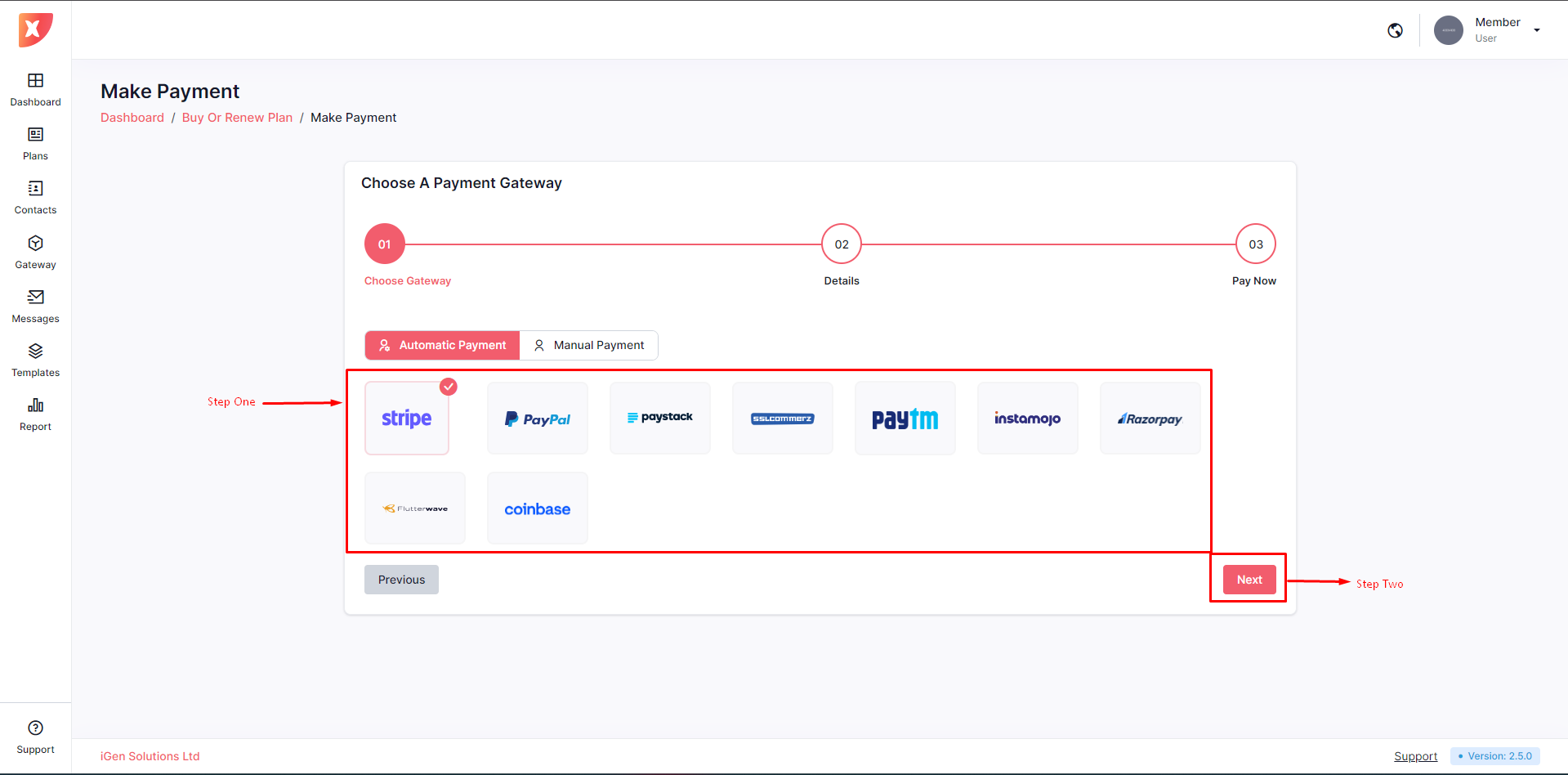
On the gateway selection page, users will need to choose a payment gateway to complete their plan purchase. For demonstration purposes, we will be selecting Stripe. After making a selection, the "Next" button will become visible. Click "Next" to proceed.
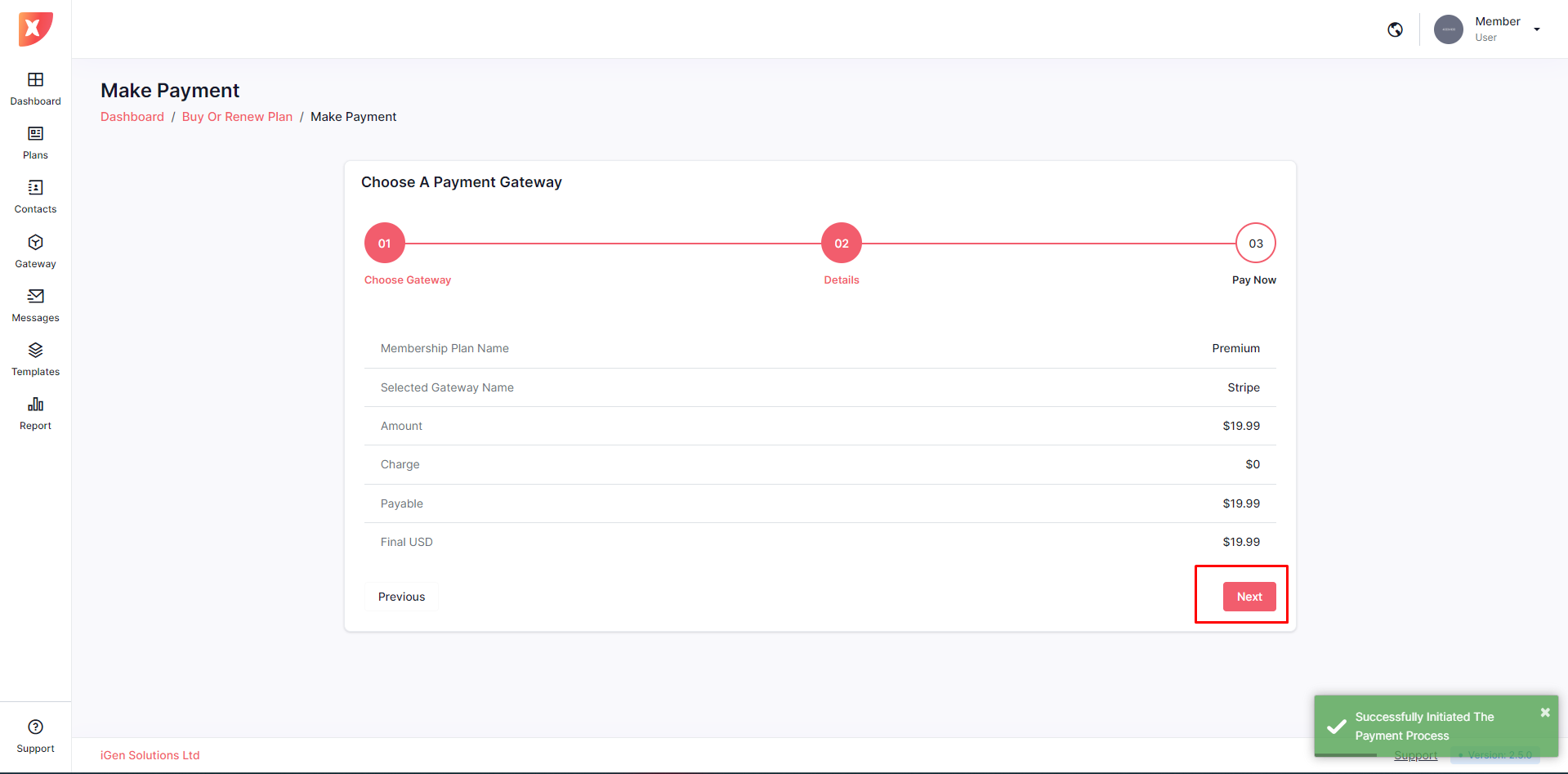
The next step will show the user a brief overview of the payment. Click on next to proceed.
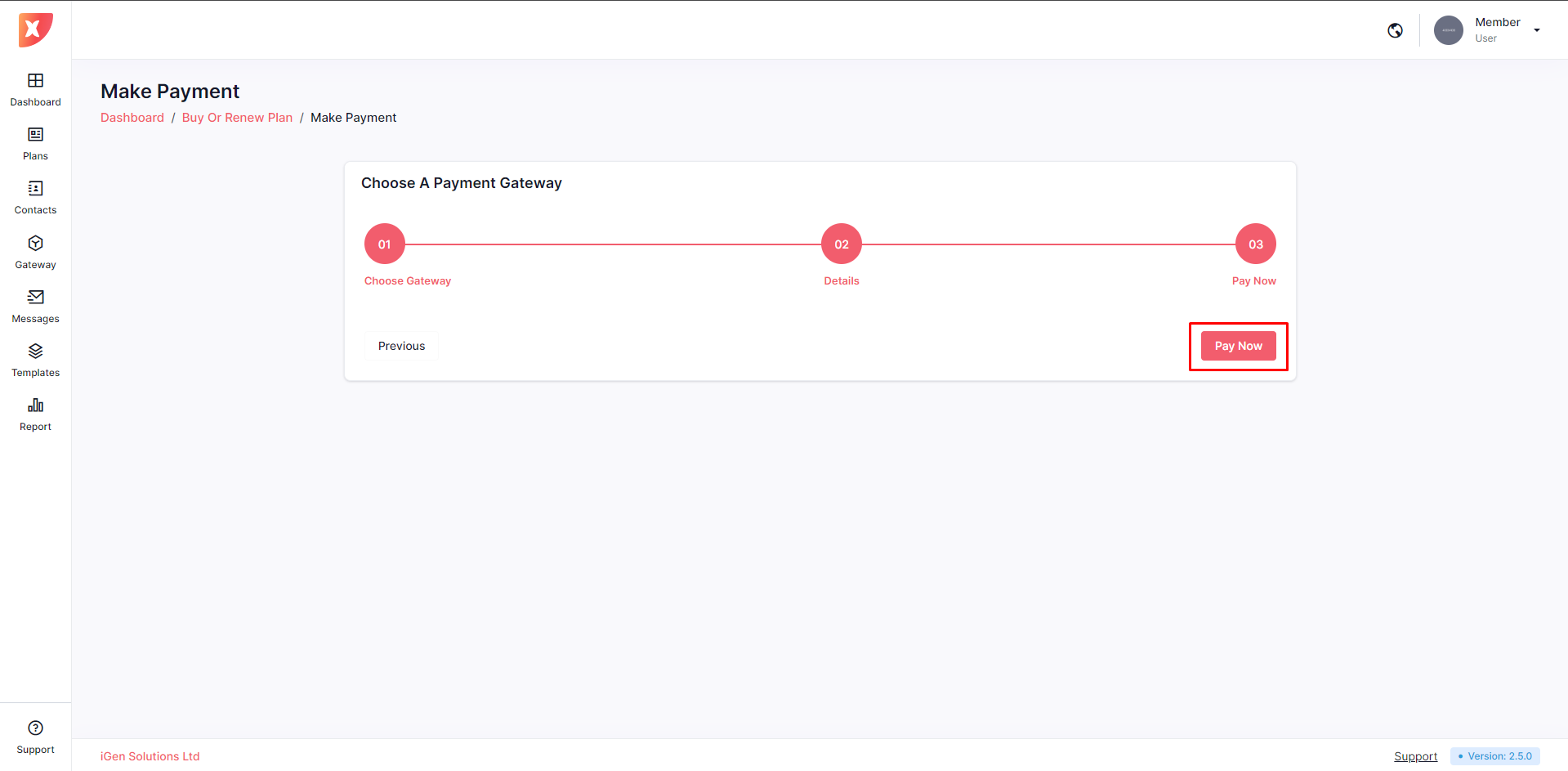
Then click on Pay Now
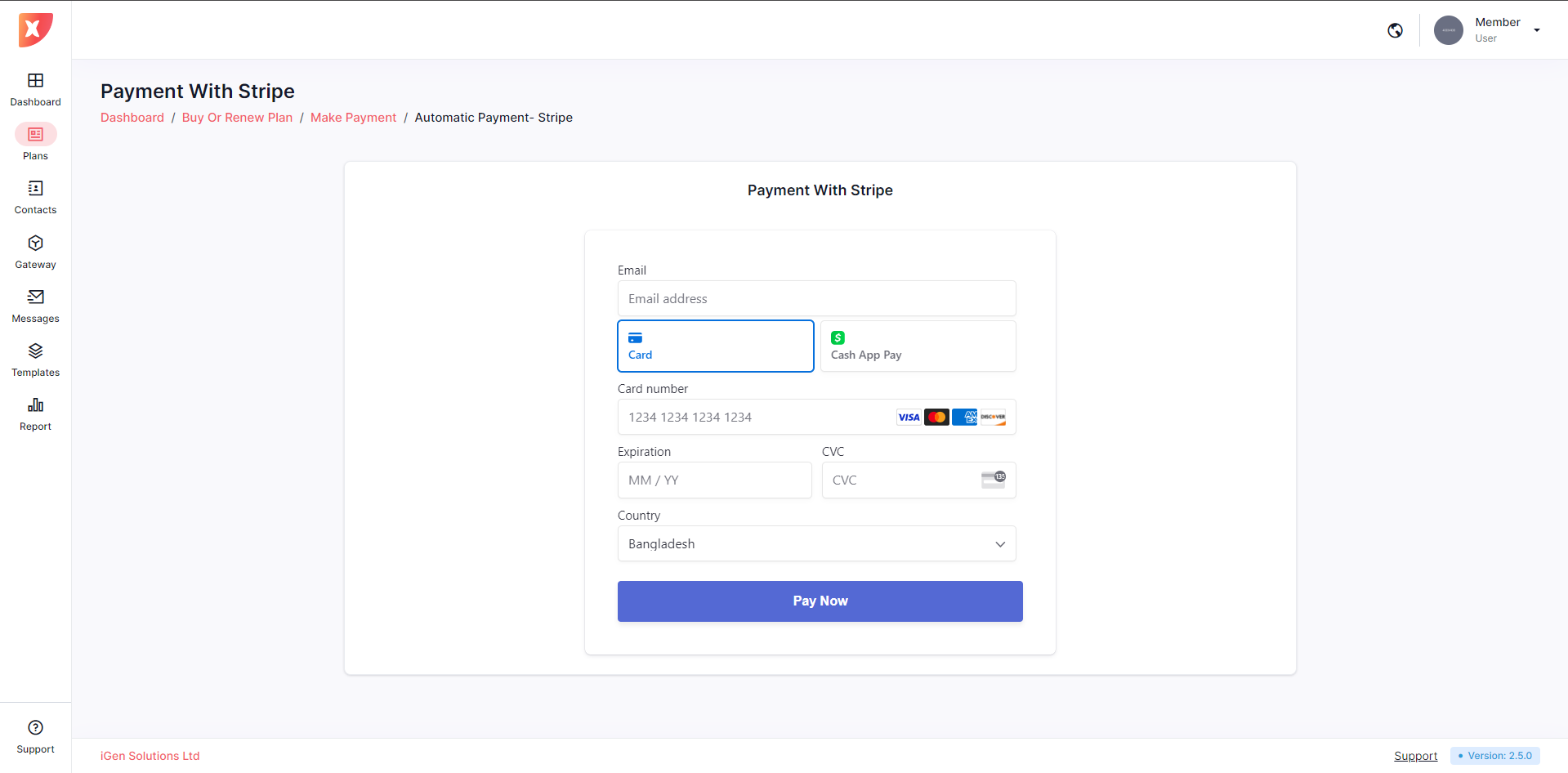
Then the user will be greeted with the payment form for the selected gateway, in this case, the user will be greeted with the stripe form.
Important:
Please wait for the form to load properly before providing any data in it.
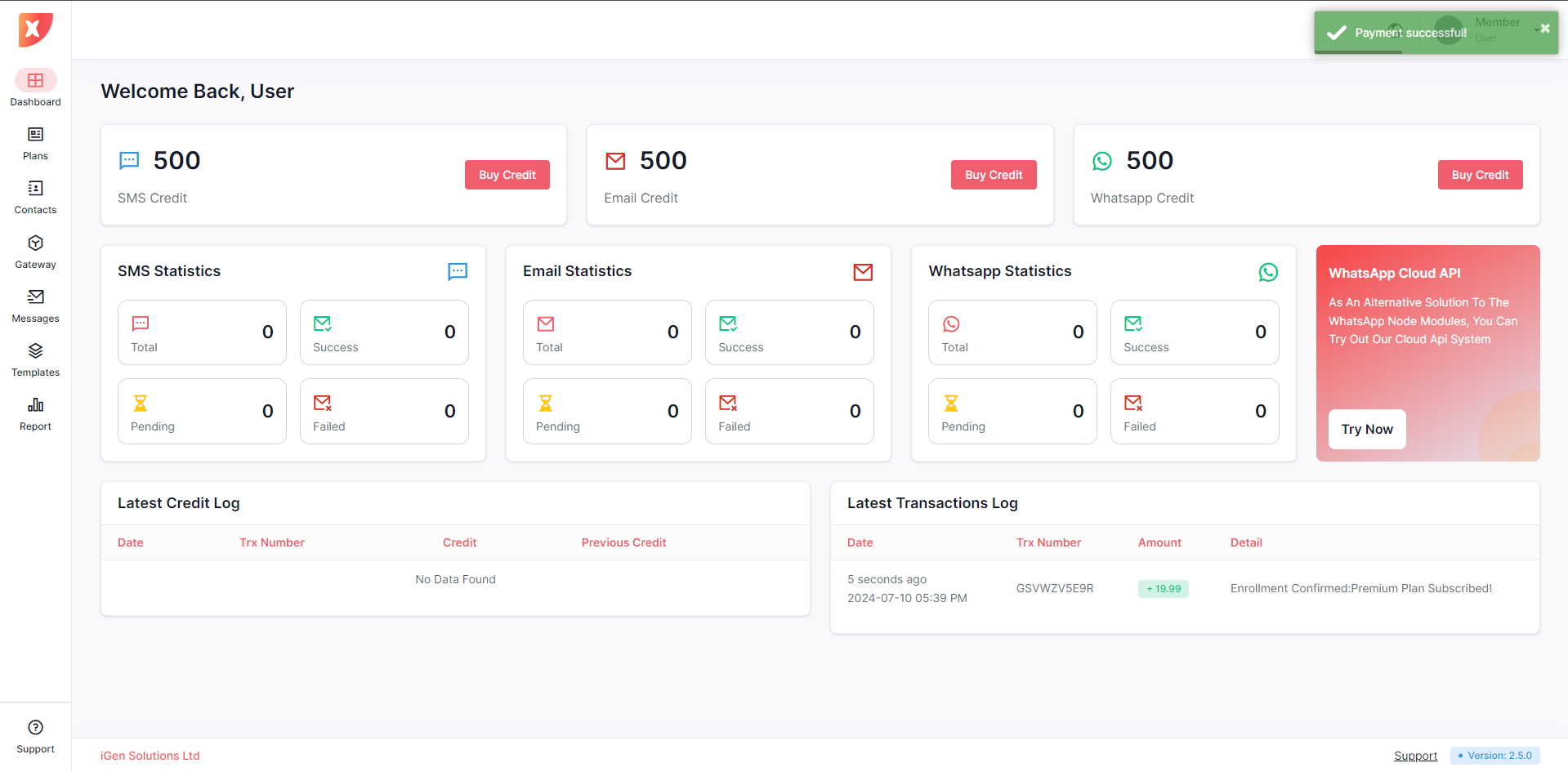
After providing valid data if the payment is successful users will be taken to their dashboard
Purchasing a plan using a Manual Gateway
For demonstrations, we will be selecting the Basic Plan. To purchase the plan user will have to do the following:
Click on Purchase Now
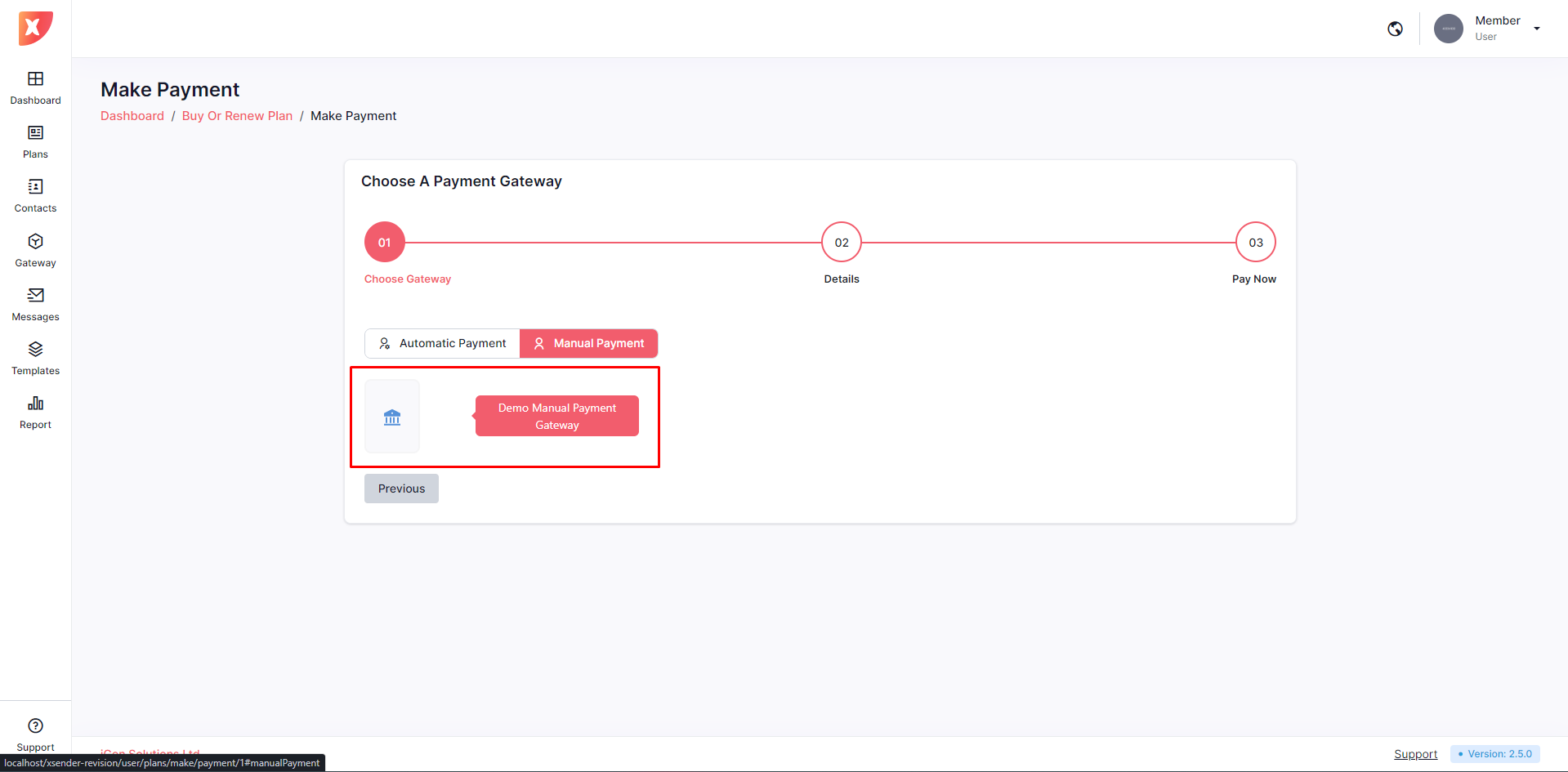
On the gateway selection page, users will need to choose a payment gateway to complete their plan purchase. For demonstration purposes, we will be selecting the Demo Manual Payment Gateway. And click on next.
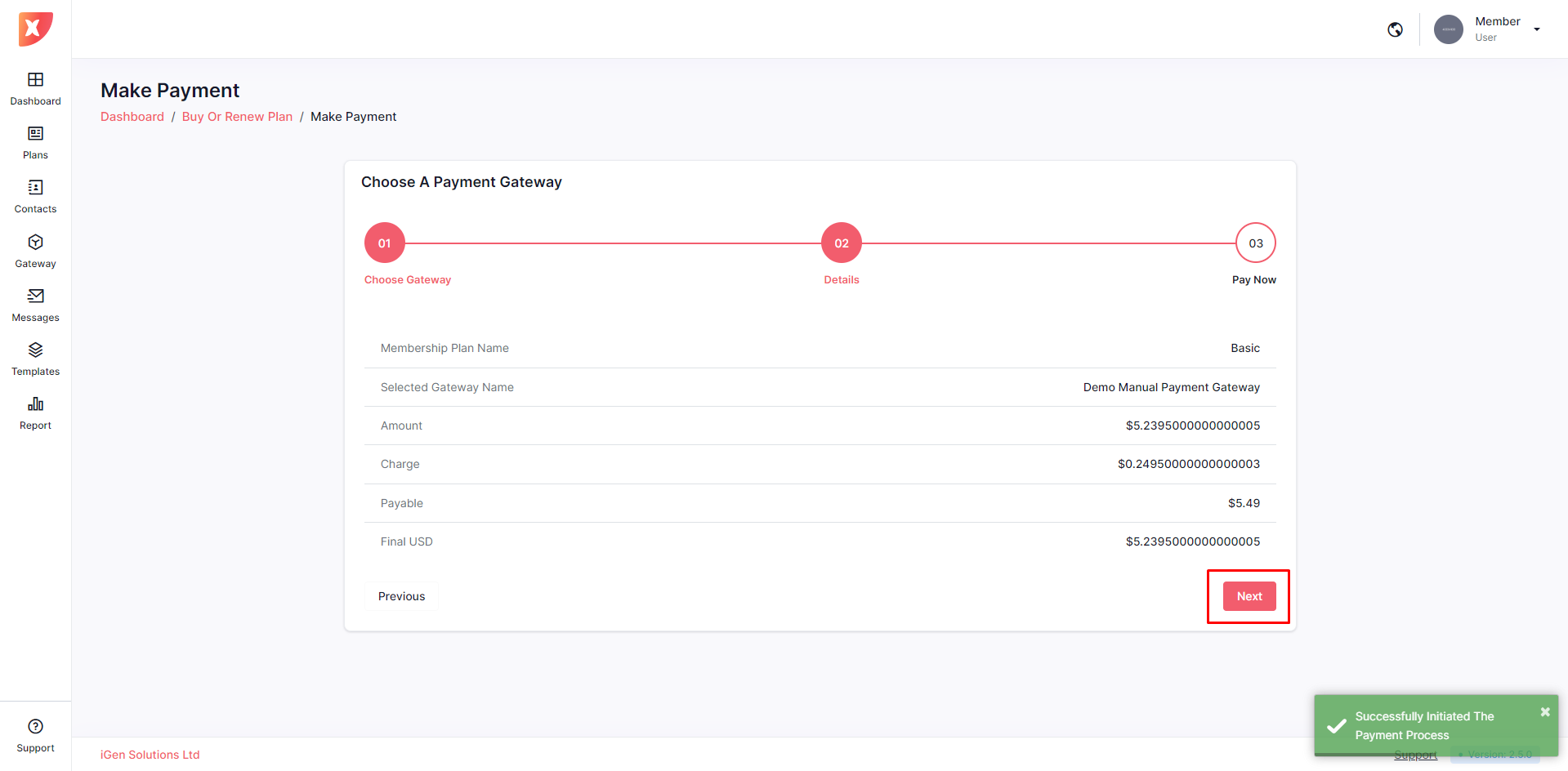
Then a payment overview will be shown to the user. Click on next to proceed
Then fill up any input field so that the Admin can verify the payment
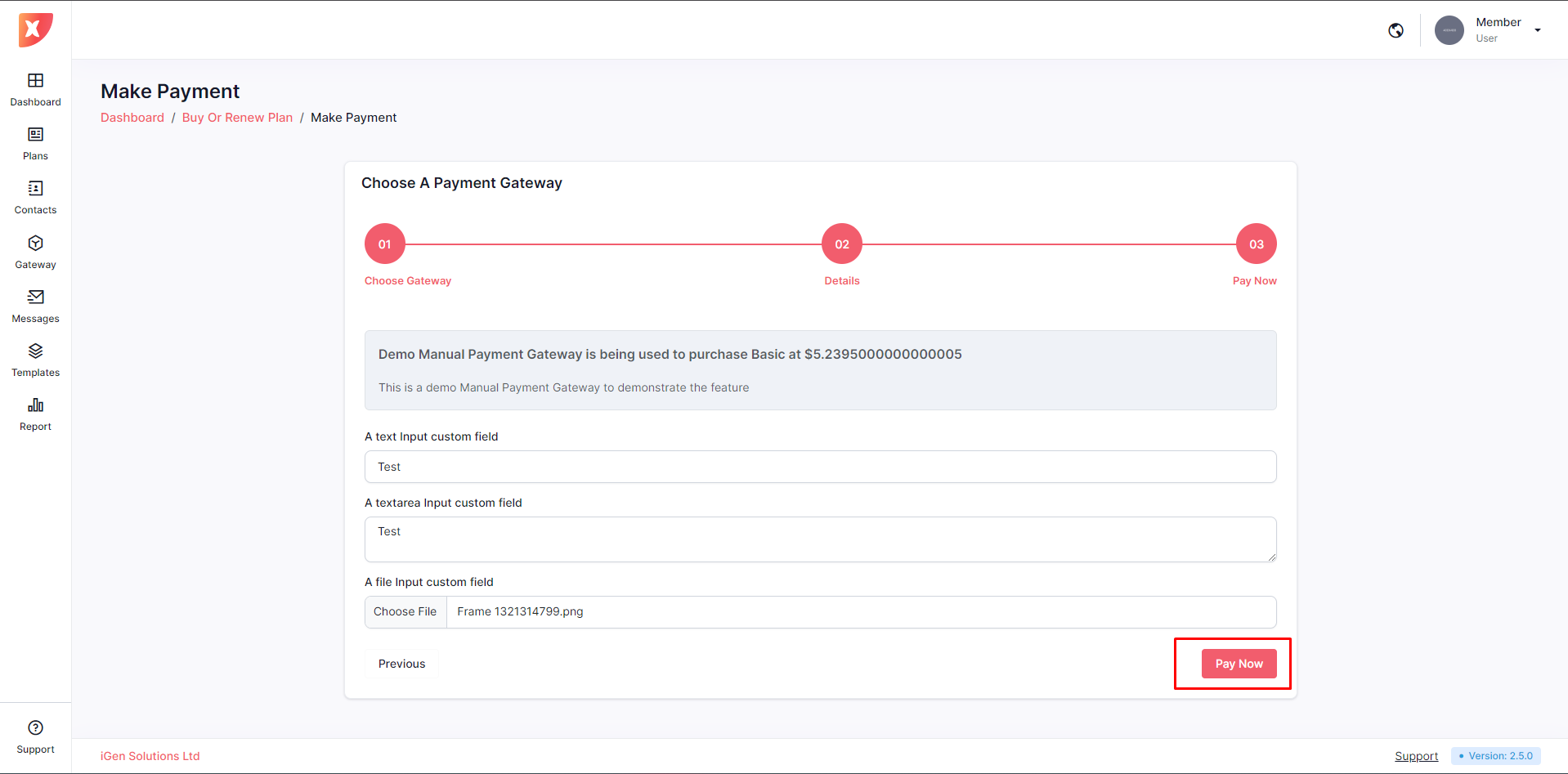
Click on Pay Now. This will stay as pending. Now the Admin will approve or reject the payment after verifying the request.
Admin Panel - Manual Payment Request
An admin can approve or reject manual payment requests. Follow the steps below:
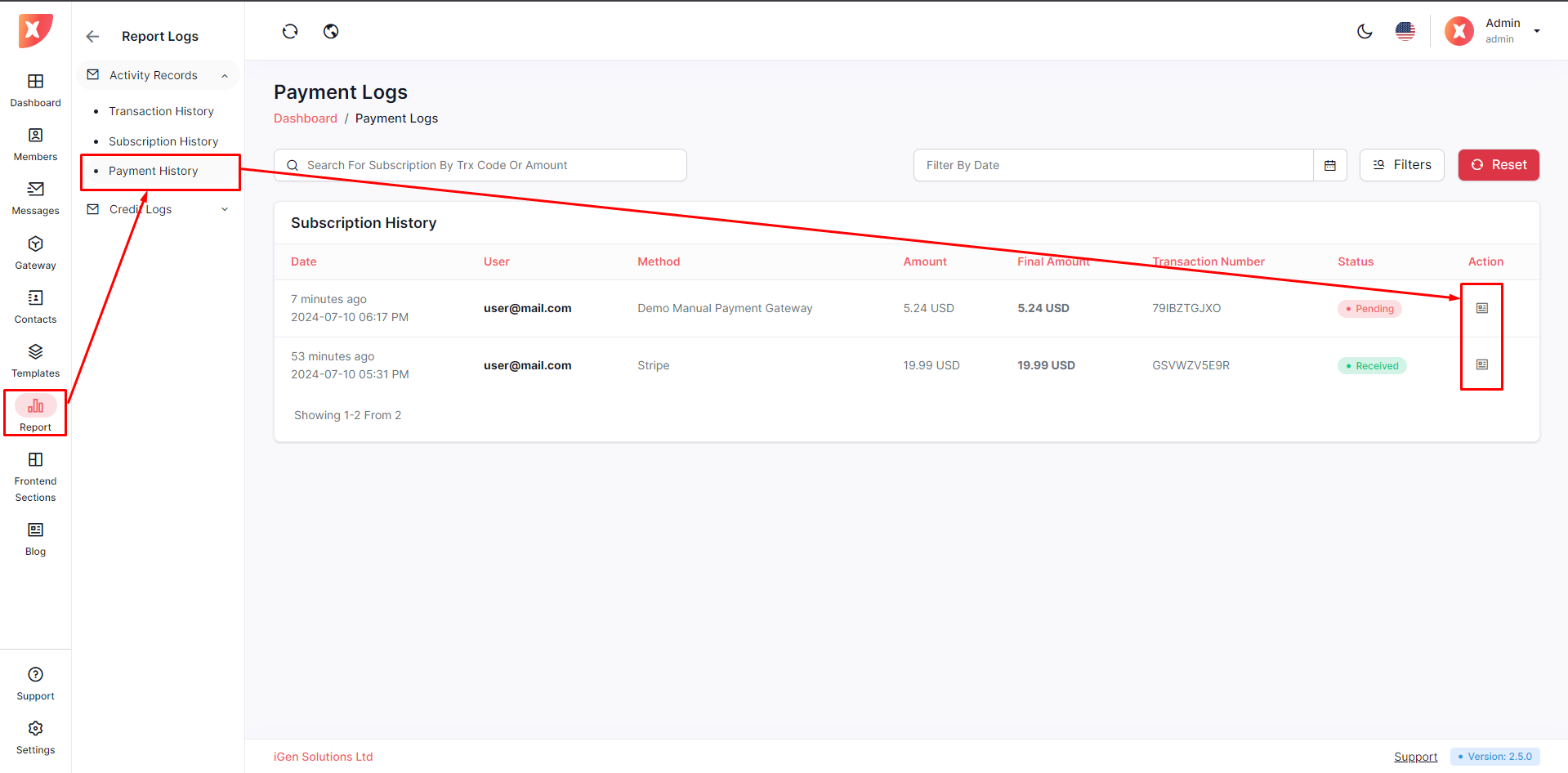
Navigate to the Report > Payment History there you can find the list of payments for each user. Click on the details icon for any pending payments.
Then review the payment details and click on Approve or Reject. In our example we will be approving the payment.
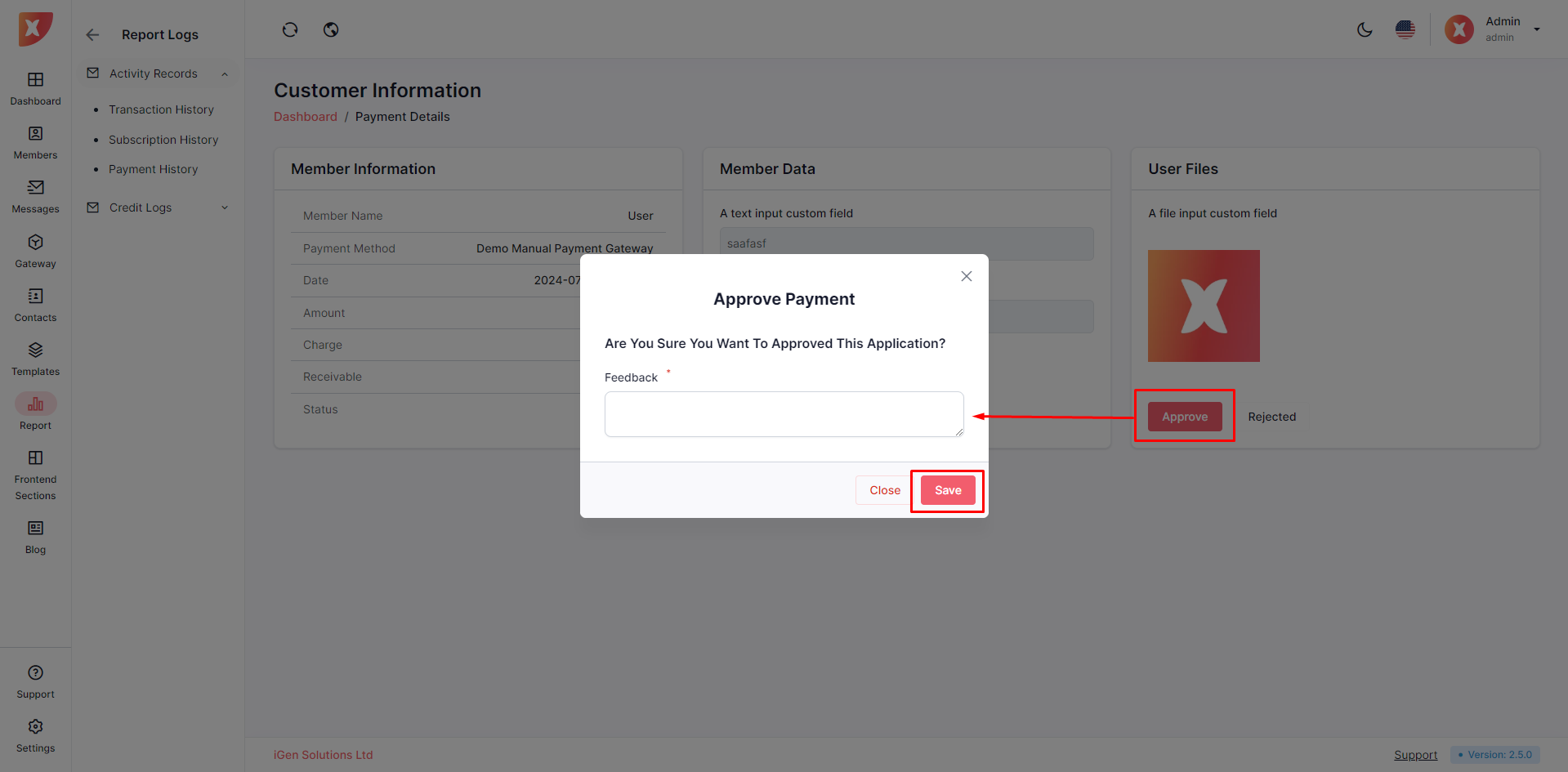
Upon providing feedback, the payment process will be completed and users will acquire the pricing plan.