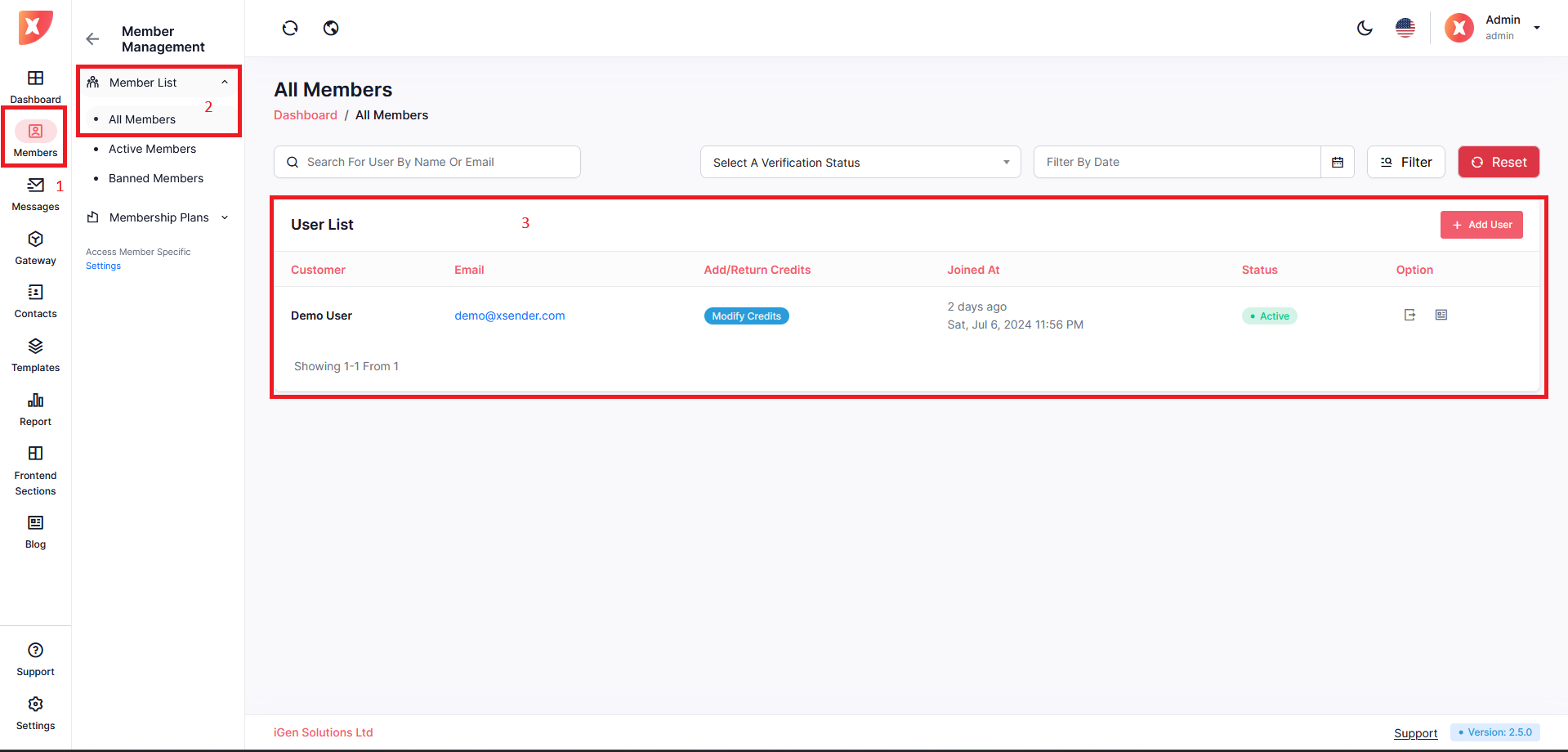
Click on Add New User to add a new member manually using the Admin Panel.
Fill out the details and Save
To Manage Users of your website navigate to Members > Member list > All Members
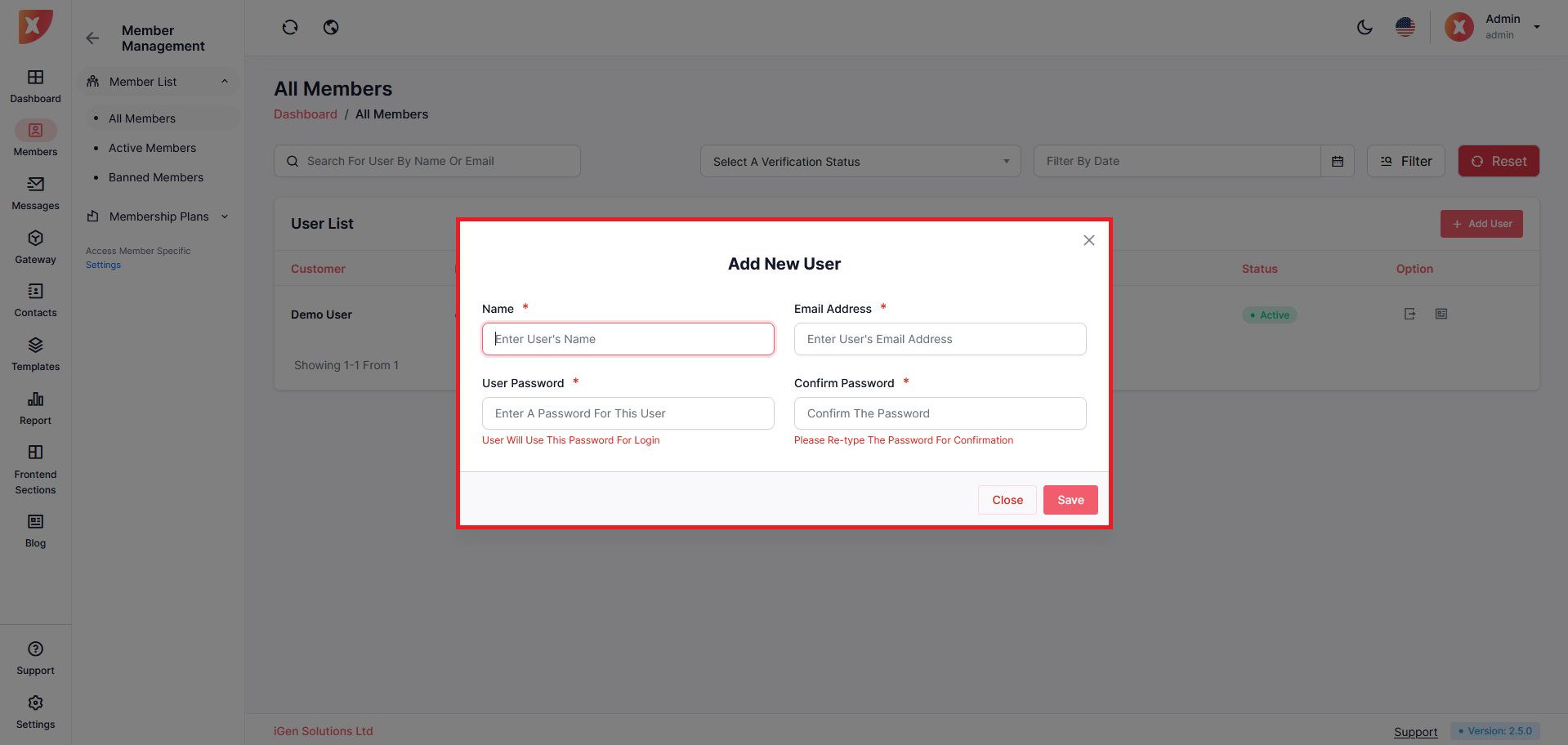
Click on Add New User to add a new member manually using the Admin Panel.
Fill out the details and Save
To modify credit click on Modify Credits under Add/Return Credits column
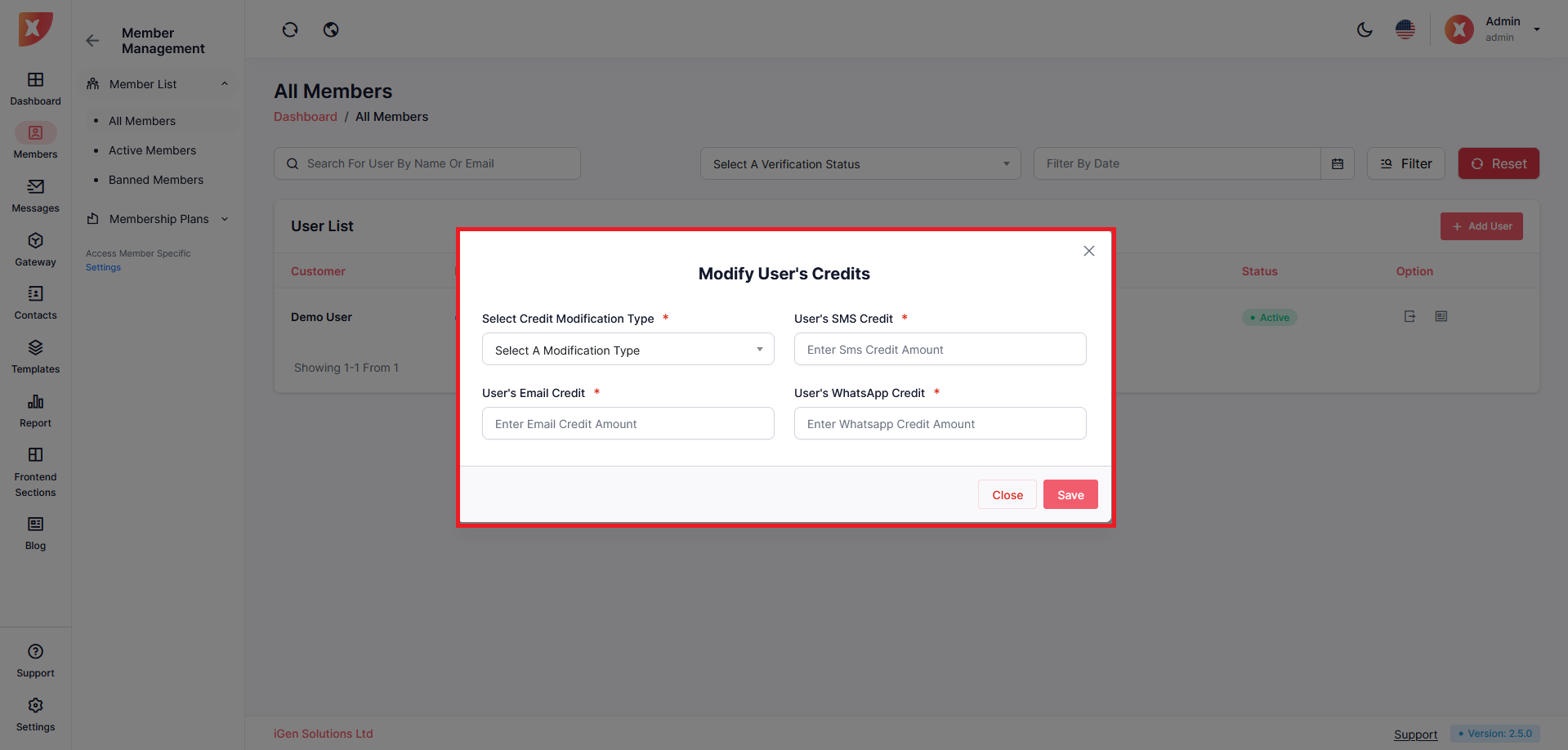
Save after adjusting your modification
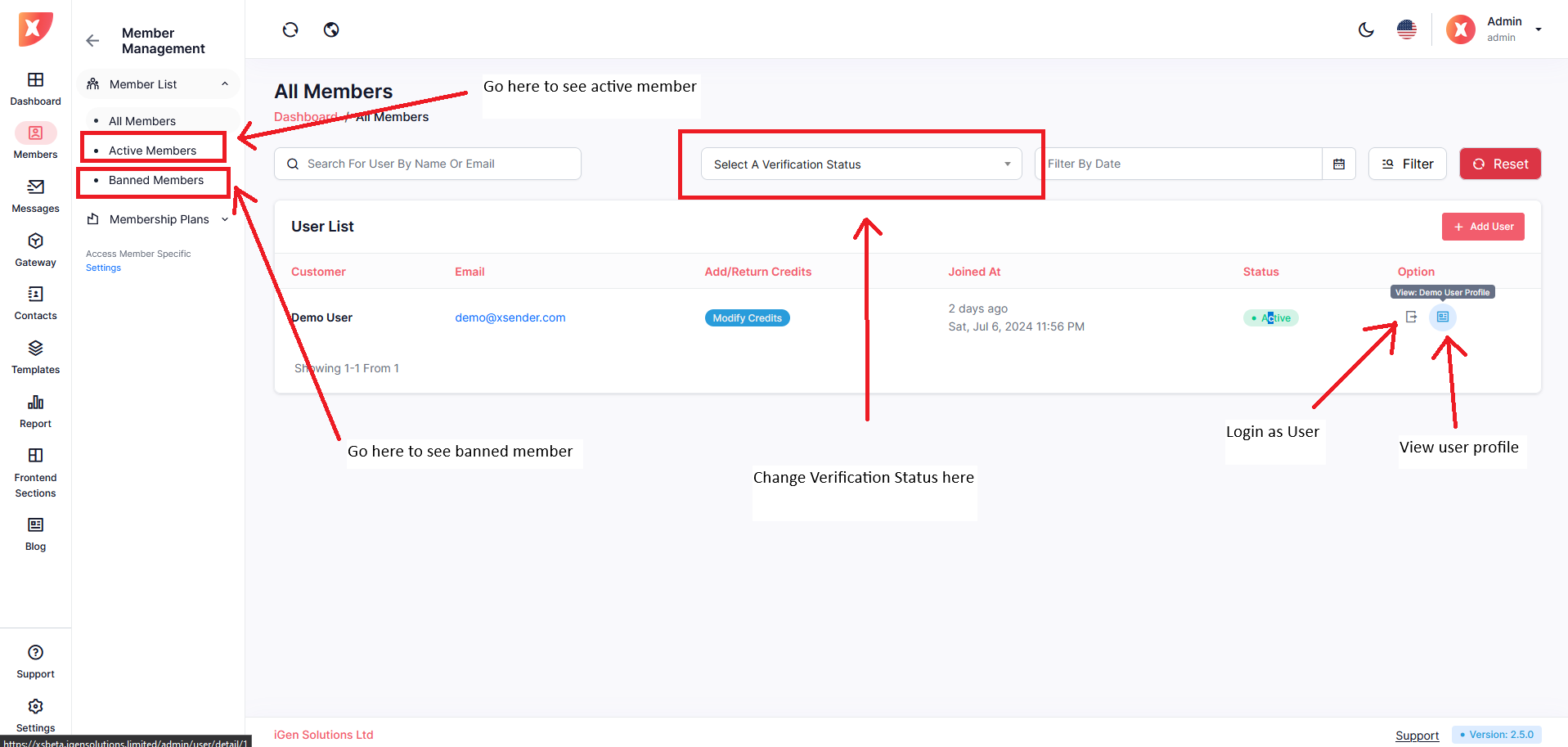
Admins have the ability to update user profiles, including the following details:


User's Pricing Plan: Admins can modify the pricing plan assigned to a user, selecting from options such as Free, Basic, Standard, or Premium.

For users subscribed to a pricing plan that restricts them to using only the admin's gateways, admins can specify which gateways the user has access to. This is managed through the following settings:
Toggle User-Specific Admin Gateway Access: Admins can enable or disable user-specific gateway access. When enabled, the default admin gateway settings are overridden, and the user will utilize the gateways specified in the user-specific settings.
Note: Enabling this toggle will ignore the default admin gateway settings for the user. To update the default gateways, admins must navigate to the "Gateway Management" tab.

Specify SMS Gateways:
Default In-Application Sending Method: Admins can select the default method for sending SMS (e.g., SMS Gateway or Android Gateway).
Select SMS API Gateway: Admins can choose specific SMS API gateways for the user.
Select SMS Android Gateway: Admins can designate specific SMS Android gateways for the user.
Note: These selections will only affect the specified user (e.g., "Xsender Demo") while they are using the admin's SMS Gateway or Android Gateway for SMS requests.

Specify Email Gateways:
Select Email Gateway: Admins can choose specific email gateways for the user to use for email requests.

To review or modify the available gateways, admins can use the provided links to check SMS API gateways, SMS Android gateways, and email gateways.
Changes made to user-specific settings will only apply to the user in question and will not affect the default gateway configurations for other users.
To create a Membership plan navigate to Members > Membership Plans > Create Plan
Follow the on-screen instructions to fill out all the necessary field
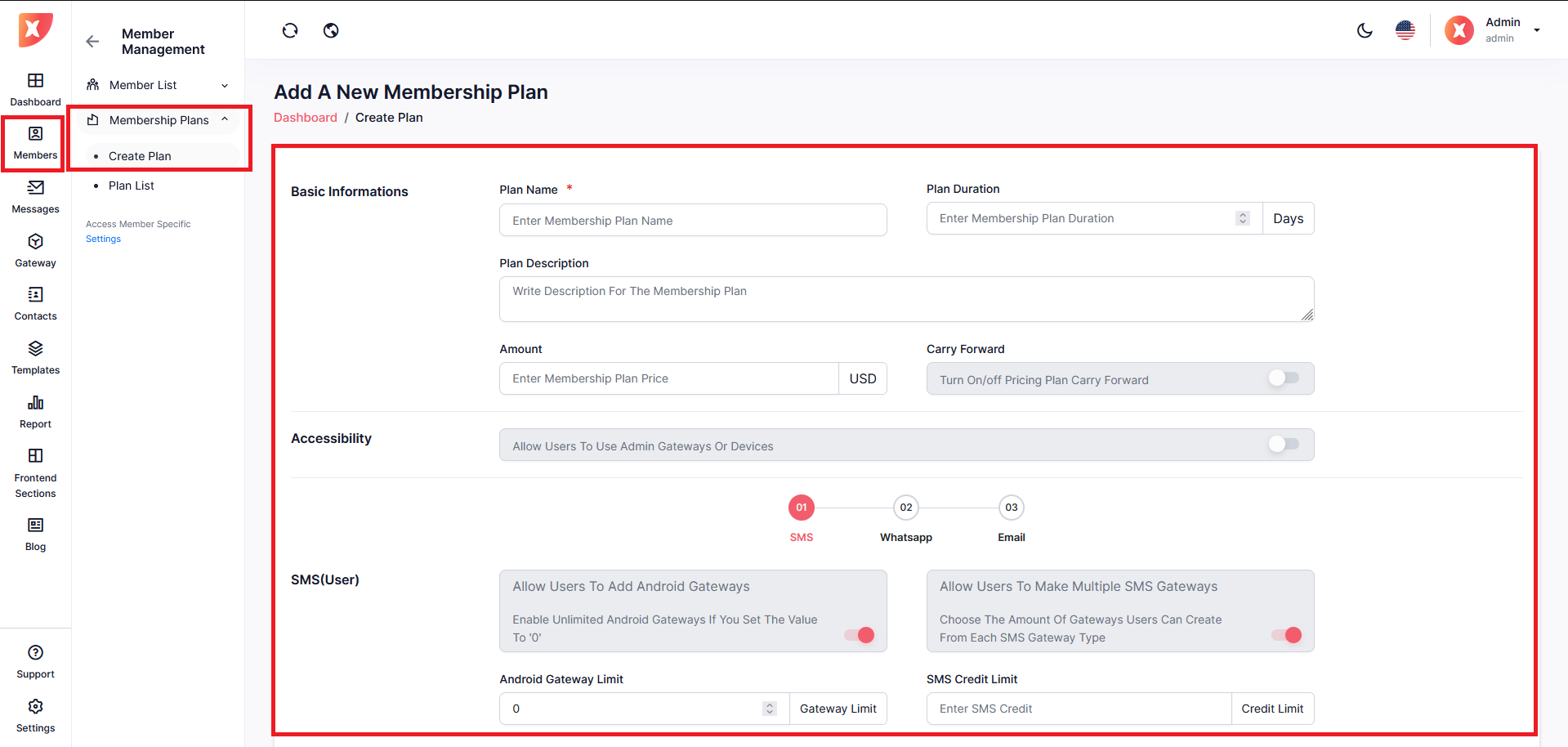
We will break it down into a few important sections for a better understanding
If you turn this option on, users can carry over their credit if they purchase the same plan after the plan expires.
Follow the on-screen instructions to set up SMS usage under a plan
click Next
Follow the on-screen instructions to customize WhatsApp usage under a plan
click Next
Follow the on-screen instructions to customize Email usage under a plan
If you are done configuring everything, Submit.
Congratulations! You have successfully created a new plan.
To see your created plan navigate to Settings > Members > Membership Plans > Plan List
Manage all your plans from here