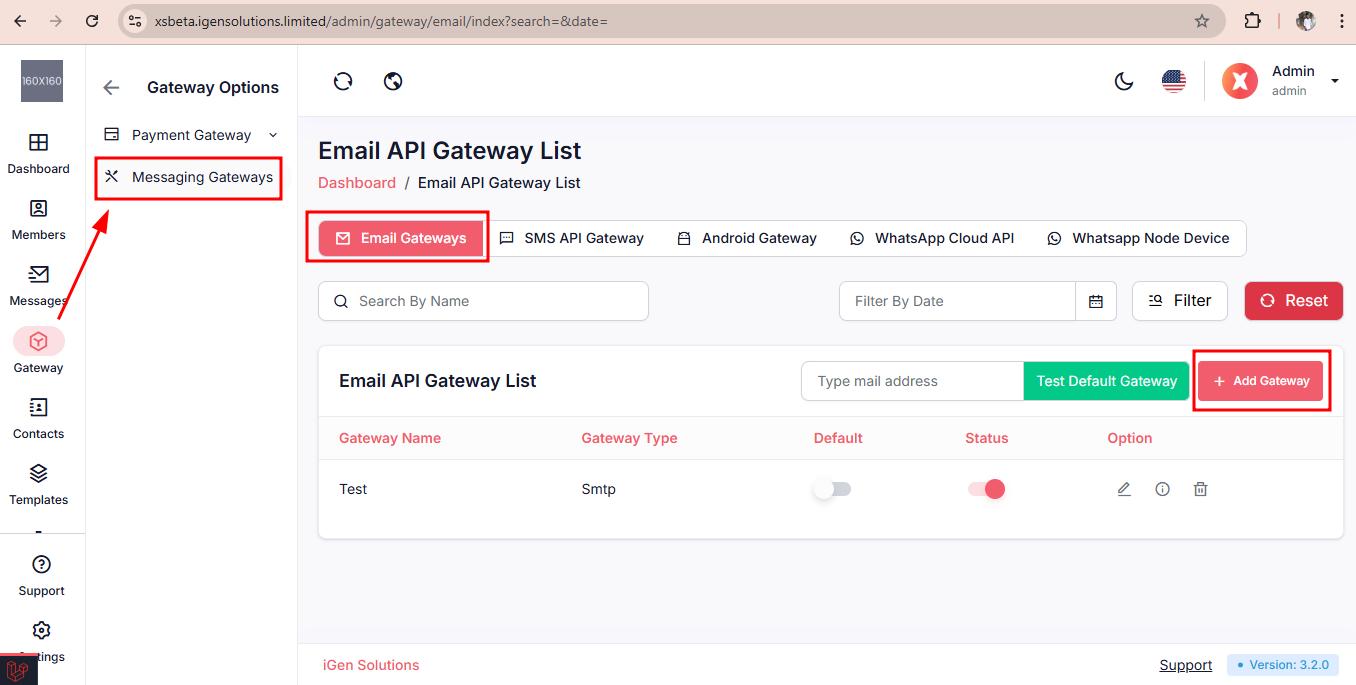
To set up your Email Gateway, navigate to Gateway > Messaging Gateways > click on the Email Gateways.
Step 1: Click on "Add Gateway"
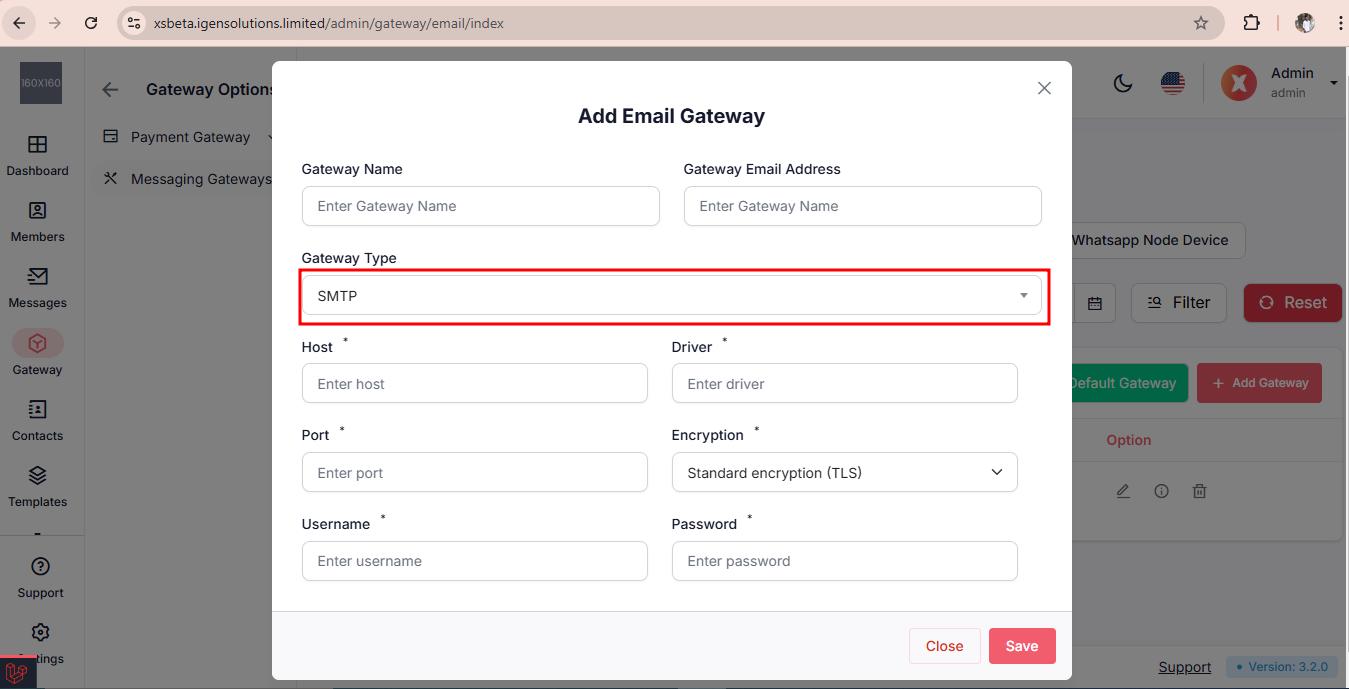
Step 2: Select your Gateway & fill out the credentials
Important:
As an admin, you can designate one email gateway as your default. This means all notification emails will be sent through this selected gateway. It's mandatory for the admin always to have one default email gateway configured.
Available SMS Methods
You can set up your SMS gateway in two ways:
Through Android Gateway
Using SMS API Gateway
To set up your Android gateway, follow these steps:
Step 1: Click on Add Session

Step 2: Fill out the necessary credentials and save

Step 3: Now launch the Android App & scan for login

Step 5: Now set your Android device sim for the application and turn on the sims and the app will start looking for available SMS that has used the Android Gateway.

To set up your SMS API gateway, follow these steps:
Step 1: Click on Add Gateway
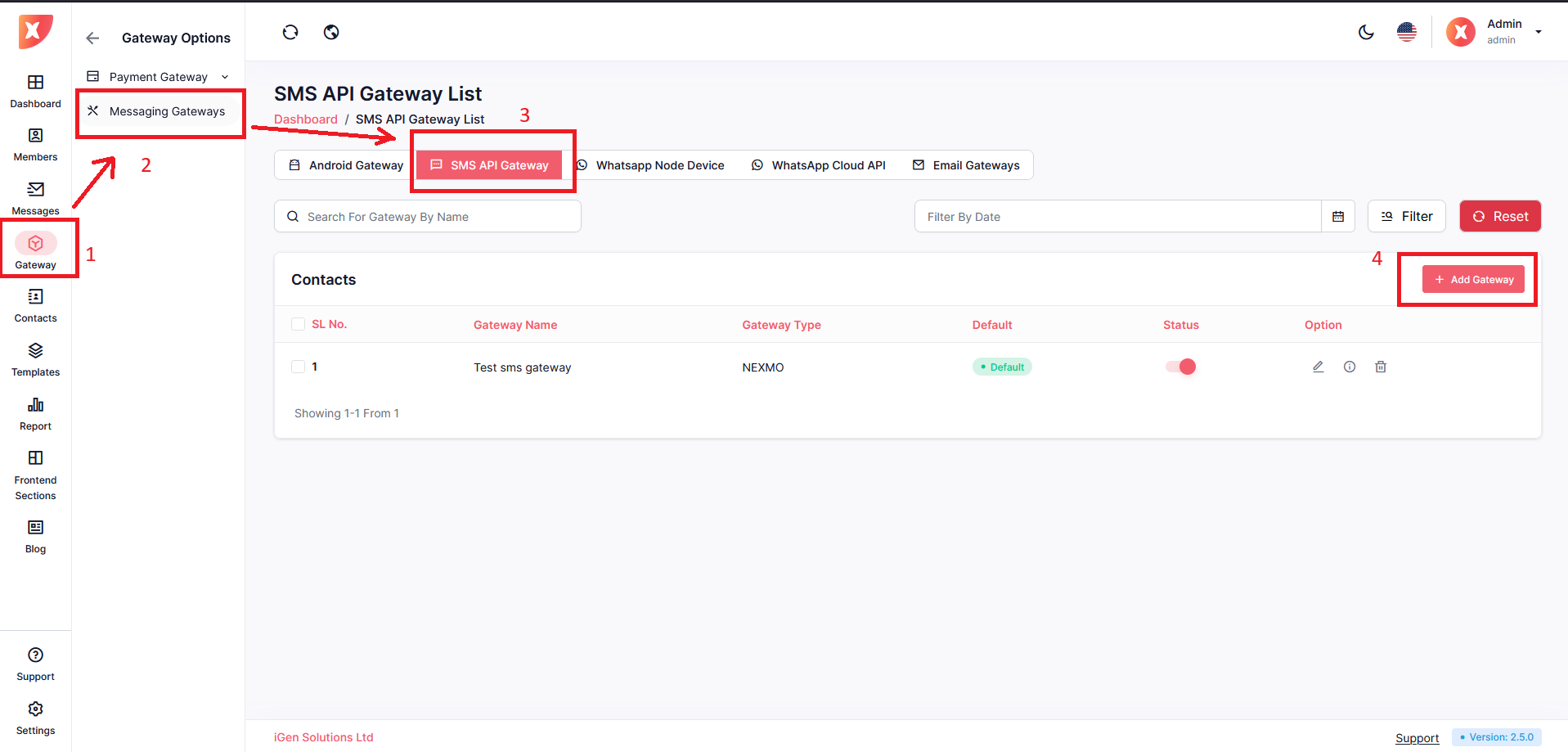
Step 2: Select your SMS Gateway & fill out the necessary credentials, then save it

You can set up your Whatsapp gateway in two ways:
Through WhatsApp node device
Using WhatsApp Cloud API
Click on the Whatsapp Node Device tab
Click on Add add Whatsapp Device


Configure it according to your need
Save
It will now appear on the list
Click on the QR code icon
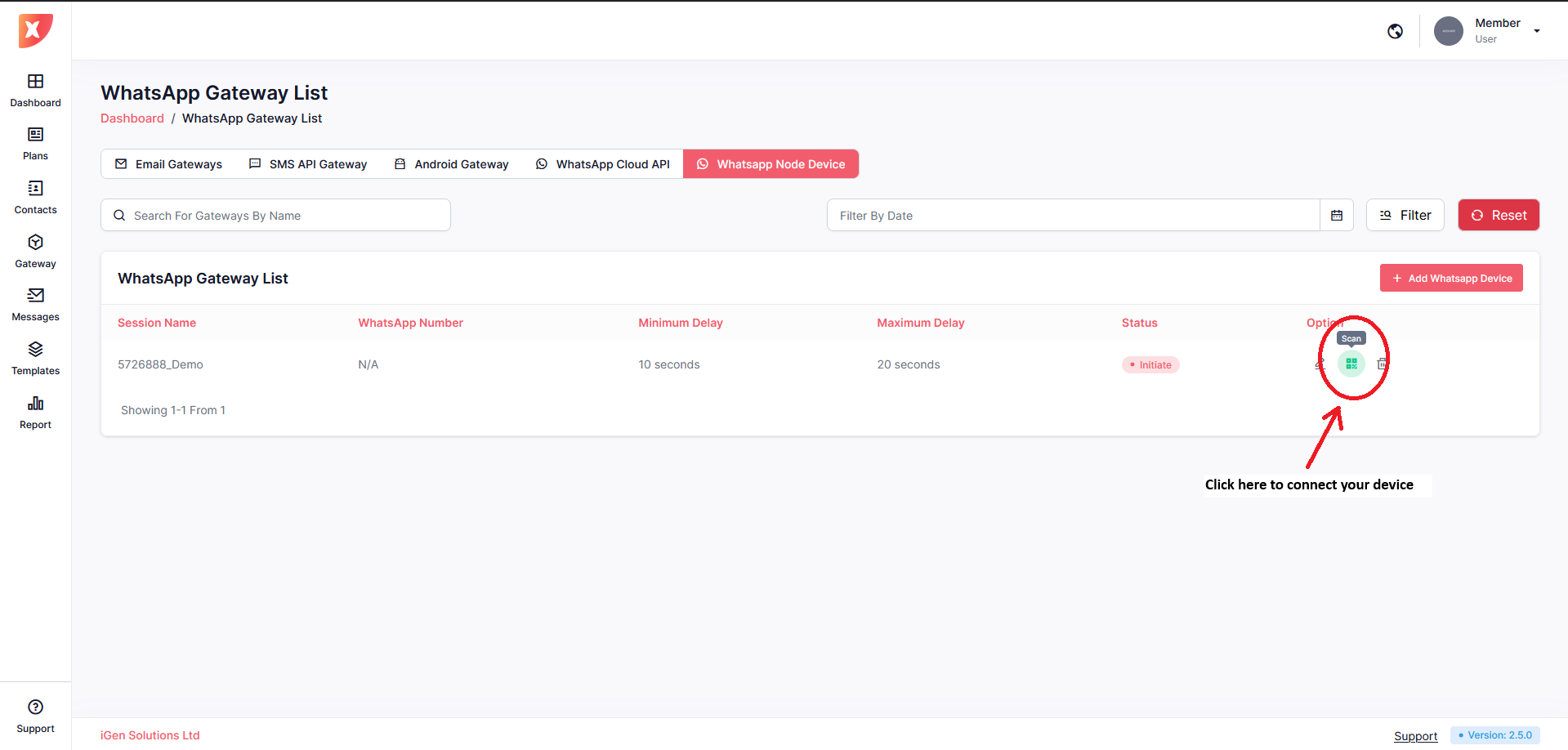
Note: After Scan wait for a few seconds until it says connected
Click on the Whatsapp Cloud API tab
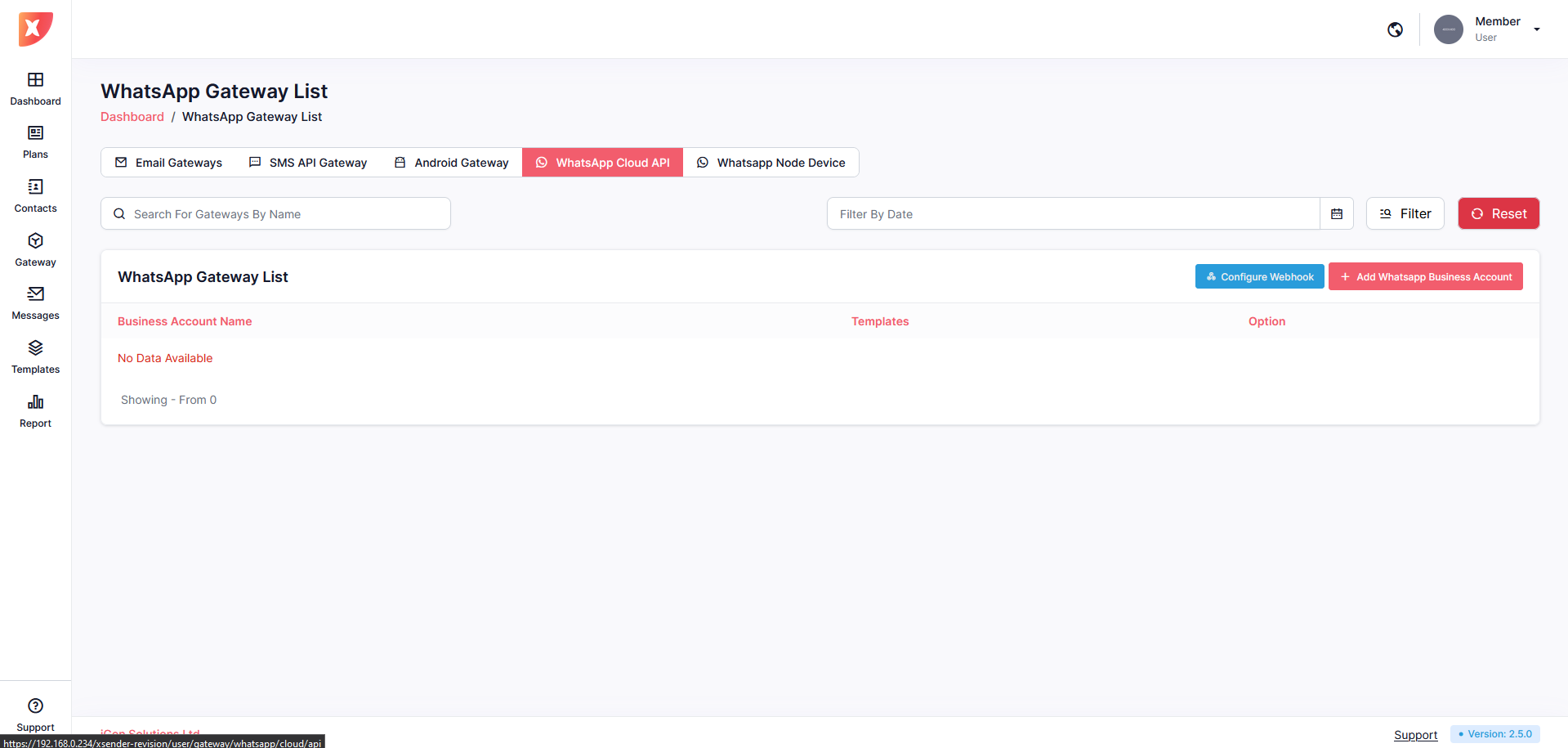
Click on Configure webhook

After configuring your webhook, click on Add Whatsapp Business Account

Fill out the information and Save