To set up your website user's authentication and onboarding, navigate to Settings > Member
Under the Authentication tab adjust the authentication setting according to your need

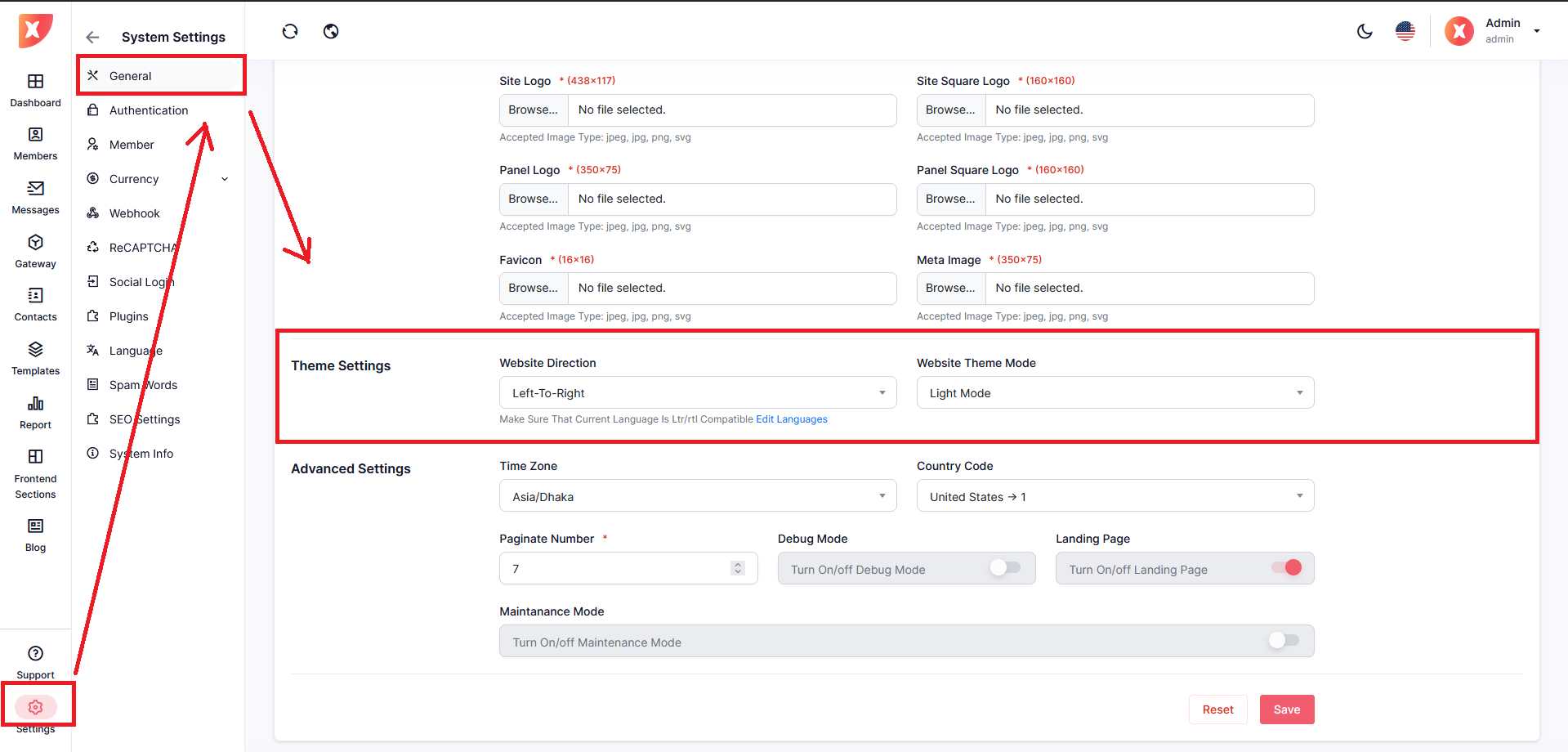
To set up common settings and appearance navigate to Settings > General
To change theme scroll down under Core Setting , change Theme Setting section
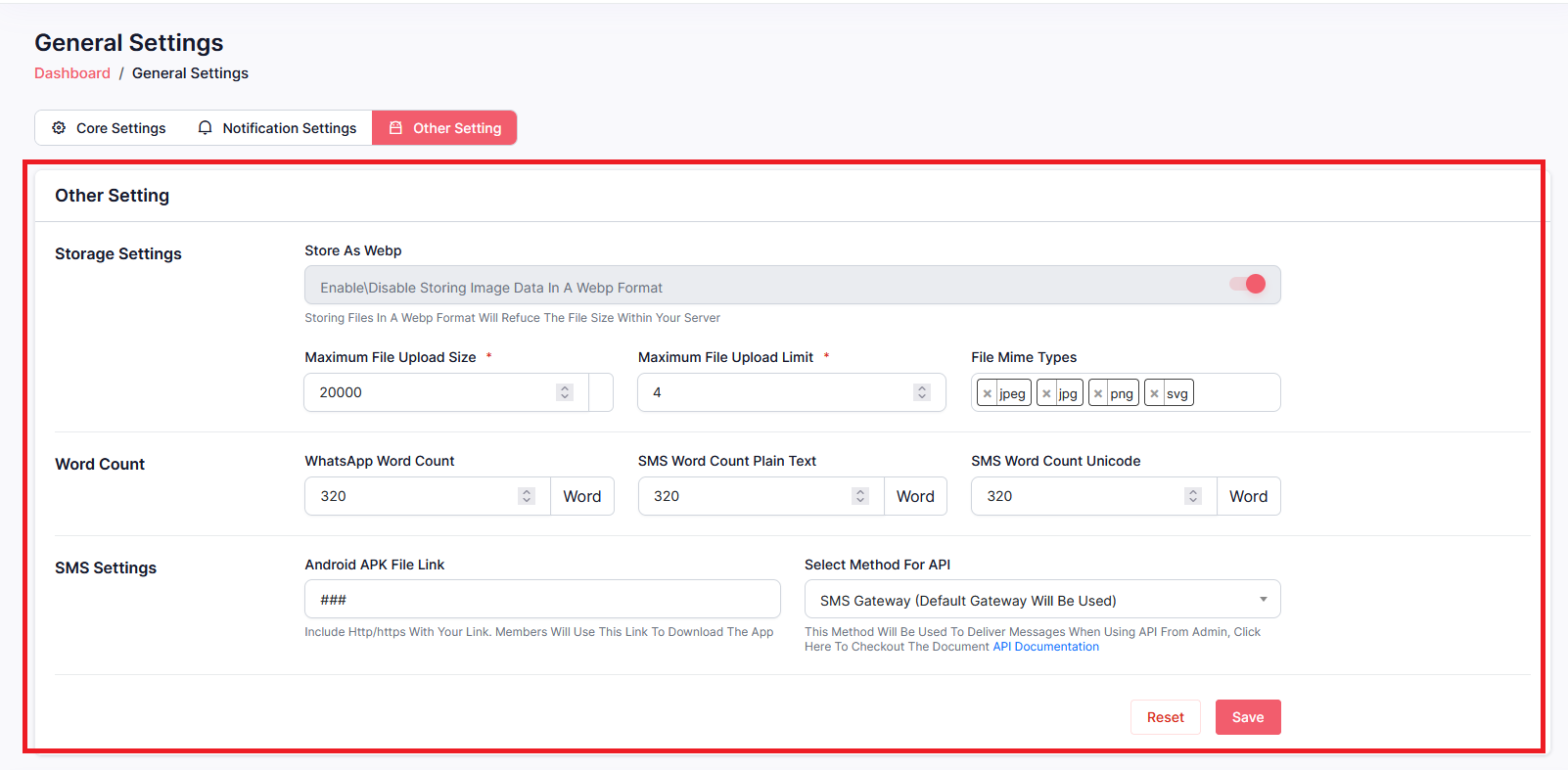
Set up your SMS method for API under the Other Setting tab. You can also find a few other settings in this tab. After changing any settings click on Save.
If the toggle is on, email addresses will be verified before sending and imported contacts will get verified after contacts are uploaded. And if the toggle is off, emails are sent without verification & imported contacts will get uploaded without verification.


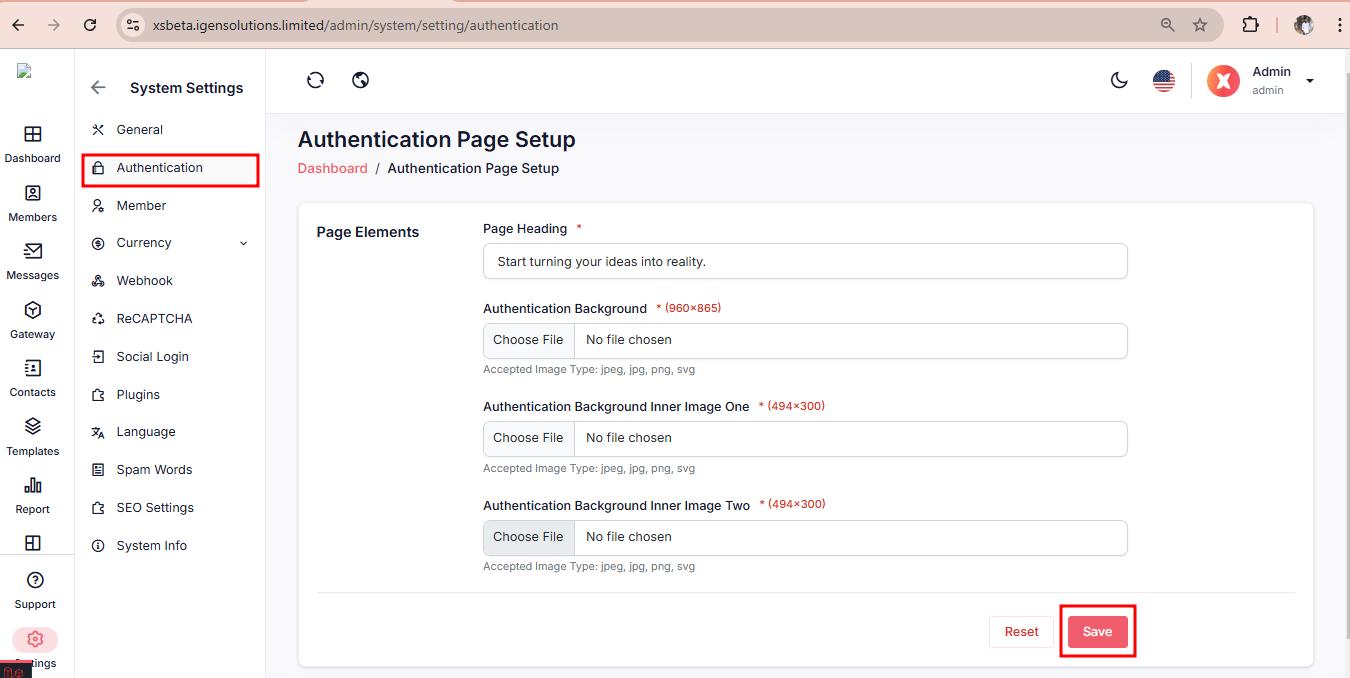
To configure your Authentication, navigate to Settings > Authentication
The Gateway Management page under Member Settings enables administrators to specify default API methods and gateways for SMS and email communications within the application. It also provides options to select specific gateways for SMS, SMS Android, and email functionalities.
Location: System Settings > Member > Gateway Management
Tabs:
Gateway Management
Authentication Settings
Onboarding Settings

Define the default API method for sending SMS.
Select Default API Method

Configure default and specific gateways for SMS and SMS Android communications.
Select the default method for sending SMS within the application.
Choose the API gateway for SMS

Configure the default gateway for email communications.
Choose the gateway for sending emails

To set up your website user's authentication and onboarding, navigate to Settings > Member
Under the Authentication tab adjust the authentication setting according to your need
Set up reward bonus on sign up, under the Onboarding Settings tab

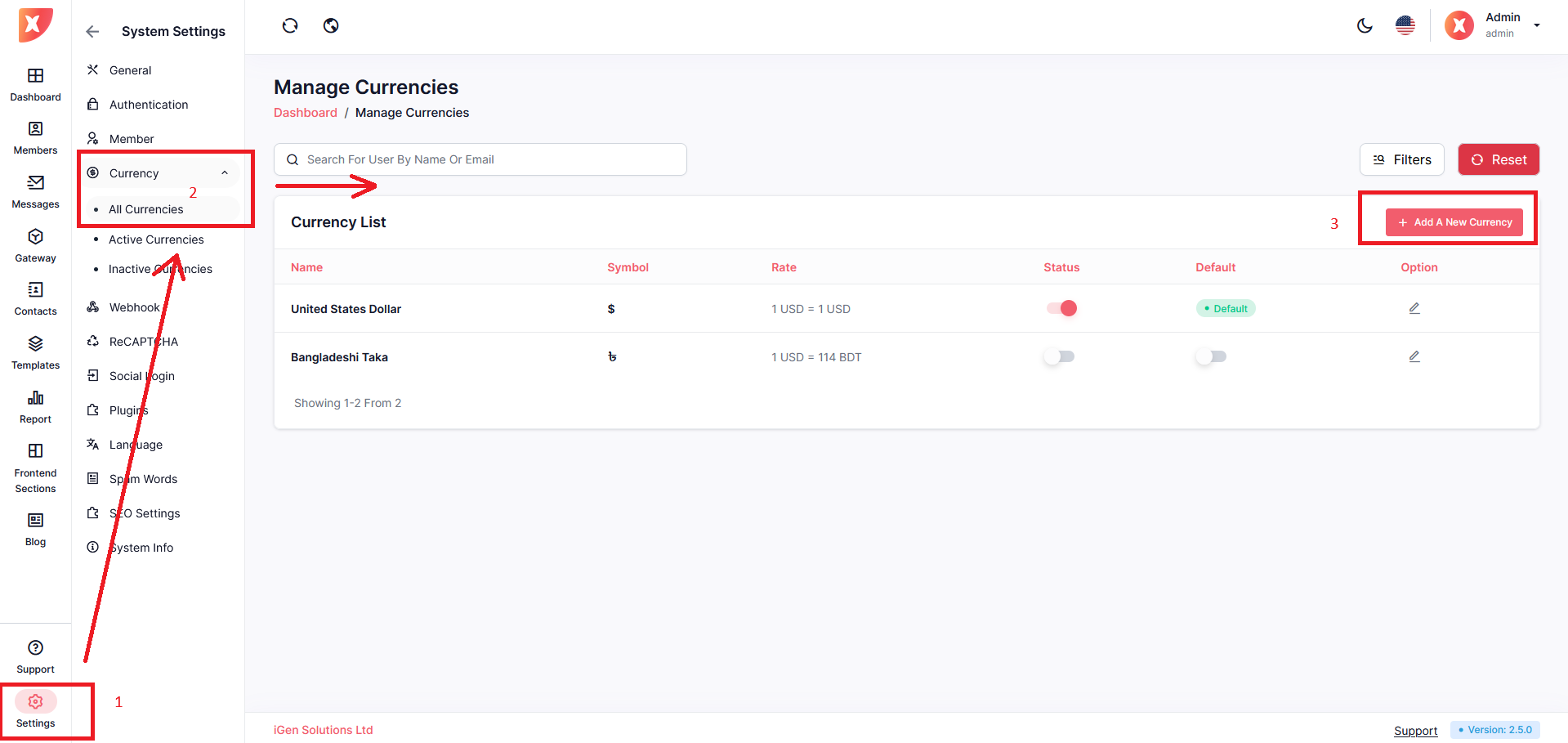
To set up Currency, navigate to Settings > Currency > All currency
You will find a list of all previously added currency.
To add a new currency, click on Add a New Currency
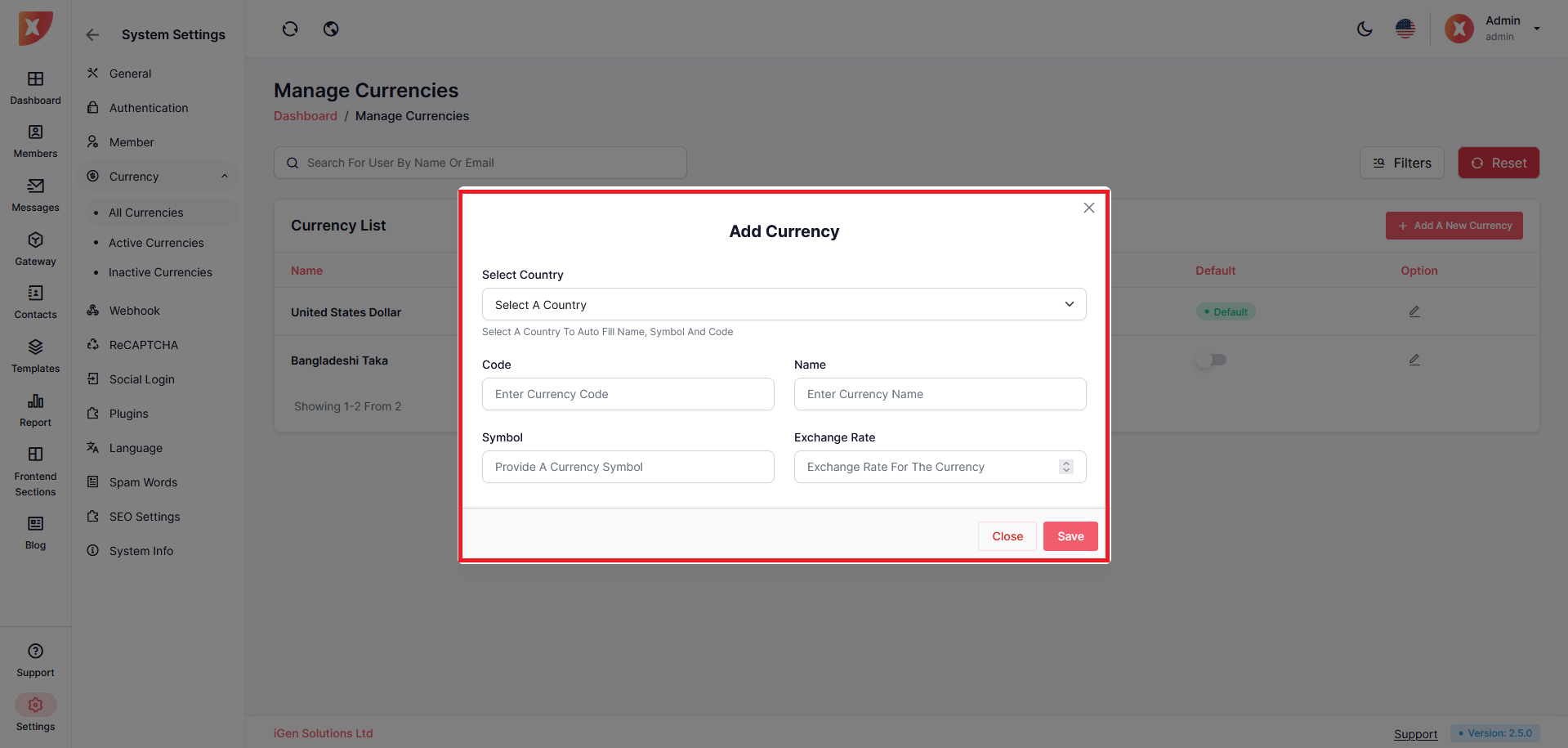
A form will pop up, fill out the necessary information and save
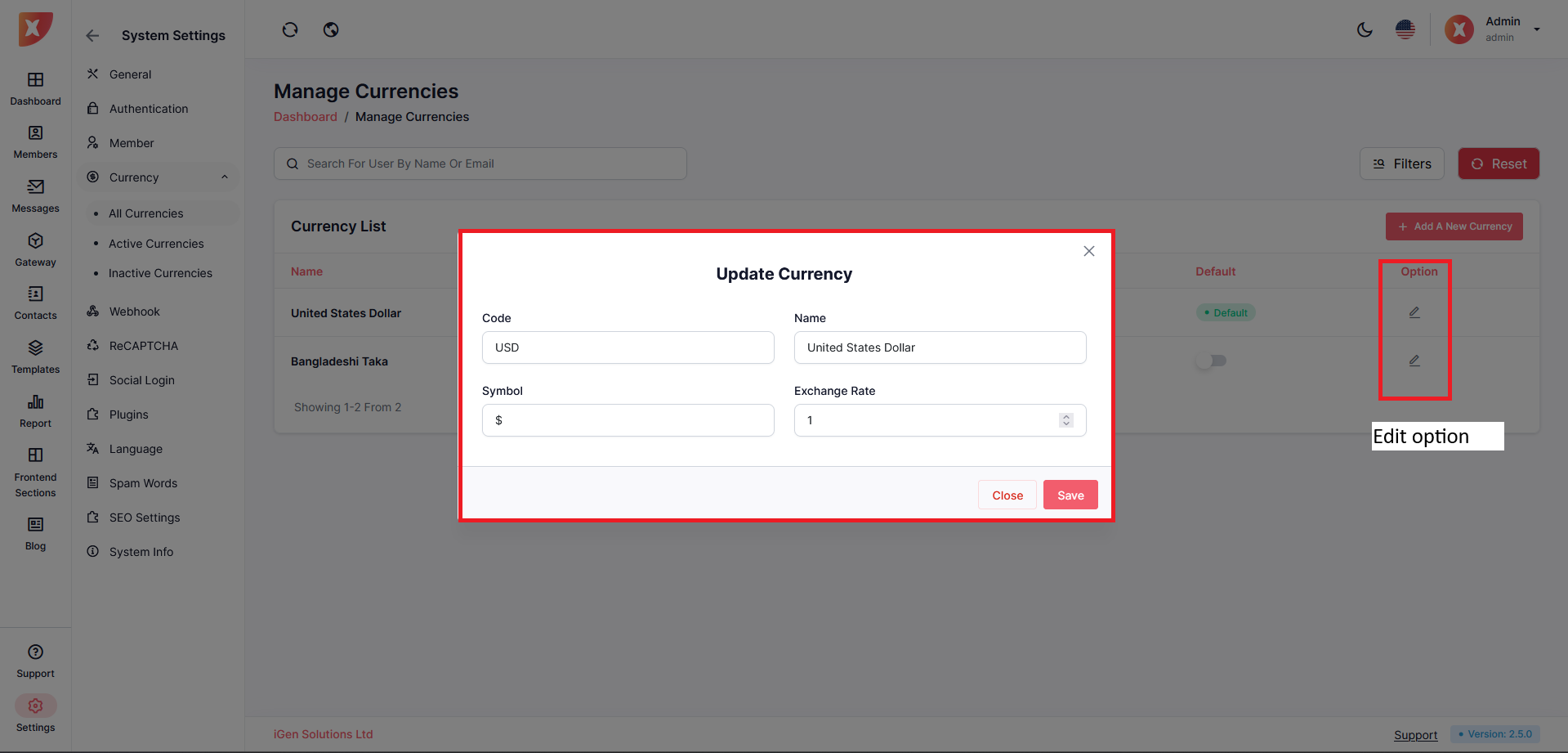
Edit added currency by clicking on the Edit icon under the option column
Change the code, Name, symbol, and Exchange rate as you need
Save
Note: You can not delete currency once added, as deleting would disrupt the calculation and can affect another module. However, if you wish not to use a specific currency simply change its status, it will disable it.
Webhook
A webhook is a user-defined HTTP callback that allows your application to receive real-time notifications from the WhatsApp Cloud API. It acts as a bridge between WhatsApp servers and your server, enabling seamless communication and instant updates. When specific events occur, the WhatsApp Cloud API sends an HTTP POST request to the webhook URL you specify.
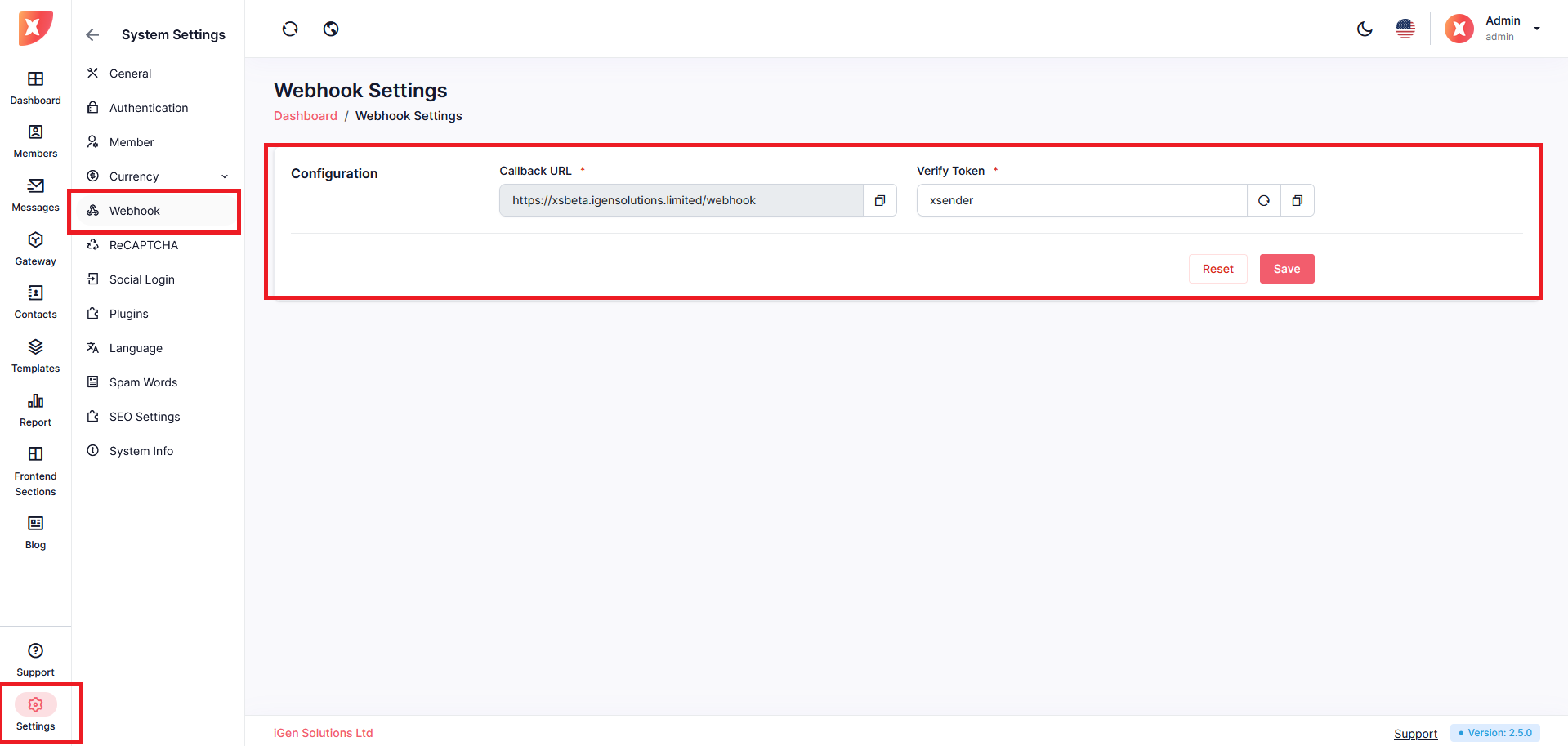
To configure your Webhook, navigate to Settings > Webhook
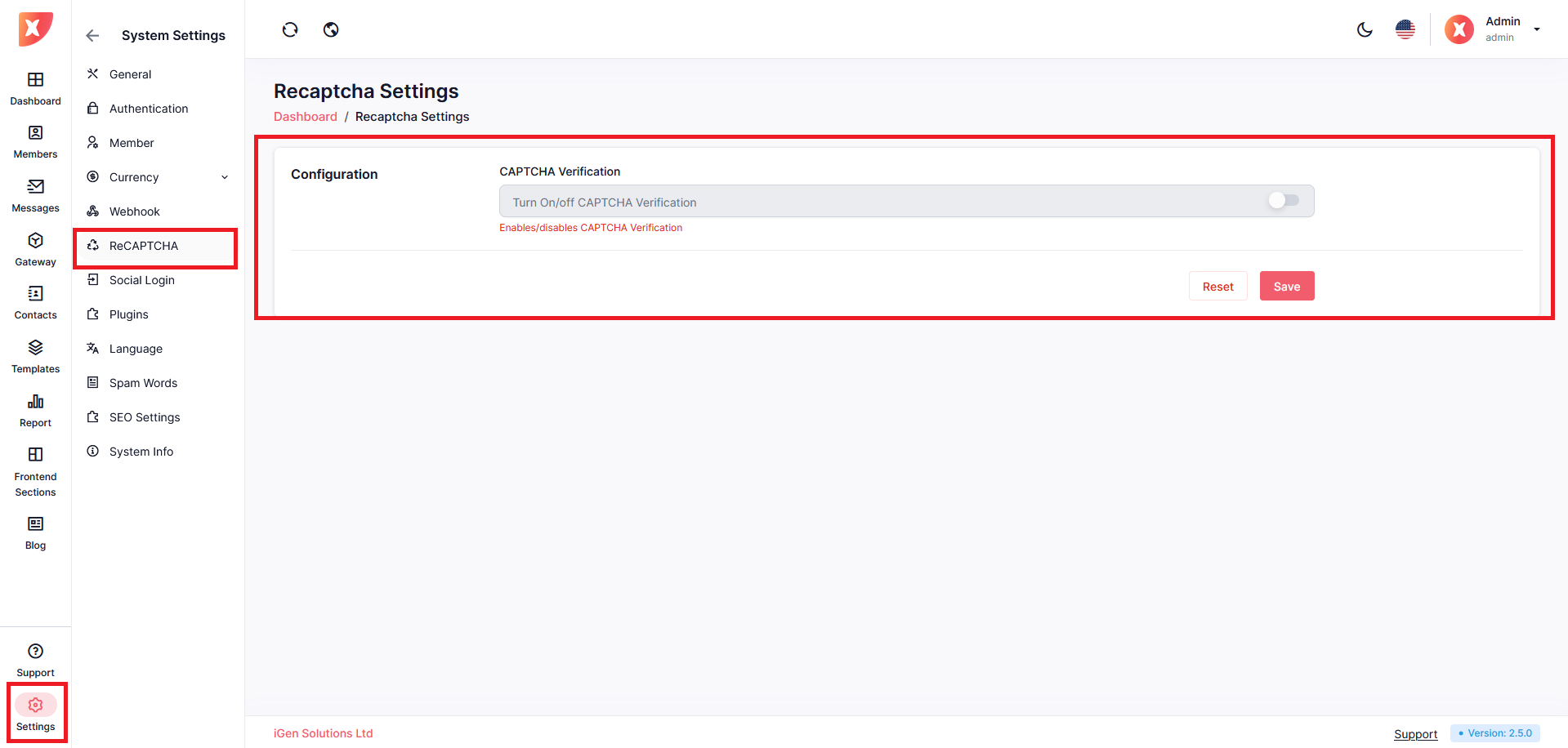
ReCAPTCHA is a security mechanism provided by Google to protect websites from bots and automated abuse while ensuring a smooth user experience. By verifying that interactions are performed by humans, reCAPTCHA helps prevent spam, fake registrations, and other malicious activities.
To configure your ReCAPTCHA, navigate to Settings > ReCAPTCH
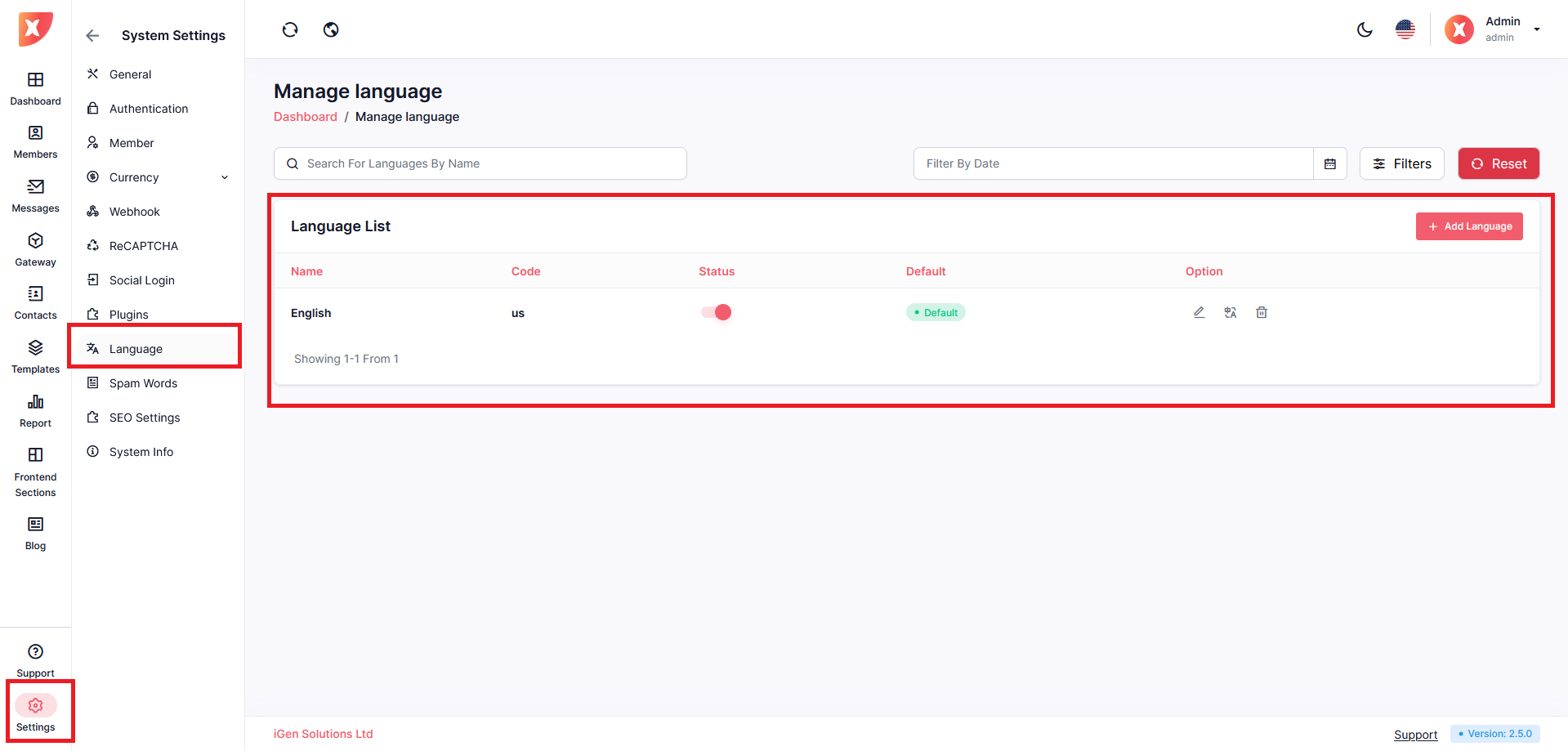
In Xsender we offer system-wide language support. To translate the website to your preferred language you have to set up the language first then translate the individual keys.
Navigate to Setting > Language
Click on Add Language
Configure it to your need
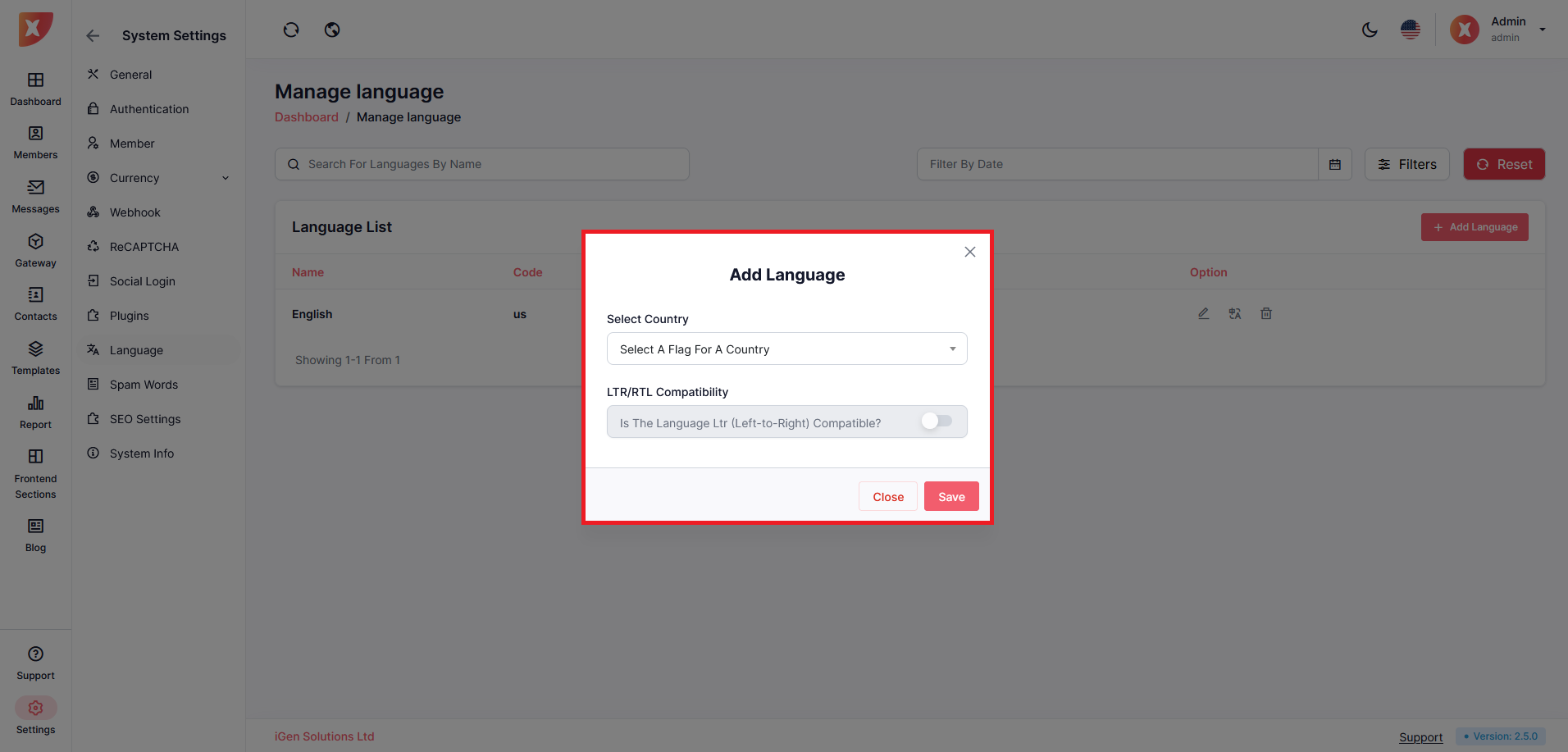
Save
Once you save you will have to add translation to the sentences you want to translate
Go to the Language List
Click on the Translation Icon
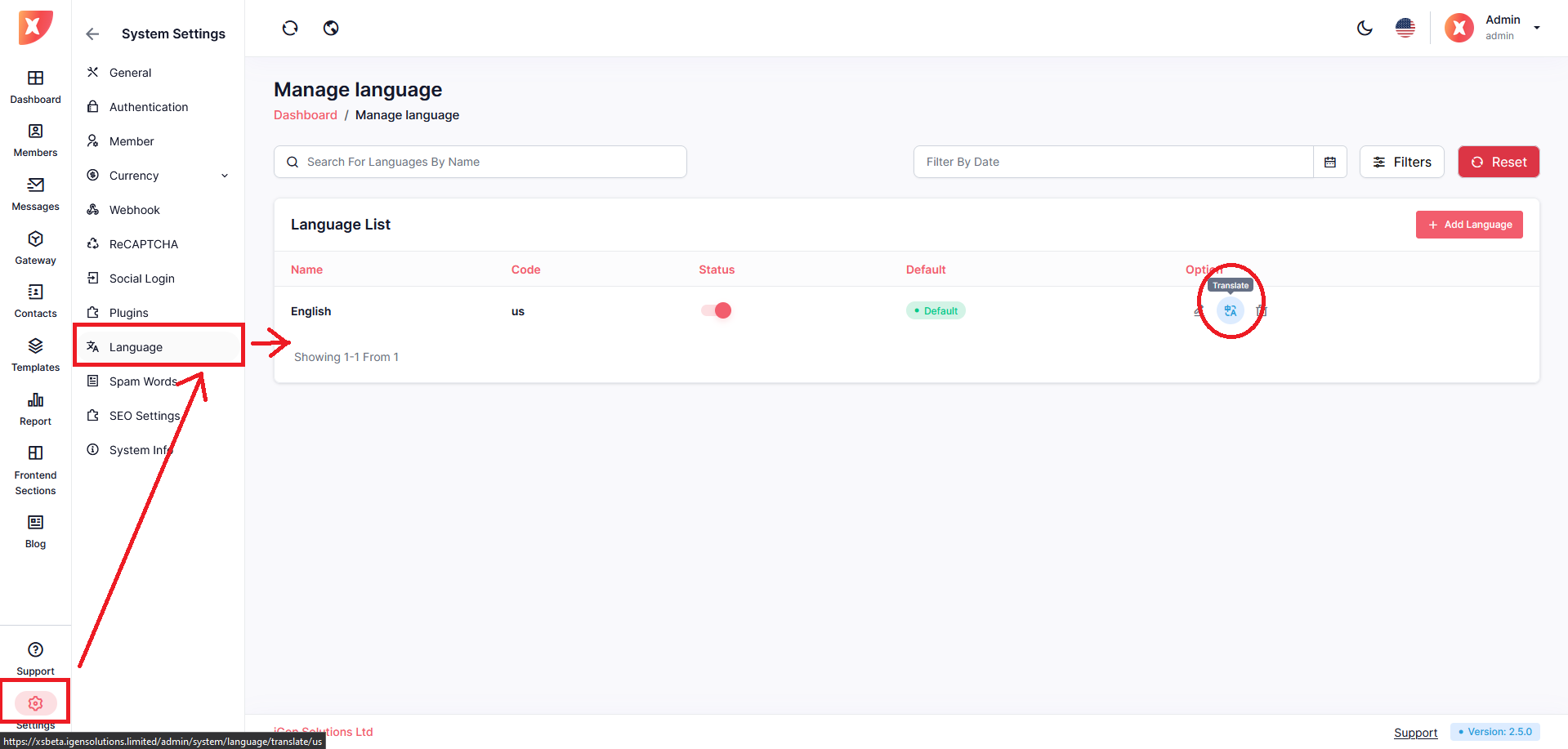
On the next page translate the available sentences to your desired language and save.
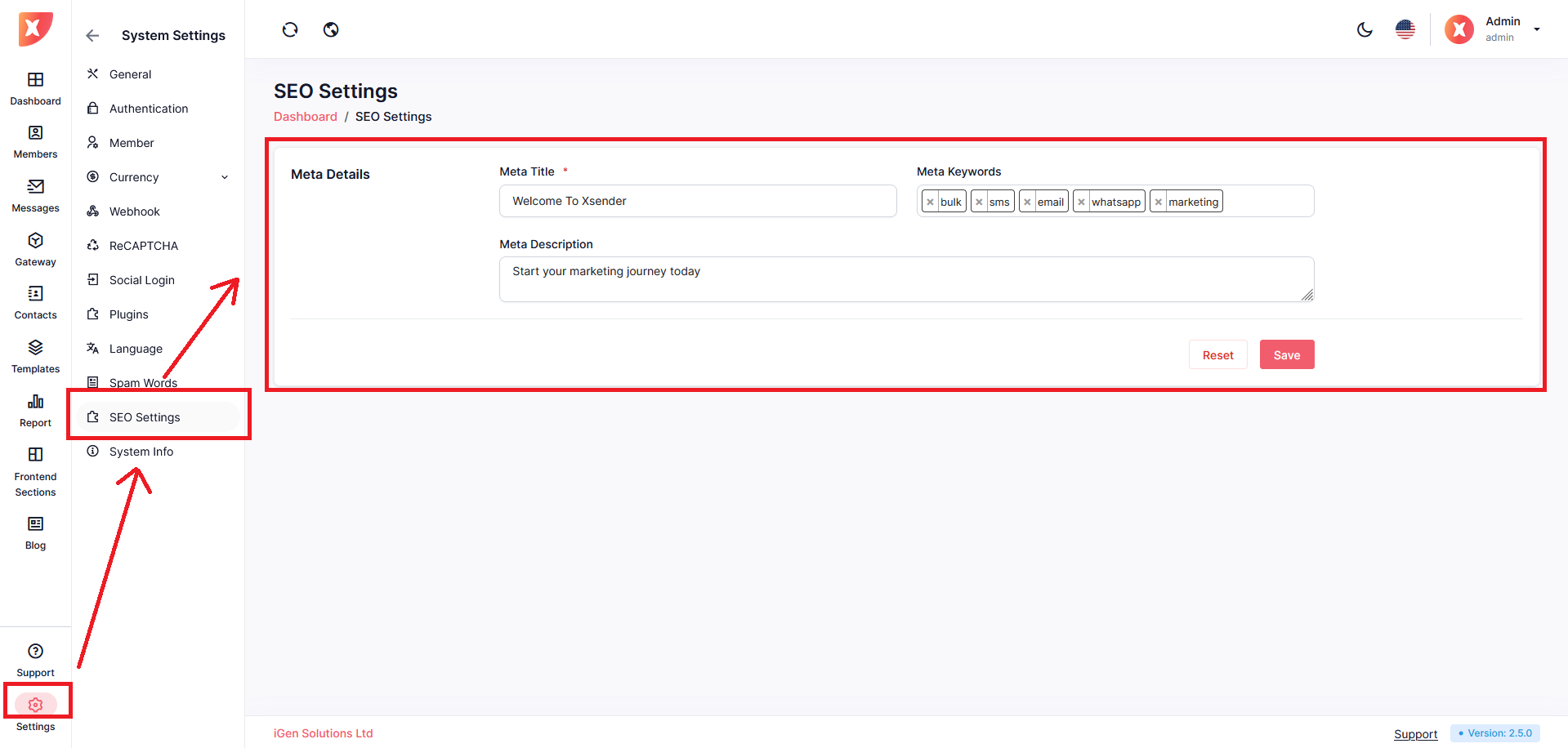
Set up your SEO setting. Navigate to Settings > SEO Settings
Configure it to your need
Save